
What is WowTo?
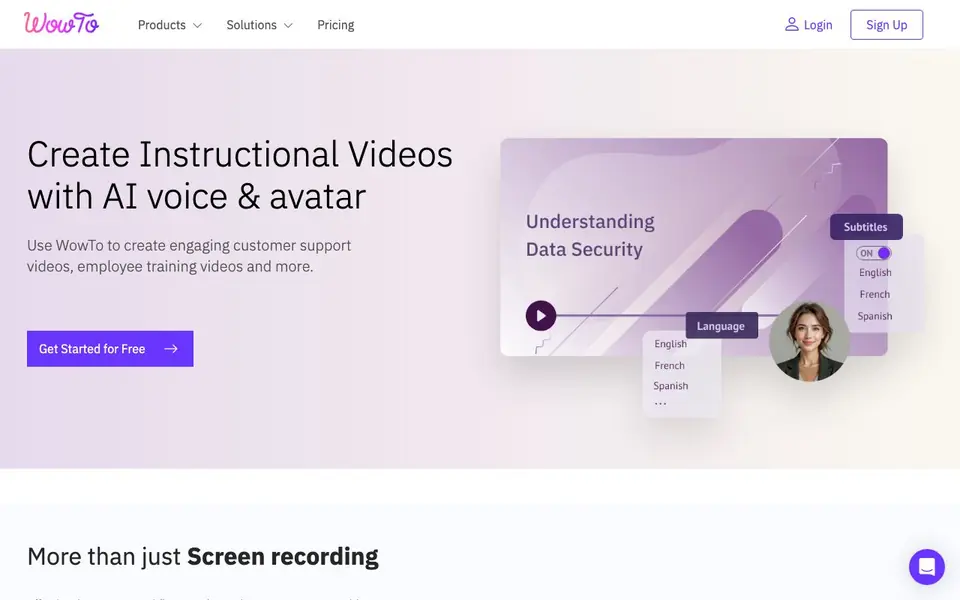
WowTo is a platform for creating instructional videos like customer support tutorials and employee training content. You can record your screen using the Chrome extension or import existing recordings, then enhance them with AI voiceovers, subtitles, and talking avatars. It also converts PowerPoint and PDF slides into engaging video presentations.
To get started, you sign up for free and install the Chrome extension. Record your workflow or upload a screen recording, then use the editor to add AI voices in 20+ languages, choose from 300+ voices, and pick an avatar to present the content. You can blur sensitive information, highlight clicks, and add annotations to make steps clear. When done, you generate a shareable link, embed the video on your website or help center, or export it as an MP4.
WowTo also lets you build a branded, searchable video knowledge base on your own domain, with an in-app widget for instant help. It integrates with tools like Zendesk, Intercom, Jira, Confluence, Slack, and Shopify. This suits customer support teams, trainers, educators, and anyone replacing YouTube with a private video library.
WowTo features
- Screen recorder: Capture workflows with the Chrome extension and turn them into professional videos.
- AI voiceovers: Convert text to speech in 20+ languages with 300+ voice choices and auto subtitles.
- AI avatars: Add lifelike talking avatars that speak to your audience in multiple languages.
- Video editor: Blur sensitive info, highlight clicks, annotate details, and edit steps without re-recording.
- Knowledge base: Host a branded, searchable video library on your custom domain with an in-app widget.
What you can do with WowTo
- Create step-by-step customer support videos from screen recordings.
- Turn PowerPoint or PDF training slides into engaging multilingual videos.
- Add AI voiceovers and avatars to existing screen recordings for accessibility.
- Build a searchable video help center for your website or app.
How to get started with WowTo
- Sign up for free and install the WowTo Chrome extension.
- Record your screen or import a screen recording, PPT, or PDF.
- Add AI voice, avatar, and edits, then share, embed, or export as MP4.
Tips for better results with WowTo
- Record your screen with the WowTo Chrome extension to capture real workflows, then use the editor to blur sensitive info and highlight clicks for clarity.
- Use WowTo's AI voiceovers in multiple languages to make one recording accessible to a global audience, and let auto subtitles reinforce the spoken steps.
- Convert existing PowerPoint or PDF slides into videos with WowTo, then add an AI avatar to present the material for a more engaging training experience.
- Edit individual steps or scripts in WowTo without re-recording the whole video, so you can keep tutorials accurate as your product or process changes.
WowTo pricing
WowTo has a free way to start, with paid plans for heavier use. Check wowto.ai for current limits and prices.
What to check before you rely on WowTo
- Check the WowTo pricing page for what the free plan includes and what limits apply to video length, exports, or AI features before committing.
- Verify whether your recordings contain sensitive data, since WowTo processes videos in the cloud and you should confirm their data handling policies.
- Confirm that the Chrome extension works on your browser version and that exported MP4 files meet your platform's requirements for embedding or sharing.
Who WowTo is for
WowTo suits customer support teams, trainers, educators and content creators. If that is not you, the AI video generators below may fit better.
Similar tools compared with WowTo
| Tool | What it is | Pricing |
|---|---|---|
| WowTo | AI instructional video and knowledge base maker | Freemium |
| SiVideoGen | AI video generator with multiple models | Freemium |
| FreeSiTools | Free AI image prompt generator | Free |
| SiVideoAPI | Unified API for top AI video models | Freemium |
| Runway | AI video, image, and audio creation suite | Freemium |
WowTo FAQ
What can I create with WowTo?
You can create customer support videos, employee training videos, and educational content. Use screen recordings, PowerPoint or PDF slides, or just text with AI voiceovers and avatars.
Does WowTo have a free plan?
Yes, the website says you can 'Get Started for Free'. It also offers paid plans, so it's freemium. Check the Pricing page for details on what the free plan includes.
Can I add my own voice or only AI voices?
The site highlights AI voices with 300+ options in 20+ languages. It does not mention uploading your own voice. You can import your own screen recordings and add AI voiceovers on top.
Where can I share or host my videos?
You can generate a shareable link, embed videos on your website or help center, export as MP4, or build a branded video knowledge base on your custom domain. It also syncs with Zendesk, Intercom, Jira, and more.
What integrations does WowTo offer with other tools?
WowTo integrates with Zendesk, Intercom, Jira, Confluence, Slack, and Shopify. This lets you connect your video creation and knowledge base directly to the support and collaboration tools your team already uses. For a full list of current integrations, check the WowTo website.
Can I use WowTo on my mobile device or tablet?
The WowTo website does not mention dedicated mobile apps. The screen recording feature relies on the Chrome extension, which is designed for desktop browsers. You can likely view and share videos on mobile, but for creating or editing, plan to use a desktop computer with Chrome.
Does WowTo require an account to use its features?
Yes, you need to sign up for a free WowTo account to get started. After signing up, you install the Chrome extension and can begin recording or importing videos. The free plan lets you try the platform, but some advanced features may require a paid plan.


