

What is Luma Dream Machine?
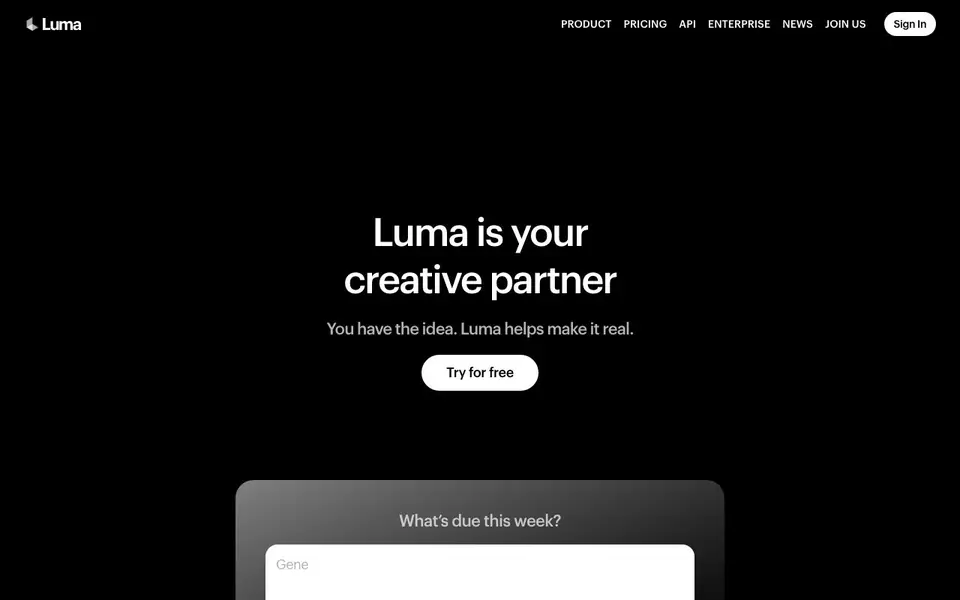
Luma is a creative AI platform built for generating video and images. It runs on Luma's own models, Ray for video and Uni for brand-aware generation, plus agents that handle research, generation, and refinement across video, image, audio, and text. The site says it is trusted by leading agencies and brands, and you can try it for free.
You start with an idea, and Luma's agents help you make it real. You can direct video frame by frame with Ray 3.2, which holds continuity across cuts and finishes in cinematic quality. Uni-1 carries your brand's style and character references into every asset, so the work stays consistent. You can explore workflows in the Learning Center to see what you can create.
Luma suits creative teams that need many directions or variants quickly, like ten directions before a morning standup or fifty variants by end of day. The site also mentions an API, enterprise options, and an education program. It does not list specific pricing tiers on the homepage, so check the Pricing page for details.
Luma Dream Machine features
- Ray 3.2 video model: Direct every frame and keep continuity across cuts for cinematic results.
- Uni-1 brand intelligence: Carries your style, character references, and visual grounding into each asset.
- Creative agents: Research, generate, and refine across video, image, audio, and text for you.
- API access: Integrate Luma's video and image generation models into your own workflows.
- Learning Center: Find workflows and best practices to bring ideas to life with Luma.
What you can do with Luma Dream Machine
- Generate product hero shots for a new launch.
- Create paid social variants for ad campaigns.
- Cut a teaser video from your footage.
- Produce multiple creative directions for a client pitch.
How to get started with Luma Dream Machine
- Go to Luma's website and sign in or create an account.
- Choose a model like Ray 3.2 or Uni-1 for your video or image task.
- Describe your idea or upload a reference, then let Luma's agents generate and refine the asset.
Tips for better results with Luma Dream Machine
- Use Ray 3.2 to direct each frame explicitly, setting camera angles and motion, so cuts stay continuous and the final video matches your intended cinematic style.
- Feed Uni-1 clear brand style references and character images before generating, so every asset Luma produces stays consistent with your visual identity across all variants.
- Start with one detailed idea in Luma's agent workflow, then request ten directions or fifty variants to explore creative options quickly before your next standup or client meeting.
- Check the Learning Center for workflows and best practices, then adapt those examples to your project to get more polished results from Luma's video and image generation.
Luma Dream Machine pricing
Luma Dream Machine has a free way to start, with paid plans for heavier use. Check lumalabs.ai for current limits and prices.
What to check before you rely on Luma Dream Machine
- Verify your plan's credit limits and pricing on Luma's Pricing page, since the homepage does not list specific tiers or costs for the freemium model.
- Confirm whether your intended output formats and export options are supported, as the website does not state available file types or resolution details.
- Review Luma's data and privacy policies to understand how your uploaded brand references and generated assets are handled, since this information is not detailed on the homepage.
Who Luma Dream Machine is for
Luma Dream Machine suits creative teams, agencies, brand marketers and video editors. If that is not you, the AI video generators below may fit better.
Similar tools compared with Luma Dream Machine
| Tool | What it is | Pricing |
|---|---|---|
| Luma Dream Machine | AI video and image creation platform | Freemium |
| SiVideoGen | AI video generator with multiple models | Freemium |
| FreeSiTools | Free AI image prompt generator | Free |
| SiVideoAPI | Unified API for top AI video models | Freemium |
| Runway | AI video, image, and audio creation suite | Freemium |
Luma Dream Machine FAQ
What does Luma Dream Machine do?
Luma is a creative AI platform for generating video and images. It uses its own models, Ray for video and Uni for brand-aware generation, plus agents that handle research, generation, and refinement across video, image, audio, and text.
Is Luma free to use?
The website says you can try Luma for free, which suggests a free plan or free credits are available. It also lists a Pricing page, so paid plans likely exist. Check the Pricing section for exact details on limits and costs.
Who is Luma for?
Luma is built for creative teams, agencies, and brands that need fast, on-brand video and image assets. It suits those who want many directions or variants quickly, like for client pitches or ad campaigns.
Can I use Luma's models through an API?
Yes, Luma offers an API for its video and image generation models. The site mentions the Ray3.2 Model & API and the Uni-1.1 API, so developers can integrate these into their own workflows. Pricing for the API is not stated on the homepage.
Can Luma Dream Machine export videos in different formats or resolutions?
The Luma Dream Machine website does not mention specific export formats or resolution options. For details on what you can export and the available settings, check the product documentation or contact support through the site.
Does Luma Dream Machine run on mobile devices or only on desktop?
The Luma Dream Machine website does not specify whether it runs on mobile devices or only on desktop. To find out about supported platforms, check the system requirements or reach out to the Luma team via the website.
What does the free plan of Luma Dream Machine include?
The Luma Dream Machine website says you can try it for free, but it does not list the specific limits or features of the free plan. For exact details on what the free tier includes, visit the Pricing page on the site.


