

What is Fliki?
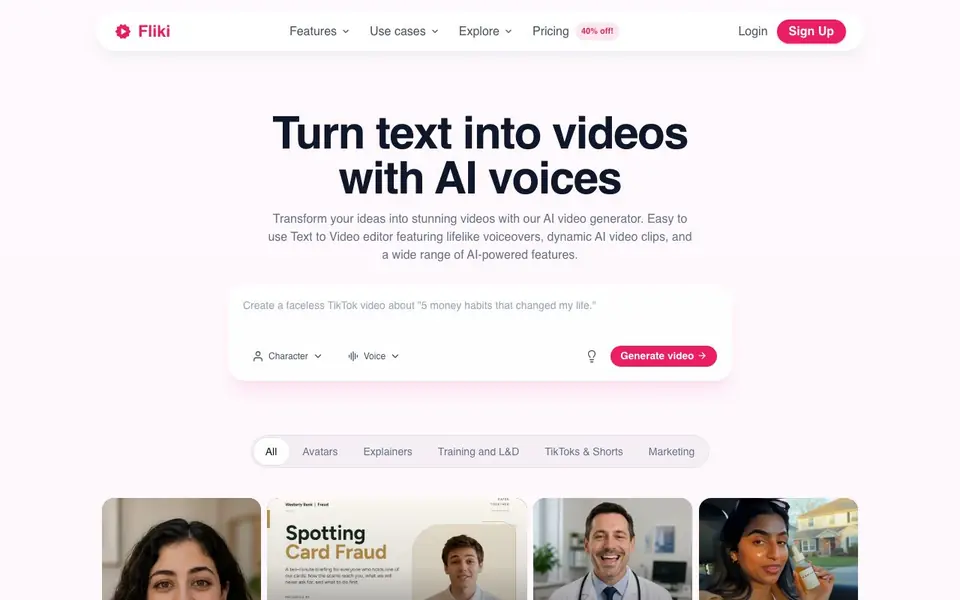
Fliki is an AI video generator that turns text into publish-ready videos. You paste a script, blog post, or one-line prompt, and Fliki writes the script, picks visuals, adds an AI voiceover, music, and subtitles, and gives you a complete video with consistent characters in minutes. It supports over 2,000 lifelike AI voices in 80+ languages and dialects, with real emotion, pacing, and emphasis.
You can also generate voiceovers for any video, dub into any language, or clone your own voice from a short sample. Fliki's Series feature plans your next videos based on your topic, style, and posting schedule, so you stay consistent on TikTok, YouTube, and Shorts. The Digital Twin feature lets you record yourself once, and Fliki creates an AI version of you that presents, teaches, and speaks in 80+ languages with the same face and voice.
Fliki is built for creators, professionals, and teams. You can create faceless short-form videos for TikTok and Reels without showing your face, using trending templates and one-click publishing. The website mentions a free forever plan, no credit card required, and cancel anytime. It also integrates leading AI video, voice, and image models from OpenAI, Google, Kling, Bytedance, ElevenLabs, and more, all in one place.
Fliki features
- Text to Video: Paste a script, blog post, or prompt, and Fliki creates a complete video with visuals, voiceover, music, and captions.
- Text to Speech: Choose from 2,000+ lifelike AI voices in 80+ languages with emotion, pacing, and emphasis.
- Series: Tell Fliki your topic and schedule, and it plans and writes your next videos automatically.
- Digital Twin: Record yourself once, and Fliki creates an AI version of you that presents in 80+ languages.
- One-click publish: Send your videos directly to TikTok, Instagram, and YouTube from Fliki.
What you can do with Fliki
- Create faceless TikToks and Reels without showing your face.
- Turn blog posts into narrated videos for your audience.
- Produce training videos for employees without filming.
- Generate consistent video series for YouTube or Shorts.
How to get started with Fliki
- Sign up for a free account on Fliki's website.
- Paste your script, blog post, or a one-line prompt into the text-to-video editor.
- Choose an AI voice, let Fliki generate visuals and captions, then export or publish your video.
Tips for better results with Fliki
- Start with a detailed script or blog post rather than a one-line prompt, since Fliki uses your text to choose visuals, voiceover, and pacing, giving you more control over the final video.
- Use Fliki's Series feature by specifying your topic and posting schedule, and it will plan and write your next videos automatically, keeping your content consistent without daily effort.
- For faceless videos, describe your desired style and use trending templates in Fliki, then rely on one-click publishing to TikTok, Instagram, and YouTube to save time.
- When creating a Digital Twin, record a clear, short sample of your voice and face, as Fliki uses that to replicate you in 80+ languages, so quality input improves output.
Fliki pricing
Fliki has a free way to start, with paid plans for heavier use. Check fliki.ai for current limits and prices.
What to check before you rely on Fliki
- Check the free plan's limits on video length, exports, or watermarks, since the website mentions a free forever plan but does not state specific usage caps.
- Verify whether the pricing label 'freemium' includes hidden costs for premium voices, Digital Twin, or Series features, as the site does not list detailed price tiers.
- Review Fliki's data and privacy policy for how your uploaded scripts, voice samples, or face recordings are stored and used, as the website does not explicitly state this.
Who Fliki is for
Fliki suits content creators, marketers, training and L&D teams and solo professionals. If that is not you, the AI video generators below may fit better.
Similar tools compared with Fliki
| Tool | What it is | Pricing |
|---|---|---|
| Fliki | AI video generator with lifelike voiceovers | Freemium |
| SiVideoGen | AI video generator with multiple models | Freemium |
| FreeSiTools | Free AI image prompt generator | Free |
| SiVideoAPI | Unified API for top AI video models | Freemium |
| Runway | AI video, image, and audio creation suite | Freemium |
Fliki FAQ
Is Fliki free to use?
Yes, Fliki offers a free forever plan. The website says no credit card is required and you can cancel anytime. Paid plans likely add more features, but the free plan lets you start creating videos right away.
What can I create with Fliki?
You can create videos from text, including explainers, marketing videos, TikTok and Shorts, music videos, motion graphics, and avatar videos. You can also generate voiceovers, dub videos, and clone your own voice.
Who is Fliki for?
Fliki is for content creators, professionals, and teams. It's used by TikTok creators, business owners like orthodontists, and L&D directors at Fortune 500 companies to make videos without filming or editing skills.
Does Fliki support my language?
Fliki supports 80+ languages and dialects for AI voices. You can generate voiceovers in many languages, and the Digital Twin feature lets your AI version speak in those languages too. The website doesn't list every language, so check its voice library for specifics.
Can I use Fliki on my phone or tablet?
The Fliki website does not mention a dedicated mobile app, so it is unclear if you can use Fliki on a phone or tablet. You can check the Fliki website or contact their support team to see if a mobile app is available or if the web version works on mobile browsers.
What video formats can Fliki export, and can I download my videos?
The Fliki website does not specify the exact video export formats or whether you can download your videos. It mentions one-click publishing to TikTok, Instagram, and YouTube, but for details on export options, you should check the Fliki website's help center or pricing page.
Does Fliki have a free plan, and what does it include?
Yes, Fliki offers a free forever plan with no credit card required. The website mentions you can start creating for free, but it does not list the specific limits of the free plan, such as the number of videos or minutes. For exact details, check the Fliki pricing page.


