

What is HeyGen?
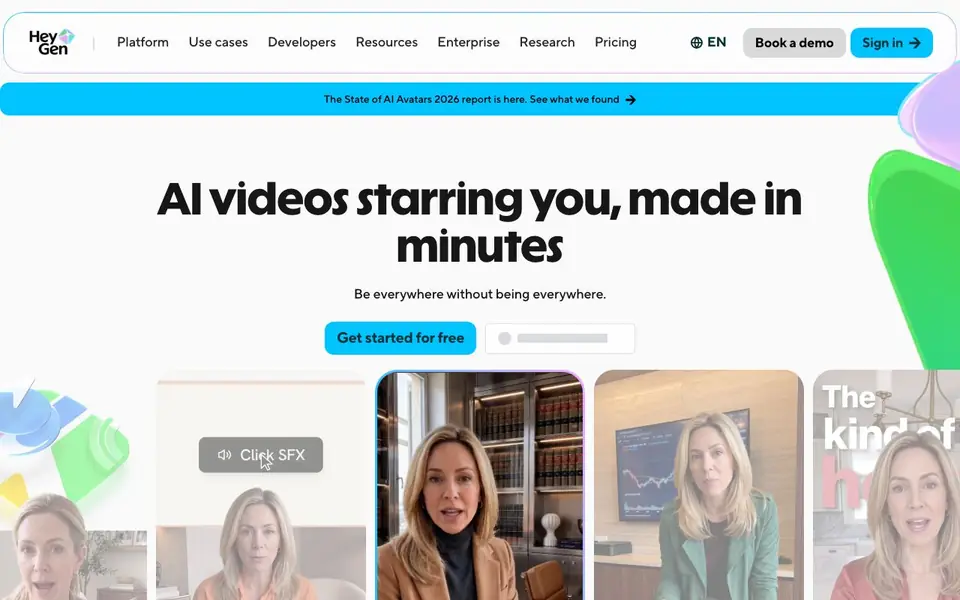
HeyGen creates realistic AI videos starring you or a digital avatar. You start with text, an image, or audio, and it produces a full video with narration, captions, visuals, and animations. It is built for people who want professional-looking video without a camera or editing skills.
You begin by typing your idea or script into the editor. HeyGen generates a presenter avatar, motion graphics, and B-roll that match your words. You can then adjust text, color, timing, or layout in AI Studio without re-rendering the whole video. The platform also translates videos into 175+ languages while preserving your tone and syncing lips.
The tool suits content creators, businesses, and educators. It claims to be trusted by 85% of the Fortune 100 and rated #1 most realistic on G2. You can start for free, but the site does not detail what the free plan includes or pricing tiers.
HeyGen features
- Avatar V: Creates a consistent avatar identity across every video, with no drift or artifacts.
- Character consistency: Keeps the same face, micro-expressions, and presence across clips of any length.
- Multiple angles: Generates wide, medium, and close-up shots from a single recording.
- Accurate lip-sync: Matches audio to lip movements at phoneme level in 175+ languages.
- Video Translation: Translates videos in one click while preserving your voice tone and lip sync.
What you can do with HeyGen
- Create social media videos with a realistic AI presenter.
- Produce online course modules featuring a consistent avatar instructor.
- Translate existing videos into multiple languages for global audiences.
- Generate explainer videos with motion graphics and B-roll from a script.
How to get started with HeyGen
- Sign up for a free account on HeyGen's website.
- Type your script or idea into the text-based editor.
- Generate the video, then edit text, visuals, or timing in AI Studio before sharing.
Tips for better results with HeyGen
- Start with a detailed script that includes pauses and emphasis so HeyGen can match the avatar's gestures and tone to your intended delivery.
- Use HeyGen's AI Studio to adjust text, color, timing, or layout after generation without re-rendering, saving time when fine-tuning your video.
- For multi-language projects, record or upload clean audio first, then use HeyGen's translation feature to preserve your voice tone and lip-sync across 175+ languages.
- Create a consistent avatar with HeyGen's Avatar V by providing a single clear recording, then reuse it across clips to maintain the same face and micro-expressions.
HeyGen pricing
HeyGen has a free way to start, with paid plans for heavier use. Check heygen.com for current limits and prices.
What to check before you rely on HeyGen
- Check what the free plan actually includes, since the HeyGen website does not detail free plan limits or pricing tiers.
- Verify whether your video export formats and resolution needs are supported, as the site does not list specific download options.
- Review HeyGen's data and privacy policy to confirm how your recordings and generated videos are stored or used, since this is not stated on the main pages.
Who HeyGen is for
HeyGen suits content creators, marketers, educators and businesses. If that is not you, the AI video generators below may fit better.
Similar tools compared with HeyGen
| Tool | What it is | Pricing |
|---|---|---|
| HeyGen | AI video and avatar creation platform | Freemium |
| SiVideoGen | AI video generator with multiple models | Freemium |
| FreeSiTools | Free AI image prompt generator | Free |
| SiVideoAPI | Unified API for top AI video models | Freemium |
| Runway | AI video, image, and audio creation suite | Freemium |
HeyGen FAQ
What does HeyGen do?
HeyGen creates AI videos from text, image, or audio. It generates realistic avatars, narration, captions, and animations, so you can produce a full video without a camera or editing software.
Is HeyGen free?
HeyGen offers a free start, but the website does not specify what the free plan includes or whether there are paid tiers. Check the Pricing page on their site for details.
Who is HeyGen for?
It is for content creators, businesses, educators, and teams who need videos quickly. The site mentions use cases like social content, online courses, legal, finance, and real estate.
Can I translate videos with HeyGen?
Yes. HeyGen's Video Translation feature lets you upload a file or paste a YouTube link to translate videos into 175+ languages, with lip-sync and voice cloning to preserve your tone.
Can I use HeyGen on my phone or tablet?
The HeyGen website does not mention a dedicated mobile app or specific device requirements. You can likely access HeyGen through a web browser on any device, but for the best experience, check the site's platform or system requirements section. If you need a native app, the website does not list one.
What video formats and resolutions can I export from HeyGen?
The HeyGen website does not list the specific export formats or resolutions available. It does say you can download and share videos instantly after generation. To find exact export options, check the pricing or help documentation on the site, as this detail is not covered in the public pages.
Does HeyGen require me to create an account to start using it?
The HeyGen website says you can 'Get started for free,' which typically implies you need to sign up for an account. The site does not explicitly state whether you can try it without an account. To confirm, visit the sign-in or get started page, where you'll see the registration requirements.


