

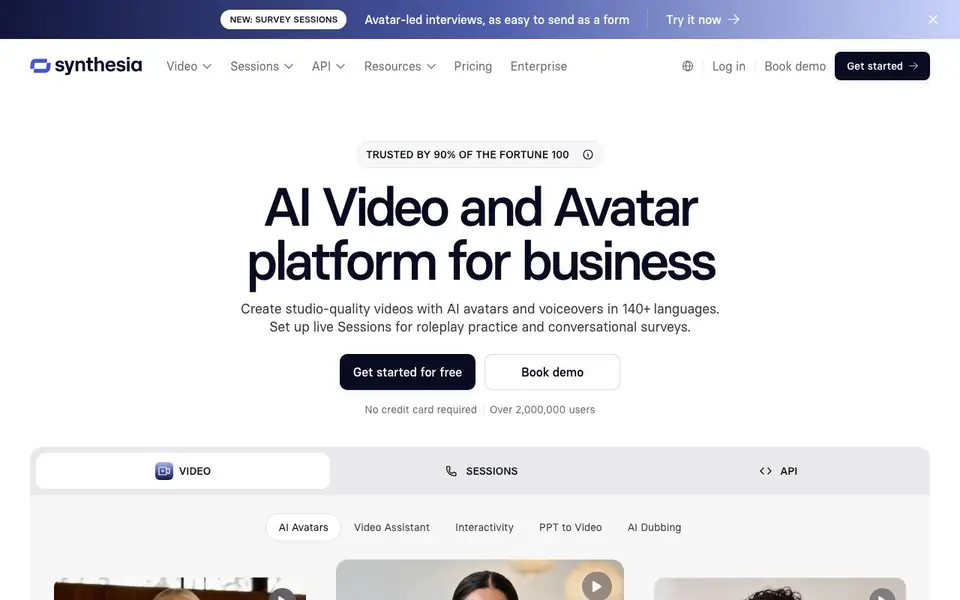
What is Synthesia?
Synthesia is an AI video platform built for business teams. You can turn documents, PowerPoints, or URLs into polished videos with realistic AI avatars and voiceovers. It supports over 140 languages, making it easy to localize content for global audiences. The platform is trusted by 90% of the Fortune 100 and has over 2 million users.
To create a video, you start by choosing an avatar or building a custom one that matches your brand. You can change outfits and backgrounds to fit your context. Then you add your script or upload a file, and the Video Assistant generates a draft. You can review, edit, and publish it as a link, embed, or SCORM file for your LMS. Built-in analytics track views, clicks, and watch-through rates.
Beyond video creation, Synthesia offers interactive Sessions. You can set up roleplay practice for sales calls or tough feedback, and run conversational surveys with avatars that ask follow-up questions. The API lets developers generate videos, automate dubbing, and embed real-time avatars in their own products. The platform is designed for training, sales enablement, internal communications, and compliance teams.
Synthesia features
- AI avatars: Choose from customizable avatars or build your own with brand-aligned outfits and backgrounds.
- Video Assistant: Turn documents, PowerPoints, or URLs into polished videos in minutes.
- AI dubbing: Translate your video library into 140+ languages with glossary controls for consistent terms.
- Interactive Sessions: Run roleplay practice and conversational surveys with avatars that coach and interview 24/7.
- Brand Kit and permissions: Lock in your brand guidelines and control who can create, edit, and publish videos.
What you can do with Synthesia
- Create employee training videos with AI avatars in multiple languages.
- Run sales roleplay sessions to practice handling tough customer conversations.
- Translate existing video content into 140+ languages for global teams.
- Build interactive surveys with avatars that ask follow-up questions automatically.
How to get started with Synthesia
- Sign up for a free account on Synthesia's website — no credit card required.
- Choose an AI avatar or build a custom one, then add your script or upload a file.
- Generate your video, review it, and publish it as a link, embed, or SCORM file.
Tips for better results with Synthesia
- Start with a well-structured PowerPoint or document, then let Synthesia's Video Assistant convert it into a draft video, which you can refine for polish.
- Use Synthesia's glossary controls when dubbing into multiple languages to keep brand terms and names consistent across your entire video library.
- For sales practice, set up an interactive Session in Synthesia where your team can roleplay tough customer conversations and get immediate feedback.
- Leverage Synthesia's Brand Kit and permission settings to lock in your visual guidelines and control who can edit or publish videos across your team.
Synthesia pricing
Synthesia has a free way to start, with paid plans for heavier use. Check synthesia.io for current limits and prices.
What to check before you rely on Synthesia
- Check the free plan's video length and watermark limits before starting, as the website does not list specific caps.
- Verify that the avatars and voices you need are included in your plan, since Synthesia does not detail all avatar options on the pricing page.
- Confirm your data privacy requirements with Synthesia, as the website does not state how uploaded content is stored or used.
Who Synthesia is for
Synthesia suits corporate training teams, sales enablement, internal communications and compliance officers. If that is not you, the AI video generators below may fit better.
Similar tools compared with Synthesia
| Tool | What it is | Pricing |
|---|---|---|
| Synthesia | AI video and avatar platform for business | Freemium |
| SiVideoGen | AI video generator with multiple models | Freemium |
| FreeSiTools | Free AI image prompt generator | Free |
| SiVideoAPI | Unified API for top AI video models | Freemium |
| Runway | AI video, image, and audio creation suite | Freemium |
Synthesia FAQ
What does Synthesia do?
Synthesia lets you create studio-quality videos using AI avatars and voiceovers. You can generate videos from text, documents, or PowerPoints, translate them into 140+ languages, and even set up interactive roleplay or survey sessions.
Is Synthesia free to use?
Synthesia offers a free plan to get started — no credit card is required. For advanced features like custom avatars, API access, and enterprise controls, you'll need a paid plan. The website's pricing page has details on what each tier includes.
Who is Synthesia for?
Synthesia is built for business teams, especially those in training, sales enablement, internal communications, and compliance. It's used by 90% of the Fortune 100 and has over 2 million users, so it scales from small teams to large enterprises.
Can I integrate Synthesia with other tools?
Yes, Synthesia offers APIs so developers can generate videos, automate dubbing, and embed interactive avatars in their own products. You can also publish videos as SCORM files for learning management systems and embed them on websites.
What file formats can Synthesia export videos in?
Synthesia lets you publish your finished videos as a link, embed, or SCORM file for your LMS. The website does not list other export formats like MP4 or MOV. Check the platform's documentation or support pages for the full list of available export options.
Does Synthesia require a credit card for the free plan?
No, you can get started with Synthesia for free without providing a credit card. The website states 'No credit card required' for the free plan. You can sign up and begin creating videos with AI avatars and voiceovers right away.
Can I use Synthesia on my mobile device?
The Synthesia website does not mention a dedicated mobile app or specific mobile device support. You can likely access the platform through a web browser on your phone, but for the best experience, use a desktop computer. Check the site's help center for any mobile-specific guidance.


