

What is Pictory?
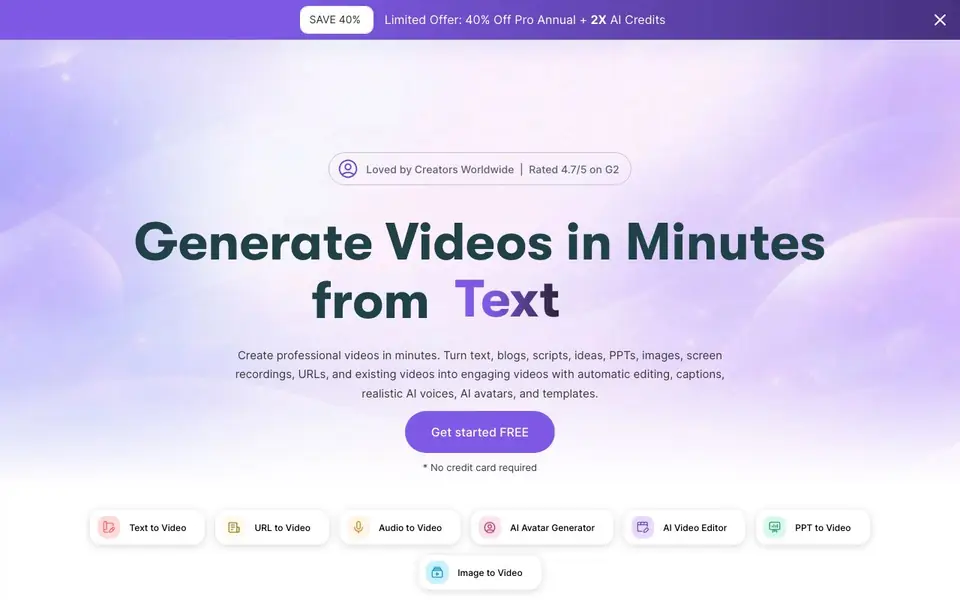
Pictory is an AI video generator that helps you create professional videos from text, scripts, blogs, ideas, PPTs, images, screen recordings, URLs, and even existing videos. It removes the hard parts of video creation: no cameras, filming, or timelines. You bring the idea, and Pictory builds the structure, finds visuals, and adds captions and AI voices automatically.
To get started, you choose your input type, such as a script, URL, prompt, image set, or audio file. The system then builds a scene-based video that matches your message. Smart templates structure text, visuals, and timing for a clean look. You can customize further with AI Studio to generate images or clips, adjust layouts, refine text, and apply your brand fonts, colors, and logos.
Pictory suits creators, marketers, educators, and teams who want to produce more video with less effort. You can refresh old material, turn presentations into explainers, or break long scripts into short social clips. the website says AI avatars are launching soon, and it is trusted by over 20,000 companies. You can start for free with no credit card required.
Pictory features
- Text to Video Generator: Turns text, prompts, scripts, articles, and blog posts into videos with Gen AI visuals and captions.
- AI Studio: Creates images and videos from text prompts and adds them directly into your video scenes.
- AI Script Generator: Turns your ideas into professional video scripts in seconds.
- Image to Video Generation: Starts with a single image and a prompt to create a smooth, animated video clip.
- Brand Customization: Upload your fonts, colors, and logos to ensure every scene follows your brand identity.
What you can do with Pictory
- Turn a blog post into an engaging video for your website or social media.
- Convert a PowerPoint presentation into an explainer video with voiceover.
- Break a long script into short, captioned clips for social platforms.
- Generate custom visuals with AI Studio to fill gaps in your video scenes.
How to get started with Pictory
- Choose your input type: text, script, URL, PPT, image, or audio.
- Let Pictory build a scene-based video with templates and visuals.
- Customize with brand styling, captions, and AI Studio assets, then publish.
Tips for better results with Pictory
- Start with a script or blog post you already have, and let Pictory build the structure, visuals, and captions automatically to save time.
- Use Pictory's AI Studio to generate custom images or clips when your source material lacks visuals, then add them directly into your scenes.
- Break a long script into short, captioned clips for social media by feeding Pictory the full text and letting it split the content.
- Apply your brand fonts, colors, and logos in Pictory's customization settings so every scene matches your identity without manual tweaks.
Pictory pricing
Pictory has a free way to start, with paid plans for heavier use. Check pictory.ai for current limits and prices.
What to check before you rely on Pictory
- Check whether the free plan includes enough video exports or watermarks for your needs, since the website does not state specific limits.
- Verify if Pictory supports exporting in the formats you need for your platforms, as the site does not list export options.
- Review Pictory's data and privacy policy for how your uploaded scripts or images are handled, since the website does not state these details.
Who Pictory is for
Pictory suits creators, marketers, educators and teams. If that is not you, the AI video generators below may fit better.
Similar tools compared with Pictory
| Tool | What it is | Pricing |
|---|---|---|
| Pictory | AI video generator from text and more | Freemium |
| SiVideoGen | AI video generator with multiple models | Freemium |
| FreeSiTools | Free AI image prompt generator | Free |
| SiVideoAPI | Unified API for top AI video models | Freemium |
| Runway | AI video, image, and audio creation suite | Freemium |
Pictory FAQ
What can I use Pictory for?
You can turn text, blogs, scripts, PPTs, images, screen recordings, URLs, and existing videos into new videos. It is useful for creating social clips, explainers, and branded content without manual editing.
Is Pictory free to use?
Pictory offers a free start with no credit card required, according to its website. There are also paid plans, but the website does not list specific pricing details.
Does Pictory include AI avatars?
Yes, Pictory mentions AI avatars as a feature, but the website says they are 'launching soon.' You can still use AI voices and captions now.
Can I customize the videos I generate?
Yes, you can upload brand fonts, colors, and logos, swap visuals from stock libraries or your own media, and adjust captions, transitions, and layouts to match your style.
What file formats can I export my Pictory videos in?
The Pictory website does not specify the exact export file formats. For details on export options, check the in-app export settings or the support documentation. You can also contact Pictory support for clarification.
Does Pictory run on mobile devices or only on desktop?
Pictory is a web-based tool, so you can access it through a browser on any device with internet, including tablets and phones. The website does not mention dedicated mobile apps, so for the best experience, use a desktop or laptop browser.
What does the free Pictory plan include?
Pictory offers a free plan that requires no credit card to start. The website does not list the specific limits of the free plan, such as video length or number of projects. For exact details, check the pricing page or sign up to see the plan features.


