

What is Wan 2.6?
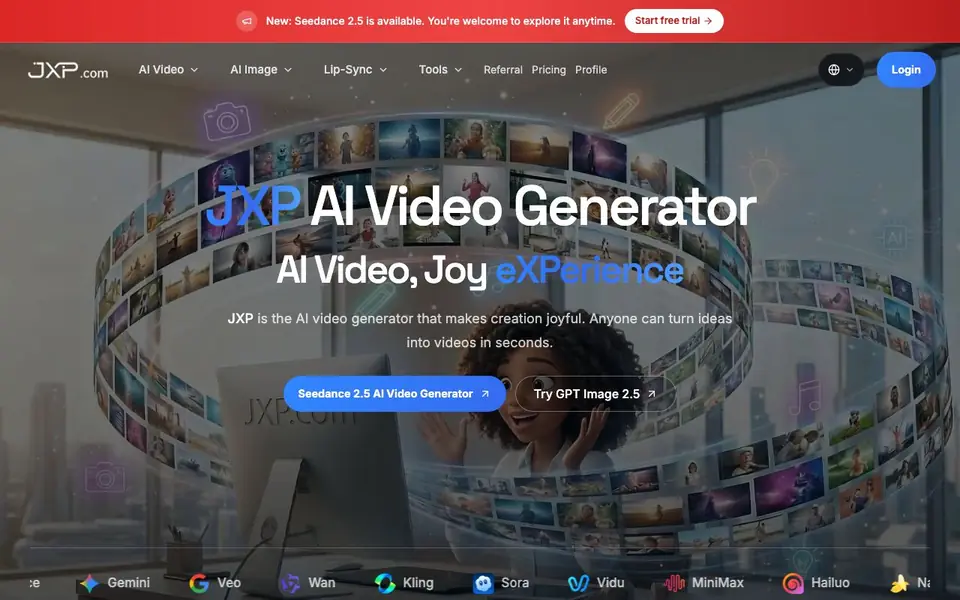
JXP is an AI video generator that brings multiple top models into one place. You can turn ideas into videos in seconds using models like Seedance 2.5, Kling 4.0, Wan 3.0, and MiniMax H3 Max. It also supports image generation with tools like GPT Image 2.5 and Nano Banana 2 Lite.
You start with a prompt, an image, a reference, or even a performance. JXP offers Text to Video, Image to Video, Reference to Video, and Avatar LipSync workflows. You can create cinematic videos with coherent motion and expressive subjects, or generate and edit images using natural-language changes. You can also build consistent characters that keep their identity across scenes, and even create entire worlds from a single text prompt.
JXP suits creators, marketers, and storytellers who want quick, production-ready content. The site mentions a free trial to start. It also offers dance motion templates for vertical clips, which is handy for social media content. The platform is designed to make creation joyful and accessible to anyone.
Wan 2.6 features
- Multi-model access: Use Seedance 2.5, Kling 4.0, Wan 3.0, and more in one place.
- Text to Video: Turn a written idea into a polished video with cinematic camera direction.
- Image to Video: Start with a single image and shape it into a moving scene.
- Avatar LipSync: Bring portraits to life with natural facial movement and speech-synced lips.
- Character consistency: Build recognizable characters that keep their look across images and videos.
What you can do with Wan 2.6
- Create cinematic videos from text prompts for social media or presentations.
- Generate and edit images with natural-language changes for marketing assets.
- Produce talking-head videos with lip sync for presenters and storytellers.
- Build consistent characters for multi-scene video projects.
How to get started with Wan 2.6
- Sign up and start a free trial on JXP's website.
- Choose a model like Seedance 2.5 or Kling 4.0 from the list.
- Enter a text prompt, upload an image, or pick a reference to generate your video.
Tips for better results with Wan 2.6
- Start with a detailed prompt that describes lighting, camera angle, and subject motion, since JXP uses cinematic direction to shape the final video output.
- Use JXP's Character workflow to create a consistent character first, then reuse that reference across multiple scenes to keep identity stable.
- Try the Avatar LipSync workflow with a clear portrait and a short script to get natural facial movement and speech-synced lips for talking-head content.
- Experiment with JXP's multi-model access by testing the same prompt on Seedance 2.5 and Wan 3.0 to compare styles and pick the best result.
Wan 2.6 pricing
Wan 2.6 has a free way to start, with paid plans for heavier use. Check jxp.com for current limits and prices.
What to check before you rely on Wan 2.6
- Check whether the free trial includes video generation or only image tools, since the site mentions a trial but does not state its limits.
- Verify if JXP's freemium plan has a credit system or watermarks on exported videos, as the website does not list specific usage caps.
- Confirm the export formats and resolution options before relying on JXP for production work, because the site does not specify available video outputs.
Who Wan 2.6 is for
Wan 2.6 suits content creators, marketers, storytellers and social media managers. If that is not you, the AI video generators below may fit better.
Similar tools compared with Wan 2.6
| Tool | What it is | Pricing |
|---|---|---|
| Wan 2.6 | Multi-model AI video and image generator | Freemium |
| SiVideoGen | AI video generator with multiple models | Freemium |
| FreeSiTools | Free AI image prompt generator | Free |
| SiVideoAPI | Unified API for top AI video models | Freemium |
| Runway | AI video, image, and audio creation suite | Freemium |
Wan 2.6 FAQ
What AI models does JXP support?
JXP gives you access to many top models in one place, including Seedance 2.5, Kling 4.0, Wan 3.0, MiniMax H3 Max, Gemini Omni, and image models like GPT Image 2.5 and Nano Banana. You can pick the model that fits your task.
Is JXP free to use?
The website says 'Free to start' and offers a free trial. This suggests you can try it without paying, but there are likely paid plans for continued use. Check the pricing page for details.
Can I create videos from images or references?
Yes. JXP supports Image to Video and Reference to Video workflows. You can upload a single image or use a reference to guide the video generation, which helps keep characters and scenes consistent.
Does JXP have lip-sync for avatars?
Yes, JXP includes Avatar LipSync. You can bring a portrait or digital character to life with natural facial movement and speech-synced lip motion, which is useful for presenters and social content.
What can Wan 2.6 export or connect to?
The JXP website does not mention specific export formats or external integrations for Wan 2.6. To find out what you can do with your generated videos, check the platform's export options or contact support directly.
Does Wan 2.6 work on mobile devices?
The JXP website does not specify which devices or platforms Wan 2.6 runs on. Since JXP is a web-based tool, you can likely access it through a browser, but for exact compatibility, check the site's help or system requirements.
What does the free plan for Wan 2.6 include?
JXP offers a free trial to start, but the website does not detail what the free plan includes for Wan 2.6 specifically. To see the limits or features of the free trial, visit the pricing page or sign up to explore.


