
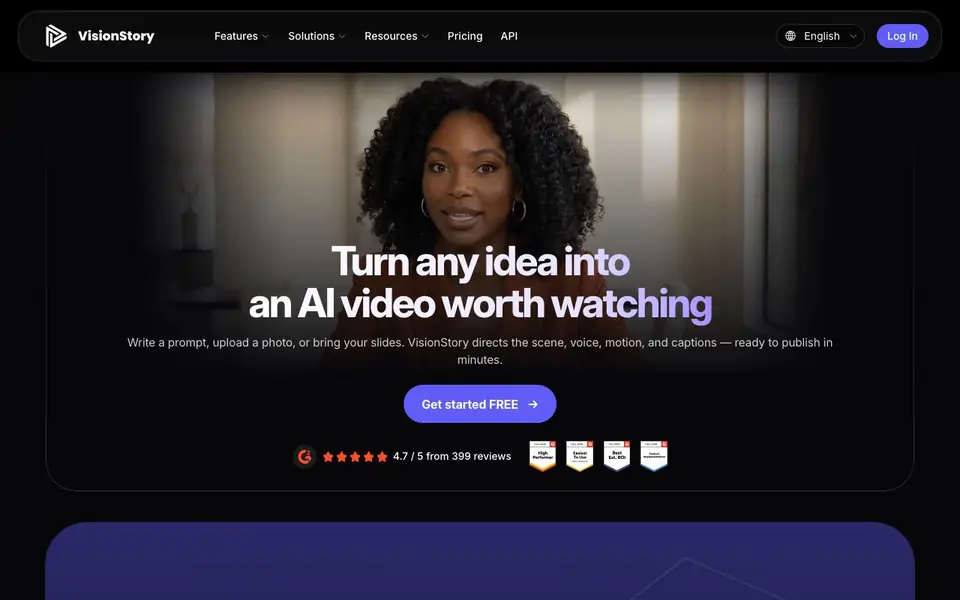
What is VisionStory AI?
VisionStory is an AI video generator that helps you create professional-looking videos from simple inputs. You can start with a text prompt, upload a photo, or bring your slides, and the tool directs the scene, voice, motion, and captions for you. It is designed for business teams, content creators, and anyone who needs finished videos quickly.
The AI Video Agent is a standout feature. You pick an avatar, describe your video in a sentence, or hand over a URL, PDF, or deck. The agent plans a multi-shot talking video, including script, scenes, voiceover, and captions. You can refine any shot by chatting, then generate in 16:9, 9:16, or 1:1 formats. This replaces the need for separate tools for scriptwriting, avatar generation, voiceover, and editing.
VisionStory also offers specialized generators for music videos and podcast videos. You can turn one song and one photo into a cinematic music video with singing lip sync, or upload podcast audio to create a video with lifelike AI hosts. The tool supports high-resolution exports up to 2K, and it includes a face swap feature for realistic video edits. It suits marketers, trainers, and social media managers who want to ship videos in minutes.
VisionStory AI features
- AI Video Agent: Plans a full multi-shot video from a prompt, URL, PDF, or deck, including script and captions.
- V-Character 4.0: Renders sharper faces, subtler expressions, and natural hand and body movement for lifelike avatars.
- Multilingual AI Voices: Offers thousands of natural voices across multiple languages, countries, and regional accents.
- High-Resolution Export: Exports videos in 720p, 1080p, or 2K for professional use.
- AI Music Video Generator: Turns one song and one photo into a cinematic music video with singing lip sync.
What you can do with VisionStory AI
- Create a talking-head video from a photo in one click.
- Generate a marketing video from a one-line brief using the AI Agent.
- Turn a podcast audio file into a video podcast with AI hosts.
- Make a music video from a song and a portrait photo for social media.
How to get started with VisionStory AI
- Sign up for free on VisionStory's website.
- Choose a feature like AI Agent, avatar video, or music video generator.
- Input your prompt, photo, audio, or script, then generate and refine your video.
Tips for better results with VisionStory AI
- Start with a clear one-sentence brief in the AI Video Agent, mentioning your target audience and key message, so the script and shots match your intent from the first draft.
- Use VisionStory's chat-based refinement after the agent generates your video; ask for specific scene changes, like altering camera angles or voice tone, instead of regenerating everything.
- Upload a high-resolution, well-lit photo of your subject to VisionStory for avatar videos, since sharper input images produce more lifelike facial expressions and consistent character rendering.
- Test VisionStory's music video generator with a short song clip and a portrait photo first, then adjust lip sync and scene pacing before committing to a full-length track.
VisionStory AI pricing
VisionStory AI has a free way to start, with paid plans for heavier use. Check visionstory.ai for current limits and prices.
What to check before you rely on VisionStory AI
- Check the freemium plan's export resolution and video length limits before publishing, since the website does not list specific free-tier caps or watermarks.
- Verify whether the free plan includes commercial usage rights for your videos, as the site does not state licensing terms for business or ad use.
- Confirm that your browser and internet connection support uploading PDFs, URLs, or decks to the AI Video Agent, since the site does not specify file size or format restrictions.
Who VisionStory AI is for
VisionStory AI suits marketers, content creators, business teams and social media managers. If that is not you, the AI video generators below may fit better.
Similar tools compared with VisionStory AI
| Tool | What it is | Pricing |
|---|---|---|
| VisionStory AI | AI video generator for avatars and creators | Freemium |
| SiVideoGen | AI video generator with multiple models | Freemium |
| FreeSiTools | Free AI image prompt generator | Free |
| SiVideoAPI | Unified API for top AI video models | Freemium |
| Runway | AI video, image, and audio creation suite | Freemium |
VisionStory AI FAQ
What can I create with VisionStory?
You can create AI avatar videos, music videos from a song and photo, video podcasts from audio or script, and face swap videos. You can also use the AI Agent to turn a prompt, URL, PDF, or deck into a full video.
Is VisionStory free to use?
The website offers a free start, but it does not specify if there is a free plan or only a trial. Check the pricing page for details on paid plans and what the free tier includes.
Who is VisionStory for?
It is for business teams, content creators, and marketers who need to produce professional videos quickly. It suits those who want to avoid using multiple separate tools for scriptwriting, avatars, voiceover, and editing.
Does VisionStory support multiple languages?
Yes, it offers thousands of natural AI voices across multiple languages, countries, and regional accents. This helps you create videos for global audiences.
Can I use VisionStory AI without creating an account?
The VisionStory AI website does not state whether you can use it without an account. To find out, check the sign-up or login flow on the site, or contact their support team for clarification.
What file formats can I export from VisionStory AI?
VisionStory AI exports videos in 720p, 1080p, or 2K resolution. The website does not specify the exact file formats (like MP4 or MOV) for export. For that detail, check the export options within the tool or the help documentation.
Does VisionStory AI offer a mobile app?
The VisionStory AI website does not mention a mobile app. It appears to be a web-based tool, but for confirmation on mobile availability, check the website's FAQ or contact support.


