
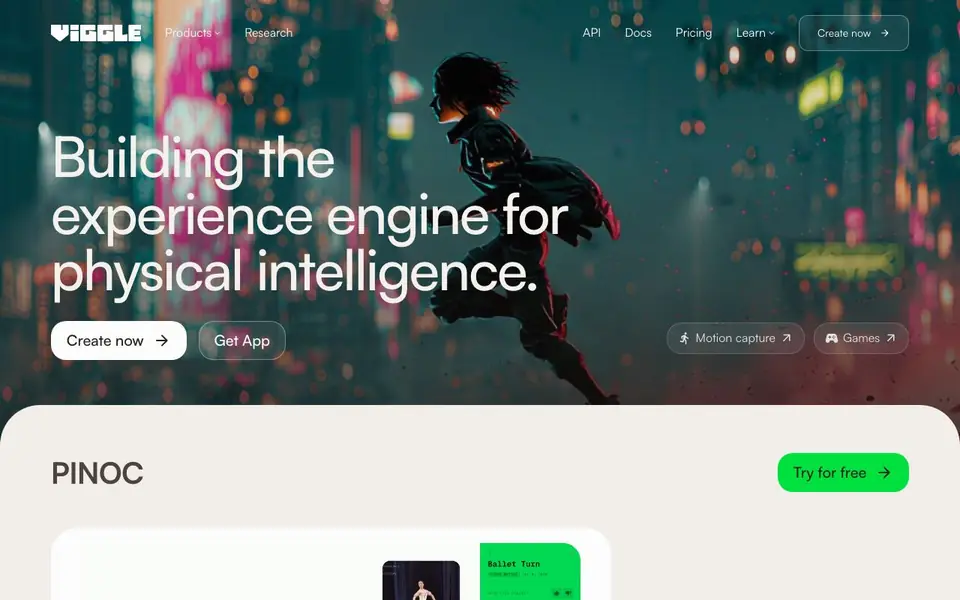
What is Viggle AI?
Viggle is a spatial GenAI platform that creates characters, motion, and scenes together in a shared 4D space. It uses a proprietary Joint Space-Time model to generate realistic movements. You can turn a simple phone video into production-ready motion in minutes, without a studio, suit, or markers.
To get started, you create a character from a photo, then kick off a render with a template. The platform applies the captured motion to your character and exports it directly to game engines you already use. You can also use the Meme Maker to swap any character into trending clips, making shareable videos and social content.
Viggle is used by over 50 million people worldwide. It suits creators who want to make content faster, as well as professional teams and studios that need more control over production workflows. The API lets you build character swapping, motion capture, and interactive experiences into your own games, creative tools, and applications.
Viggle AI features
- Motion capture: Turn a phone video clip into production-ready character motion in minutes.
- Meme Maker: Swap any character into trending clips to create shareable videos and memes.
- Games: Play and remix game templates with your own characters for creative fun.
- API access: Integrate Viggle's character and motion intelligence into your own products.
- Multi-editor: Use the Mix and Multi-Editor tools for more advanced video editing and character control.
What you can do with Viggle AI
- Create 3D character animations from phone videos without traditional mocap equipment.
- Remix trending video clips by swapping in any character for social media content.
- Build interactive games and experiences using Viggle's motion capture API.
- Export character animations directly to game engines for professional production workflows.
How to get started with Viggle AI
- Create a character by uploading a photo through the app or API.
- Choose a motion template or capture your own movement from a phone video.
- Render the animation and export it to your game engine or share it directly.
Tips for better results with Viggle AI
- Start with a well-lit, front-facing phone video of one person doing a clear motion, since Viggle captures movement best from simple, single-subject clips.
- Create your character from a high-resolution, front-facing photo with the full face visible, as Viggle uses that image to map motion onto the character.
- Use Viggle's template library to kick off renders quickly, then refine the motion by testing different templates with the same character to see which matches your intent.
- For professional work, export Viggle animations directly to your game engine and check the motion in-engine early, since the platform is built for that pipeline.
- When using the Meme Maker, pick trending clips with simple, clear actions so Viggle can swap your character in without losing the original motion's readability.
Viggle AI pricing
Viggle AI has a free way to start, with paid plans for heavier use. Check viggle.ai for current limits and prices.
What to check before you rely on Viggle AI
- Check Viggle's pricing page for what the free tier includes and what limits apply to video length, resolution, or number of renders, since the site does not list these details.
- Review Viggle's privacy policy to see how your uploaded photos and videos are stored or used, as the site does not state data retention or training terms.
- Confirm which game engines Viggle exports to and what file formats are supported, since the site mentions export but does not list specific engines or formats.
Who Viggle AI is for
Viggle AI suits content creators, game developers, professional studios and marketers. If that is not you, the AI video generators below may fit better.
Similar tools compared with Viggle AI
| Tool | What it is | Pricing |
|---|---|---|
| Viggle AI | AI character animation and motion capture platform | Freemium |
| SiVideoGen | AI video generator with multiple models | Freemium |
| FreeSiTools | Free AI image prompt generator | Free |
| SiVideoAPI | Unified API for top AI video models | Freemium |
| Runway | AI video, image, and audio creation suite | Freemium |
Viggle AI FAQ
What can I create with Viggle?
You can create 3D character animations from phone videos, remix memes by swapping characters into clips, and build interactive games. The platform also offers an API for integrating character and motion intelligence into your own apps.
Do I need motion capture equipment to use Viggle?
No. Viggle's motion capture works from a simple phone video clip. You capture the movement, apply it to your character, and export it—no studio, suit, or markers required.
Is Viggle free to use?
Viggle offers a free trial, and the website mentions trying it for free. For full details on pricing plans, you should check the Pricing page on their website.
Can I use Viggle for professional game development?
Yes. Viggle's API and motion capture are designed for professional teams and studios. You can export animations directly to game engines you already use, and the API supports building interactive experiences into games.
Which game engines can Viggle AI export to?
Viggle AI exports character animations directly to the game engines you already use, according to its website. The site does not list specific engine names, so check the documentation or contact support to confirm which engines are supported for your workflow.
Does Viggle AI have a mobile app or is it browser-based?
Viggle AI offers an app, as the website includes a 'Get App' button for both Meme Maker and the main platform. It also works in a browser for creating characters and renders. The site does not specify which devices or operating systems the app supports, so check the app store for details.
What does the free plan on Viggle AI include?
Viggle AI is freemium, and the website says you can 'Try for free' and 'Start creating' without upfront payment. The exact limits of the free plan, such as render credits or video length, are not listed on the site. For specifics, visit the pricing page or sign up to see your plan details.


