
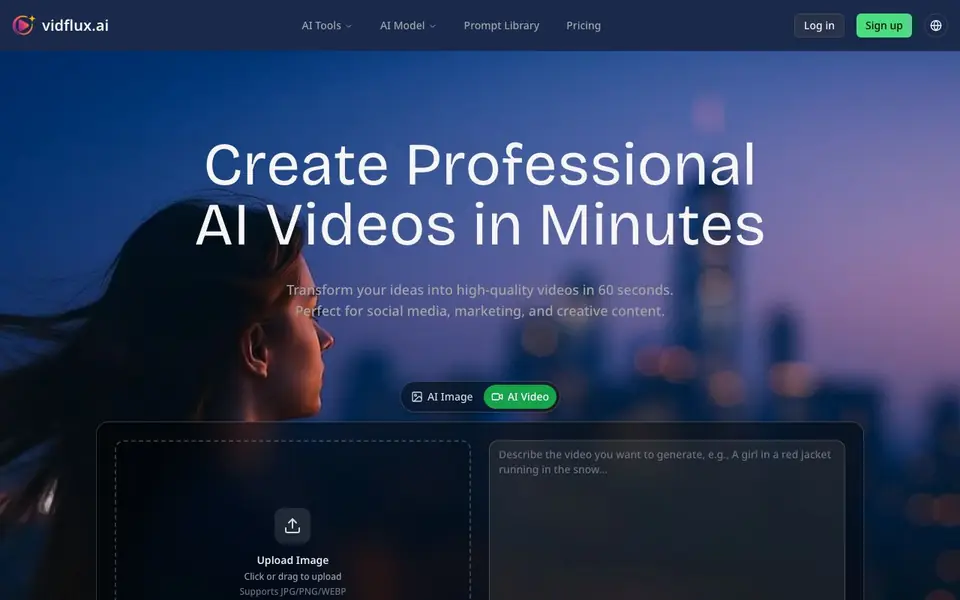
What is VidFlux - Image to Video AI?
VidFlux is an AI video creation platform that turns your ideas into videos in about 60 seconds. It works with leading AI video models such as Google Veo 3, Kling AI, Seedance, and Wan 2.5, so you get high-quality results for social media, marketing, and creative projects. You can start from a text prompt, an uploaded image, or a reference video.
To create a video, you describe your vision in natural language or upload a photo. The tool supports multiple styles, including realistic, animated, and artistic. For image-to-video, you can animate a still picture with motion and even add audio. The video-to-video feature lets you upload a short reference clip and a person's photo to make that person mimic the movements, with finger-level precision and preserved facial identity.
VidFlux is aimed at content creators, marketers, educators, and businesses. It offers HD and 4K output, batch processing, custom watermarks, and commercial usage rights. The website mentions multi-language support and custom style transfer. You can sign up for free to generate videos, and there are paid plans for more advanced needs.
VidFlux - Image to Video AI features
- Text-to-Video: Describe your idea in words and get a high-quality video in multiple styles.
- Image-to-Video: Upload a photo and turn it into an animated video with audio.
- Video-to-Video: Transfer motion from a reference clip to a character photo with precision.
- Multi-Model Support: Choose from Veo 3, Kling, Seedance, and other top AI models.
- HD & 4K Output: Generate videos in high resolution for professional use.
What you can do with VidFlux - Image to Video AI
- Create TikTok, Instagram Reels, or YouTube Shorts in minutes.
- Generate product demos and promotional videos for marketing campaigns.
- Turn lessons into engaging video tutorials for students.
- Animate a character from a photo to mimic a reference video's movements.
How to get started with VidFlux - Image to Video AI
- Sign up for a free account on VidFlux's website.
- Choose a creation mode: text-to-video, image-to-video, or video-to-video.
- Enter your prompt or upload your media, then generate your video.
Tips for better results with VidFlux - Image to Video AI
- Start with a clear, detailed prompt that describes motion, camera angle, and mood, since VidFlux relies on your words to guide the model's output.
- For image-to-video, upload a high-resolution, well-lit photo with a simple background so VidFlux can animate the subject without distortion.
- Use the video-to-video feature with a 3–30 second reference clip and a clear face photo to get precise motion transfer from VidFlux.
- Experiment with different models like Veo 3 or Kling within VidFlux to see which one best matches your desired style and motion quality.
VidFlux - Image to Video AI pricing
VidFlux - Image to Video AI has a free way to start, with paid plans for heavier use. Check vidflux.ai for current limits and prices.
What to check before you rely on VidFlux - Image to Video AI
- Check the free plan's video length, resolution, and watermark limits before relying on VidFlux for client work, since the website doesn't list them.
- Verify whether your intended commercial use is covered by the paid plan's rights, as the site mentions commercial usage but not specific terms.
- Confirm that VidFlux supports the file formats you need for export, since the website only lists input formats like JPG, PNG, and WEBP.
Who VidFlux - Image to Video AI is for
VidFlux - Image to Video AI suits content creators, marketers, educators and businesses. If that is not you, the AI video generators below may fit better.
Similar tools compared with VidFlux - Image to Video AI
| Tool | What it is | Pricing |
|---|---|---|
| VidFlux - Image to Video AI | AI video generator with multiple models | Freemium |
| SiVideoGen | AI video generator with multiple models | Freemium |
| FreeSiTools | Free AI image prompt generator | Free |
| SiVideoAPI | Unified API for top AI video models | Freemium |
| Runway | AI video, image, and audio creation suite | Freemium |
VidFlux - Image to Video AI FAQ
What AI models does VidFlux use?
VidFlux combines multiple leading AI video models, including Google Veo 3, Kling AI, Seedance, and Wan 2.5. You can pick the model that best suits your project for quality and style.
Can I animate a photo with VidFlux?
Yes. The image-to-video feature lets you upload a JPG, PNG, or WEBP image and turn it into a dynamic video with audio. You can add a prompt to guide the motion, like making two people hug or showing a sunset over the ocean.
Is VidFlux free to use?
VidFlux offers free generation when you log in. The website mentions 'Login to Generate Free' and has a pricing page, suggesting a freemium model with paid plans for additional features or higher usage.
Who is VidFlux for?
It's designed for content creators, marketers, educators, and businesses. You can make social media videos, product demos, ad campaigns, and educational tutorials. The tool supports both landscape and portrait formats for different platforms.
What video formats and resolutions can VidFlux export?
VidFlux supports HD and 4K output, so you can export high-resolution videos for professional use. The website does not specify the exact file formats (like MP4 or MOV) it exports. For detailed format information, check the VidFlux pricing or help section on their website.
Does VidFlux work on mobile devices or only on desktop?
VidFlux is a web-based platform, so you can access it through a browser on any device with an internet connection, including smartphones and tablets. The website does not mention dedicated mobile apps. For the best experience, use a modern browser on your preferred device.
What does the free plan of VidFlux include?
VidFlux offers a free sign-up that lets you generate videos. The free plan includes access to the platform and its core features, but it likely has limitations on video length, resolution, or the number of generations. For exact details on the free plan's limits, check the pricing page on the VidFlux website.


