
What is Uthana?
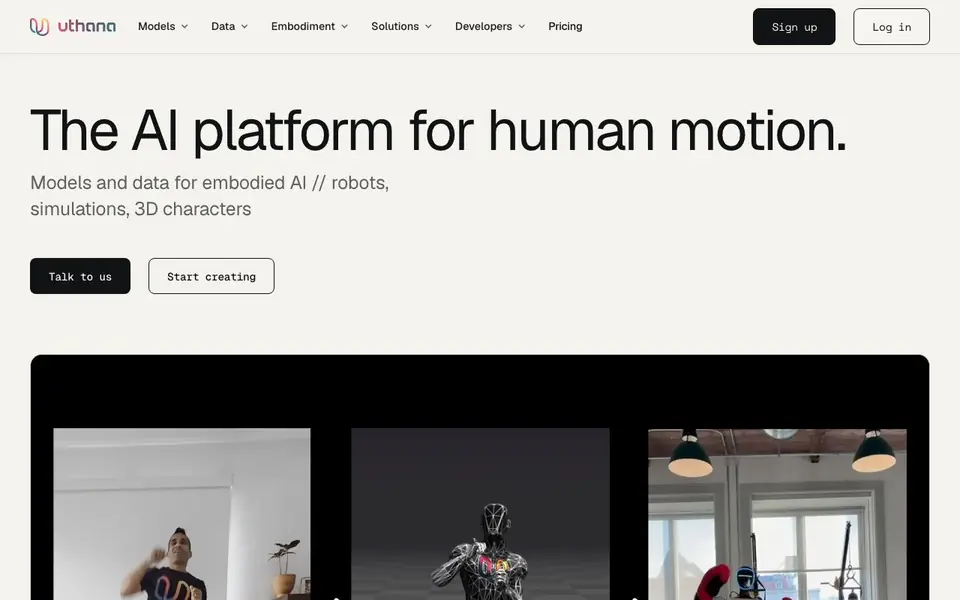
Uthana is a platform for creating and working with 3D human motion. It turns 2D video or text descriptions into structured 3D movement that you can edit, animate, or use for training. The platform also offers motion retargeting, auto-rigging, and robot-specific joint conversion, so the same motion can work across different bodies.
You start by choosing a model: video-to-motion, text-to-motion, or locomotion. Describe an action in words or provide a video, and Uthana generates editable 3D motion. Then you can retarget that motion onto any character skeleton or humanoid robot, or auto-rig unrigged characters. For developers, everything is available through a single GraphQL API.
Uthana also provides motion data services. You can license studio-captured motion data from a 120-camera setup, or turn your own video into labeled, model-ready datasets. The platform is built for game studios, simulation teams, robot trainers, and AI developers who need realistic human movement.
Uthana features
- Video-to-motion: Convert 2D video into editable, animation-ready 3D motion.
- Text-to-motion: Generate 3D character motion from a text description of action and style.
- Locomotion: Create responsive movement from direction, speed, and trajectory inputs.
- Motion retargeting: Transfer movement between different character skeletons and robot embodiments.
- Auto-rigging: Prepare unrigged 3D characters for animation automatically.
What you can do with Uthana
- Generate character animations for game studios from text prompts.
- Convert real-world video into training data for robot imitation learning.
- Retarget human motion onto humanoid robots for simulation.
- Build interactive simulation agents that move with intent.
How to get started with Uthana
- Sign up on Uthana's website to access the platform.
- Choose a model: video-to-motion, text-to-motion, or locomotion.
- Generate motion, then retarget or auto-rig as needed via the API or interface.
Tips for better results with Uthana
- Start with a clear, specific text prompt that describes the action, sequence, pacing, posture, and style, as Uthana uses these details to generate more accurate 3D motion.
- Use Uthana's video-to-motion model with well-lit, stable footage where the subject is fully visible, to get cleaner 3D motion that requires less cleanup.
- After generating motion in Uthana, retarget it onto your target character or robot skeleton early, so you can verify fit and adjust before committing to a full animation pass.
- For training datasets, use Uthana's labeling and enrichment options to add action labels and joint trajectories, making the output directly usable in your pipeline.
Uthana pricing
Uthana’s homepage does not list prices. Check uthana.com for current plans.
What to check before you rely on Uthana
- Check Uthana's pricing page directly, as the website does not list specific plan costs or limits, so you need to contact them to understand what you'll pay.
- Verify which output formats you need, since Uthana lists FBX, GLB, BVH, and CSV, but confirm exact field conventions and units before delivery.
- Confirm data privacy and ownership terms for your uploaded videos or generated motions, as the website does not clearly state how your data is handled or stored.
Who Uthana is for
Uthana suits game developers, robotics engineers, AI researchers and simulation teams. If that is not you, the AI video generators below may fit better.
Similar tools compared with Uthana
| Tool | What it is | Pricing |
|---|---|---|
| Uthana | AI platform for 3D human motion | See website |
| SiVideoGen | AI video generator with multiple models | Freemium |
| FreeSiTools | Free AI image prompt generator | Free |
| SiVideoAPI | Unified API for top AI video models | Freemium |
| Runway | AI video, image, and audio creation suite | Freemium |
Uthana FAQ
What can I create with Uthana?
You can generate 3D human motion from video or text, retarget it across characters and robots, and auto-rig unrigged characters. It's designed for game animation, robot training, and simulation.
How does text-to-motion work?
You describe an action, sequence, pacing, posture, and style in natural language. Uthana generates editable 3D character motion from that description. Example prompts are shown on the site.
Is there a free plan?
The website does not state pricing details. You can sign up or contact the team to discuss plans, custom datasets, or enterprise solutions.
Who is Uthana for?
It's for game studios, AI-native game platforms, robot trainers, simulation teams, and developers building world models. The platform provides APIs and data services for these use cases.
Does Uthana offer a free plan or trial?
The Uthana website does not mention a free plan or trial. Pricing details are not listed publicly. To find out if there is a free tier or trial, you would need to contact Uthana directly through their site or sign up to see what options are available.
What file formats can Uthana export motion data in?
Uthana can deliver motion data in formats like FBX, GLB, BVH, and CSV, as stated on their website. These cover animation production tools and training pipelines. For exact field details, skeleton conventions, and units, Uthana documents them per dataset before delivery.
Can Uthana be used for robot training and simulation?
Yes, Uthana is built for embodied AI and robot training. It offers robot retargeting to convert human motion into robot-specific joint representations, and it provides motion data services for training datasets. The website also mentions partnerships with simulation teams to develop interactive human agents.


