
What is TranslateManga?
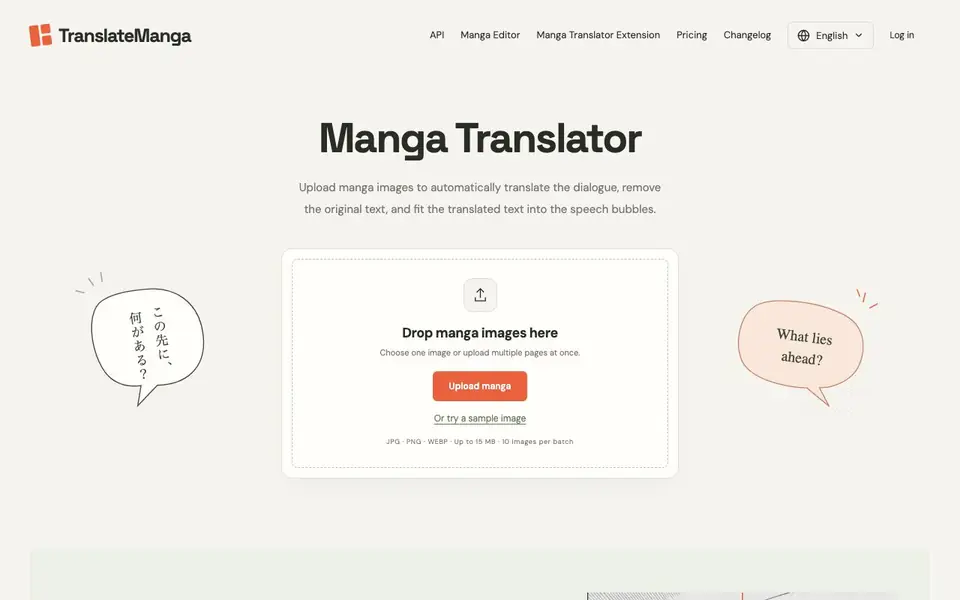
TranslateManga is an online tool that translates manga pages from images. It recognizes the dialogue in speech bubbles, removes the original text, and fits the translated text back into the artwork. You can upload single pages or multiple pages at once and process them in a batch.
To use it, you drop your manga images onto the site, choose a target language, and start the translation. The tool handles text removal, translation, and even carries over the original text colors. It adjusts font size and line breaks so the translation fits neatly in the bubbles.
It works with JPG, PNG, and WEBP files up to 15 MB each, with up to 10 images per batch. The free plan gives you 20 translations. Paid plans add more credits, an advanced model, custom fonts, and API access. The site also mentions a manga editor and a browser extension.
TranslateManga features
- Automatic text removal: Erases the original lettering and repairs the background before adding the translation.
- Image-based translation: Reads dialogue directly from the image, so you don't have to copy text into another tool.
- Batch processing: Upload multiple pages at once and translate them together in one queue.
- Text color recognition: Detects the original text colors and applies them to the translated dialogue.
- Adaptive text sizing: Adjusts font size and line breaks to fit the translated text into speech bubbles.
What you can do with TranslateManga
- Translate a Japanese manga chapter into English page by page.
- Batch-translate an entire webtoon episode by uploading all pages at once.
- Read a Korean manhwa in your native language without copying text.
- Clean up a scan by removing the original text and adding your own translation.
How to get started with TranslateManga
- Go to TranslateManga and drop one or more manga images onto the upload area.
- Pick your target language and start the translation.
- Download the finished pages to your device.
Tips for better results with TranslateManga
- Upload clean, high-resolution scans of your manga pages to TranslateManga so the text recognition and removal work accurately without artifacts or blurry lettering.
- Batch all pages of a chapter in one upload to TranslateManga, then review the queue order before translating to keep the sequence consistent across the output.
- Use the sample images on TranslateManga to test how it handles black-and-white versus webtoon formats, then adjust your source files to match the best result.
- After TranslateManga finishes, download one page and inspect the speech bubbles for font size and line breaks, then tweak your input if text overflows or looks cramped.
TranslateManga pricing
TranslateManga has a free way to start, with paid plans for heavier use. Check translatemanga.net for current limits and prices.
What to check before you rely on TranslateManga
- Check the free plan's 20 translation limit on TranslateManga before starting a long chapter, since paid credits are required beyond that and pricing is not fully itemized.
- Verify that your images are JPG, PNG, or WEBP under 15 MB each, and that you upload no more than 10 per batch, as the site states these limits.
- Confirm whether TranslateManga's output preserves original text colors and background repair on your specific scans, since results may vary by image quality and style.
Who TranslateManga is for
TranslateManga suits manga readers, scanlators, translators and webtoon fans. If that is not you, the AI translation tools below may fit better.
Similar tools compared with TranslateManga
| Tool | What it is | Pricing |
|---|---|---|
| TranslateManga | AI manga page translator | Freemium |
| DeepL | AI translation platform for text, voice, and documents | Freemium |
| Wordtune | AI writing and paraphrasing assistant | Freemium |
| AI Manga Translator | AI manga and comic translator | Freemium |
| AI Manga Translator | AI manga and comic image translator | Freemium |
TranslateManga FAQ
Can I use TranslateManga for free?
Yes. The free plan gives you 20 free translations using the default model. After that, you can subscribe to a paid plan for more credits and extra features like the advanced model and custom fonts.
Does it preserve speech bubbles and page layout?
Yes. The tool removes the original text and repairs the background, then fits the translated text into the speech bubbles. It also recognizes text colors and adjusts font size to keep the layout readable.
What image formats and limits are supported?
You can upload JPG, PNG, or WEBP images up to 15 MB each. You can process up to 10 images per batch, so you can translate multiple pages in one go.
Can I translate Japanese, Korean, or Chinese manga?
The site's FAQ mentions translating Japanese manga to English and also asks about Korean manhwa and Chinese manhua. The tool supports multiple languages, though the exact list is not detailed on the homepage.
Does TranslateManga have a browser extension or a mobile app?
TranslateManga's website mentions a browser extension, but it does not mention a mobile app. You can use the tool in a web browser on any device that supports it. For the extension, check the site's main menu or the extension page for details.
What can I export from TranslateManga after translating a page?
TranslateManga lets you download the finished translated images to your device. The website does not mention exporting to other formats like PDF or text files. You can save the images and use them as needed, but for other export options, check the site's features or contact support.
Does TranslateManga require an account to use the free plan?
TranslateManga's free plan gives you 20 translations, but the website does not explicitly state whether you need to create an account to use it. To start translating, you upload images and choose a language. For account requirements, check the sign-up or login page on the site.


