

What is DeepL?
DeepL is an AI-first translation platform that handles text, documents, voice, and API integrations. It is trusted by over 200,000 businesses and millions of users. The platform uses a specialized language model trained on proprietary data by language experts, aiming for high accuracy and context-aware translations.
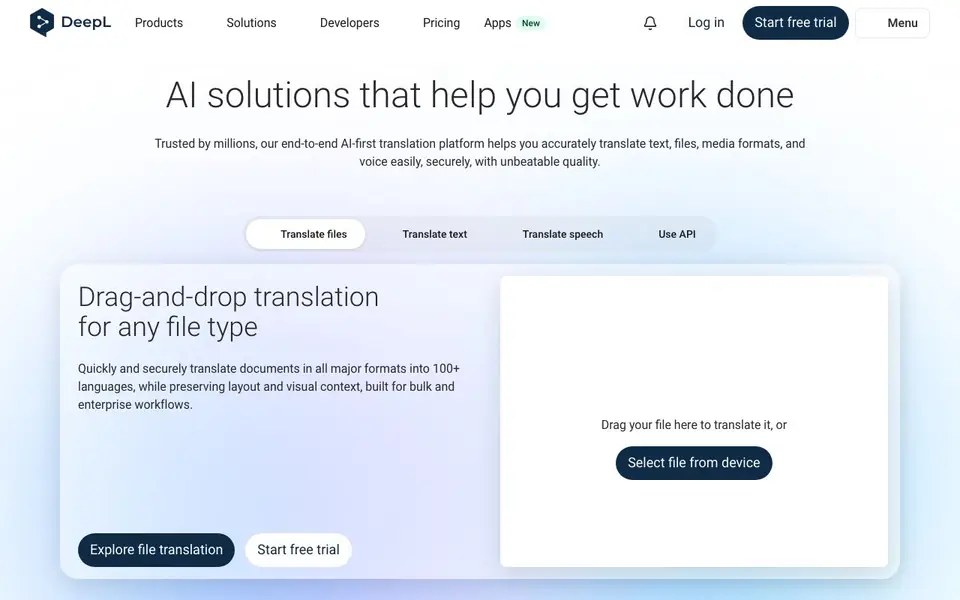
You can start by dragging and dropping a file onto the website to translate it, or paste text for instant translation. For voice, you can use real-time translation in meetings or conversations, with the option to preserve your own voice. The platform also offers a Write feature to polish business writing, and an API to integrate translations into your own systems.
DeepL suits enterprises and professionals in fields like life sciences, legal, finance, and manufacturing. It provides custom glossaries, tone control, and enterprise-grade security. A free trial is available, and you can download the Windows app for free.
DeepL features
- File translation: Drag and drop documents in major formats to translate while keeping layout and visuals.
- Real-time voice translation: Translate speech in meetings or conversations, with the option to keep your own voice.
- Glossaries and tone control: Customize terms and adjust style to match your brand and audience.
- Write assistant: Improve business writing with style and tone adaptations for your target audience.
- API integration: Connect DeepL to your systems to scale translation workflows and expand global reach.
What you can do with DeepL
- Translate a contract or legal document while preserving its formatting.
- Interpret a live business meeting across languages in real time.
- Localize a technical website for global audiences using the API.
- Polish an email or report to match your brand's tone and style.
How to get started with DeepL
- Go to DeepL's website and start a free trial or use the free translator.
- Drag and drop a file or paste text to translate it into one of 100+ languages.
- For voice, try the real-time translation feature in meetings or conversations.
Tips for better results with DeepL
- Drag and drop your document directly onto the DeepL homepage to translate it while keeping the original layout and visuals intact, saving you from reformatting manually.
- Use DeepL's glossary feature to lock in your preferred terms for brand names, technical jargon, or legal phrases before translating large batches of files.
- For voice translation in meetings, speak clearly and at a steady pace so DeepL can capture your words accurately and preserve your voice tone in the target language.
- Test DeepL's Write feature on a short email or report first to see how tone adjustments work, then apply it to longer business documents for consistent style.
DeepL pricing
DeepL has a free way to start, with paid plans for heavier use. Check deepl.com for current limits and prices.
What to check before you rely on DeepL
- Check whether your free DeepL plan includes file translation and voice features, since the website lists these as part of the platform but does not specify free tier limits.
- Review DeepL's data handling and security policies before uploading confidential contracts or legal documents, as the site mentions enterprise-grade security but not specific certifications.
- Confirm which document formats and maximum file sizes DeepL supports for drag-and-drop translation, because the website says major formats but does not list them all.
Who DeepL is for
DeepL suits enterprises, legal and finance teams, life sciences professionals and global businesses. If that is not you, the AI translation tools below may fit better.
Similar tools compared with DeepL
| Tool | What it is | Pricing |
|---|---|---|
| DeepL | AI translation platform for text, voice, and documents | Freemium |
| Wordtune | AI writing and paraphrasing assistant | Freemium |
| AI Manga Translator | AI manga and comic translator | Freemium |
| AI Manga Translator | AI manga and comic image translator | Freemium |
| AI Subtitle Translator | AI subtitle translator for video files | Freemium |
DeepL FAQ
What can I translate with DeepL?
You can translate text, documents in major formats, and speech in real time. The platform supports over 100 languages, and you can also use the API to integrate translations into your own software.
Is DeepL free to use?
DeepL offers a free translator and a free trial for its premium features. The website also mentions a free Windows app. For full enterprise features, you can contact sales or start a free trial.
Who is DeepL for?
DeepL is designed for businesses and professionals who need accurate translations, such as those in life sciences, manufacturing, legal, finance, government, and retail. It is also used by over 200,000 businesses globally.
Can I use DeepL with other tools?
Yes, DeepL offers an API for integration, and it is available in Microsoft Copilot, ChatGPT, and Claude via MCP. You can also download apps for Windows and explore other integrations on their website.
Does DeepL offer a free plan, and what does it include?
Yes, DeepL has a free plan. You can translate text and files directly on the website without paying. The free plan includes basic translation features, but advanced options like glossaries, tone control, and API access require a paid subscription. Check DeepL's pricing page for the latest details.
Can I use DeepL on my mobile phone or tablet?
DeepL is available as a web app that works in any browser on your phone or tablet. The website also mentions a Windows app for desktop, but it does not specify dedicated mobile apps for iOS or Android. For the most current app availability, check the Apps section on DeepL's website.
What file formats can DeepL translate, and does it preserve the original layout?
DeepL can translate documents in all major formats, including PDF, Word, PowerPoint, and Excel. When you drag and drop a file, DeepL translates the content while keeping the original layout and visual context. This works for both free and paid users, though paid plans may offer more advanced file handling.


