
What is Translate Image.io?
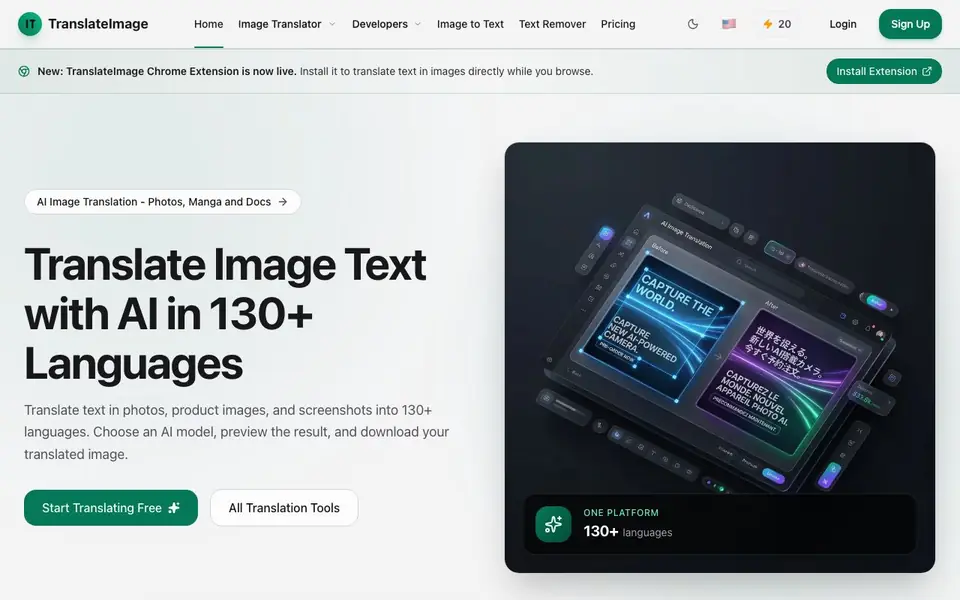
TranslateImage is an online tool that translates text inside images—photos, screenshots, manga, and documents—into over 130 languages. It uses AI to detect text, replace it with translations, and reconstruct the background so the image keeps its original look. You can choose from several AI models, preview the result, and download the translated image.
To use it, you drag and drop an image (JPG, PNG, or WebP, up to 20 MB), pick a target language, and select an AI model. The tool detects text, translates it, and places the new text in the right spots. You can review fine details like fonts and line breaks before downloading. There are also tools for OCR text extraction, text removal, and batch processing.
It suits e-commerce sellers, manga fans, marketers, and anyone who needs to localize images. The free account gives you 20 credits to start, and you can save translations to your account. The website notes that results vary with image quality, text density, and language, and that images may be retained in saved projects.
Translate Image.io features
- Layout-preserving translation: Translates text within images while keeping the original design and structure.
- 130+ languages: Supports a wide range of target languages including Japanese, Chinese, Spanish, and Arabic.
- Multiple AI models: Lets you choose from models like Grok 4 Fast, Gemini 2.5 Flash, DeepSeek, and GPT-5.1.
- Batch processing: Translate up to 20 images into up to 10 languages per batch on Pro plans or higher.
- OCR and text removal: Extract text from images or remove it entirely, alongside translation tools.
What you can do with Translate Image.io
- Translate product photos for Amazon, eBay, Shopify, or Etsy listings.
- Localize manga, manhwa, and webtoon dialogue while preserving artwork.
- Adapt marketing banners and promotional graphics for new audiences.
- Translate size charts, packaging, and instruction manuals for global markets.
How to get started with Translate Image.io
- Sign up for a free account to get 20 credits.
- Drag and drop an image or choose one from your device.
- Pick a target language and AI model, then preview and download the translated image.
Tips for better results with Translate Image.io
- Upload the highest resolution image you have, since TranslateImage's text detection and background reconstruction work best on clear, sharp source files.
- Use TranslateImage's preview to inspect fonts, line breaks, and text placement before downloading, and retry with a different AI model if the result looks off.
- For manga or dense layouts, choose a model tuned for that content type in TranslateImage, and review speech bubbles carefully for accurate placement.
- Save your translation projects in TranslateImage so you can revisit and tweak them later without re-uploading the original image.
Translate Image.io pricing
Translate Image.io has a free way to start, with paid plans for heavier use. Check translateimage.io for current limits and prices.
What to check before you rely on Translate Image.io
- Check the free credit balance before starting, since TranslateImage gives 20 credits and each translation likely consumes credits, but the exact cost per image is not stated.
- Confirm your image is JPG, PNG, or WebP and under 20 MB, because TranslateImage rejects other formats or larger files at upload.
- Review the website's privacy policy for how uploaded images are stored or retained, since TranslateImage mentions images may be kept in saved projects but does not detail data handling.
Who Translate Image.io is for
Translate Image.io suits e-commerce sellers, manga readers, marketers and translators. If that is not you, the AI translation tools below may fit better.
Similar tools compared with Translate Image.io
| Tool | What it is | Pricing |
|---|---|---|
| Translate Image.io | AI image translator for photos and manga | Freemium |
| DeepL | AI translation platform for text, voice, and documents | Freemium |
| Wordtune | AI writing and paraphrasing assistant | Freemium |
| AI Manga Translator | AI manga and comic translator | Freemium |
| AI Manga Translator | AI manga and comic image translator | Freemium |
Translate Image.io FAQ
What file formats and sizes does TranslateImage support?
You can upload JPG, PNG, and WebP images up to 20 MB. The website does not mention other formats, so stick to these for now.
Is TranslateImage free to use?
Yes, there is a free account that gives you 20 credits to start translating. No credit card is required for the free tier, and paid plans are available for more features.
Can I translate manga and comics with this tool?
Yes, TranslateImage is designed for manga, manhwa, and webtoon images. It handles speech bubbles, vertical text, and stylized lettering, though results depend on image quality and text density.
Does TranslateImage offer batch translation?
Batch processing is available on Pro or higher plans. You can translate up to 20 images into up to 10 languages per batch, according to the changelog.
Can I use TranslateImage.io on my phone or tablet?
TranslateImage.io is an online tool, so you can use it in any mobile browser that supports drag-and-drop or file upload. The website does not mention dedicated mobile apps, but the web interface should work on most devices. Check the site's current features for any updates.
Does TranslateImage.io have a Chrome extension?
Yes, TranslateImage.io has a Chrome extension that is now live. You can install it to translate text in images directly while you browse. The extension is mentioned on the website, but details about its specific features or limitations are not provided there.
What does the free plan on TranslateImage.io include?
The free plan on TranslateImage.io gives you 20 credits to start, and no credit card is required. You can use these credits to translate images, and you can save translations to your account. The website does not specify how many images one credit covers or if credits renew, so check the pricing page for details.


