

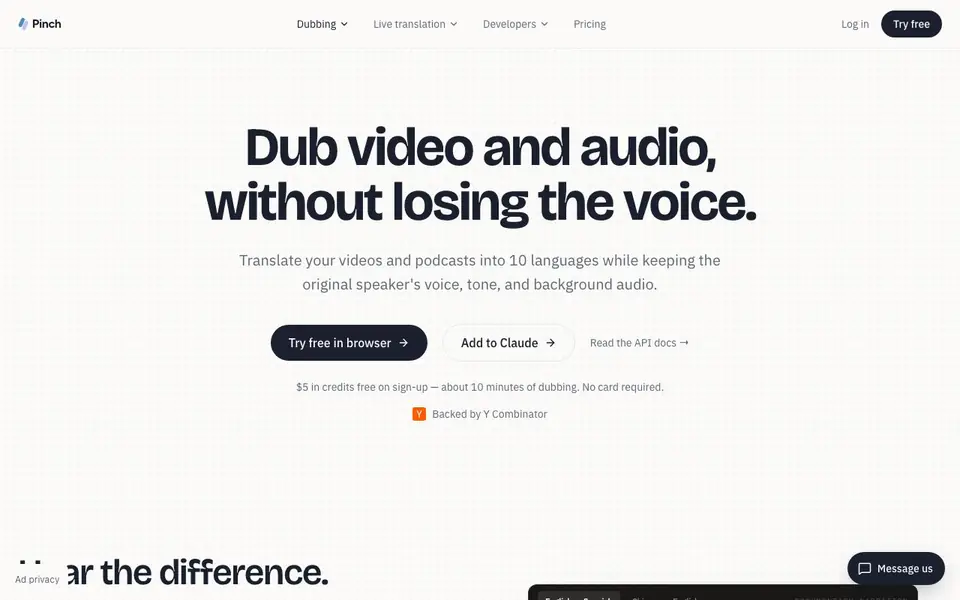
What is Pinch?
Pinch is an AI dubbing tool that translates your video and audio into 10 languages. It keeps the original speaker's voice, tone, and background audio intact. You can use it in your browser or through an API for developers.
To get started, you sign up and receive $5 in free credits, about 10 minutes of dubbing. In the browser studio, you can preview speaker identification, edit transcripts and translations line by line, and see the estimated cost before generating. For developers, you send a media URL via API, Pinch processes it, and you download the result.
It suits content creators, podcasters, course makers, marketers, and film producers. The website notes it is backed by Y Combinator and supports formats like MP4, MOV, WebM, MP3, and WAV. Output URLs are valid for 48 hours.
Pinch features
- Voice preservation: Keeps the speaker's tone and warmth so it still sounds like them.
- Natural phrasing: Translates to how a native speaker would say it, not word-for-word.
- Background audio kept: Music and ambience stay clean through the dub.
- Browser dubbing studio: Preview speaker ID, edit transcripts, and generate when ready.
- Developer API: Send a URL, get a dubbed file, with output URLs valid for 48 hours.
What you can do with Pinch
- Dub YouTube videos into multiple languages for a global audience.
- Translate podcast episodes while keeping the host's voice.
- Localize marketing ads without hiring voiceover talent per market.
- Translate online courses while preserving the instructor's teaching style.
How to get started with Pinch
- Sign up on the website to get $5 in free credits, no card required.
- Upload or paste a media URL and choose a target language.
- Preview the dub in the browser studio, edit if needed, then generate and download.
Tips for better results with Pinch
- Use the browser studio to preview speaker identification before generating, and reassign or merge speakers so every voice maps correctly for cleaner dubs.
- Edit transcripts and translations line by line in Pinch's studio, then check the estimated cost up front before generating to avoid wasting credits.
- For API use, ensure your source media URL is publicly accessible and the file format is supported, like MP4, MOV, WebM, MP3, or WAV, before sending it to Pinch.
- Compare Pinch's output with other tools using default settings, as shown on the site, to hear how natural phrasing and voice preservation differ for your content.
Pinch pricing
Pinch has a free way to start, with paid plans for heavier use. Check startpinch.com for current limits and prices.
What to check before you rely on Pinch
- Confirm your free $5 credits cover your expected dubbing minutes, since the site says about 10 minutes, but longer projects may require paid plans.
- Check whether the 48-hour output URL validity works for your workflow, as you must download results promptly before links expire.
- Verify that the 10 supported languages include your targets, and note the site does not list pricing for paid tiers beyond the free credit.
Who Pinch is for
Pinch suits content creators, podcasters, course makers and marketers. If that is not you, the AI translation tools below may fit better.
Similar tools compared with Pinch
| Tool | What it is | Pricing |
|---|---|---|
| Pinch | AI dubbing for video and audio | Freemium |
| DeepL | AI translation platform for text, voice, and documents | Freemium |
| Wordtune | AI writing and paraphrasing assistant | Freemium |
| AI Manga Translator | AI manga and comic translator | Freemium |
| AI Manga Translator | AI manga and comic image translator | Freemium |
Pinch FAQ
What does Pinch do?
Pinch translates video and audio into 10 languages while keeping the original speaker's voice, tone, and background audio. You can use it in the browser or via API for developers.
Is Pinch free?
Pinch offers $5 in free credits on sign-up, about 10 minutes of dubbing, with no card required. After that, pricing is $0.50 per minute with no subscription, as stated on the site.
Who is Pinch for?
It's for content creators, podcasters, online course instructors, marketers, and film producers who want to localize their media into multiple languages without losing the original voice.
Can developers integrate Pinch?
Yes, Pinch has an API. You send a media URL with the target language, Pinch dubs it, and you download the result. Output URLs are valid for 48 hours.
Which file formats does Pinch support for dubbing?
Pinch supports MP4, MOV, WebM, MP3, and WAV files. You can upload these in the browser studio or send a URL via the API. The website does not mention other formats, so if you have a different file type, check the documentation or contact support.
Does Pinch require a credit card to sign up?
No, Pinch does not require a credit card to sign up. You get $5 in free credits on sign-up, which is about 10 minutes of dubbing. After you use those credits, you can purchase more if you need additional dubbing time.
Can I use Pinch to dub videos for my YouTube channel?
Yes, Pinch is suitable for dubbing YouTube videos. It translates your video into 10 languages while keeping the original speaker's voice and background audio. You can edit the transcript and translation in the browser studio before generating the final dubbed version.


