

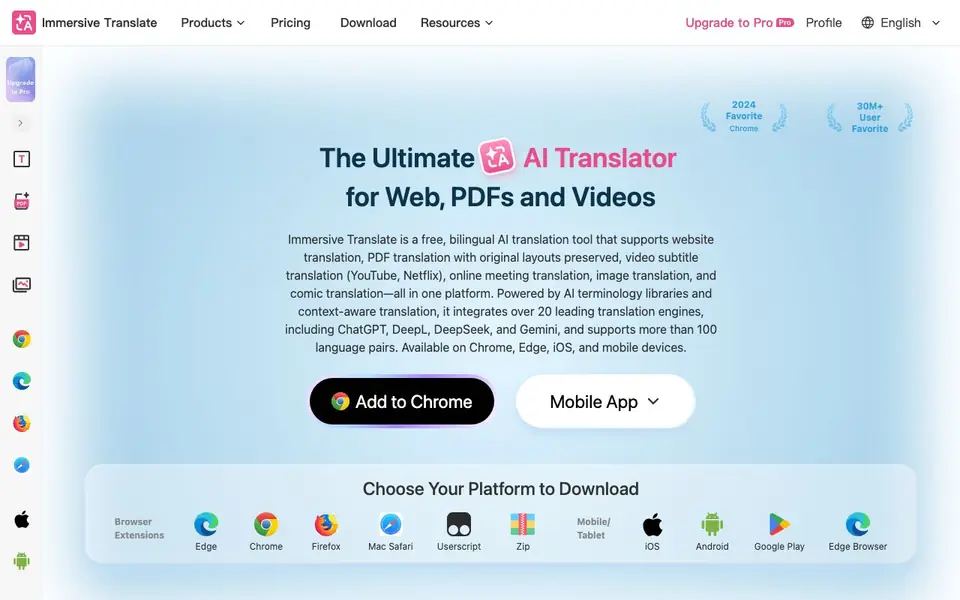
What is Immersive Translate?
Immersive Translate is a free bilingual translation tool that works across browsers and devices. It translates websites, PDFs, video subtitles, online meetings, images, and comics. It combines over 20 AI translation engines, including ChatGPT, DeepL, DeepSeek, and Gemini, to give you accurate, context-aware results.
You start by installing the browser extension for Chrome, Edge, Firefox, or Safari, or the mobile app for iOS and Android. Once installed, you can translate any webpage into a side-by-side bilingual view. For PDFs, it keeps the original layout while adding translation. For videos, it shows real-time subtitles on platforms like YouTube and Netflix. You can also translate images and comics with OCR and inpainting that preserves the original look.
This tool suits students, researchers, developers, investors, cross-border professionals, and content creators. It supports hundreds of language pairs, including Chinese, English, Japanese, Korean, French, German, and more. The website mentions a Pro upgrade, but the core tool is free to use. It does not state specific limits for the free plan, so check the pricing page for details.
Immersive Translate features
- Bilingual website translation: View any webpage in a side-by-side vertical layout that keeps the original content readable.
- PDF translation with layout preservation: Translate PDFs, including scanned ones via OCR, while keeping the original formatting intact.
- Real-time video subtitle translation: Get bilingual subtitles on YouTube, Netflix, and over 100 other video platforms.
- Online meeting translation: Translate live conversations on Zoom, Google Meet, and Microsoft Teams in real time.
- Image and comic translation: Translate images and manga with OCR and inpainting that preserves the original visual style.
What you can do with Immersive Translate
- Translate academic papers and research documents while keeping the original layout.
- Read foreign-language websites in a side-by-side bilingual view for easier comprehension.
- Watch YouTube or Netflix videos with real-time translated subtitles.
- Translate images and comics to read manga or webtoons as soon as they release.
How to get started with Immersive Translate
- Go to the Immersive Translate website and choose your platform, such as Chrome, Edge, Firefox, Safari, iOS, or Android.
- Install the browser extension or mobile app from the download page.
- Open a webpage, PDF, video, or image and click the Immersive Translate icon to start translating.
Tips for better results with Immersive Translate
- Install Immersive Translate on both your browser and mobile app to translate websites, PDFs, and videos across devices seamlessly, and sync your settings for a consistent experience.
- Use Immersive Translate's side-by-side bilingual view for webpages to compare the original and translation, which helps you catch context nuances that single-line translations might miss.
- For scanned PDFs, rely on Immersive Translate's OCR feature to extract and translate text while preserving the original layout, ensuring you can read academic papers or contracts accurately.
- When watching videos on YouTube or Netflix, enable Immersive Translate's real-time subtitles to follow foreign-language content without pausing, and adjust the subtitle position to avoid blocking the action.
Immersive Translate pricing
Immersive Translate has a free way to start, with paid plans for heavier use. Check immersivetranslate.com for current limits and prices.
What to check before you rely on Immersive Translate
- Check the pricing page for free plan limits, as the website does not state specific caps on translations, documents, or features for the free tier.
- Verify which of the over 20 translation engines are available on your plan, since the website does not list engine-specific restrictions for free users.
- Confirm data privacy policies for uploaded PDFs and subtitles, because the website does not clearly state how your documents are handled or stored.
Who Immersive Translate is for
Immersive Translate suits students, researchers, developers and content creators. If that is not you, the AI translation tools below may fit better.
Similar tools compared with Immersive Translate
| Tool | What it is | Pricing |
|---|---|---|
| Immersive Translate | Bilingual AI translator for web, PDFs, videos | Freemium |
| DeepL | AI translation platform for text, voice, and documents | Freemium |
| Wordtune | AI writing and paraphrasing assistant | Freemium |
| AI Manga Translator | AI manga and comic translator | Freemium |
| AI Manga Translator | AI manga and comic image translator | Freemium |
Immersive Translate FAQ
Is Immersive Translate free to use?
Yes, the website describes Immersive Translate as a free bilingual translation tool. It also mentions a Pro upgrade, so there is likely a paid tier with extra features. Check the Pricing page for details on what the free plan includes and what Pro adds.
What languages does Immersive Translate support?
It supports over 100 language pairs, including Chinese, English, Japanese, Korean, French, German, Russian, Spanish, Portuguese, Vietnamese, Indonesian, Italian, Dutch, and Thai. The exact list of languages is not fully specified on the homepage, so you may need to check the app for the full set.
Which platforms can I use Immersive Translate on?
You can use it as a browser extension for Chrome, Edge, Firefox, and Safari, and as a mobile app for iOS and Android. It also works on desktop devices. The website lists these options on the download page.
Can Immersive Translate translate videos without subtitles?
Yes, the website says it can translate videos that have no original subtitles. This makes it useful for watching content on platforms like YouTube or Netflix where subtitles may not be available in your language.
Can Immersive Translate export translated documents or subtitles?
Immersive Translate supports translating PDF, ePub, HTML, TXT, DOCX, Markdown, and subtitle files. The website does not specify whether you can export the translated files in those formats. For export options, check the in-app settings or the pricing page for details.
Does Immersive Translate work on mobile devices?
Yes, Immersive Translate offers mobile apps for iOS and Android. You can download them from the App Store or Google Play. The mobile apps allow you to translate websites, PDFs, and other content on the go, though some features may vary compared to the browser extension.
What does the free plan of Immersive Translate include?
Immersive Translate is free to use, and the core features like website translation, PDF translation, and video subtitle translation are available without payment. The website does not state specific limits for the free plan, so check the pricing page to see what might be restricted compared to Pro.


