

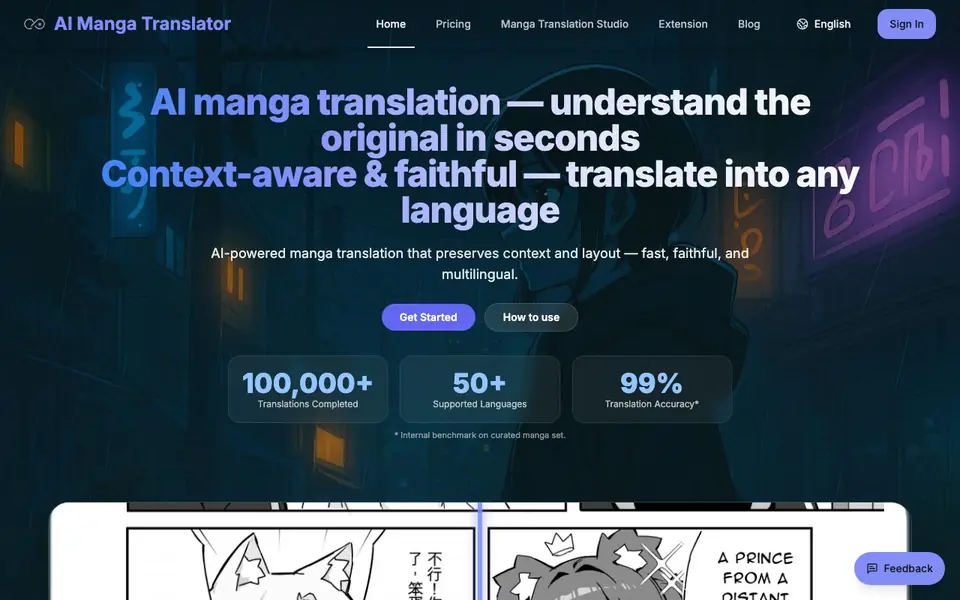
What is AI Manga Translator?
AI Manga Translator is a web-based tool that reads manga pages using OCR and translates the text into over 50 languages. It keeps the original layout intact by adjusting font size, line spacing, and bubble areas, so the translated pages look close to the originals. The tool supports vertical and horizontal text, and you can choose from various language models like offline, Sugoi, NLLB, or even ChatGPT and Gemini.
To use it, you upload images (JPG, PNG, WebP) or documents (PDF, EPUB, CBZ) by dragging and dropping or clicking to upload. Then pick your target language and model, and the tool processes the pages automatically. You can watch progress with status badges, zoom into thumbnails, and download the translated images or the merged PDF.
The free plan gives you 5 guest credits per day, plus a daily login bonus of 10 credits, and each page costs 1 credit. It's designed for manga readers who want quick understanding, and for professionals who need high-fidelity translations. The site notes that starting with a clear scan or screenshot gives the best results, and you can switch models or text direction if output quality isn't ideal.
AI Manga Translator features
- Context-aware translation: Uses LLMs to keep character voice, honorifics, and jokes consistent.
- Layout-preserving typesetting: Auto-detects text direction and adapts font size and bubble areas.
- Multi-model switching: One-click swap between offline and cloud models like Sugoi, NLLB, or ChatGPT.
- Full PDF translation: Drag in a whole PDF, pages process in parallel and merge automatically.
- Privacy control: Short-lived processing by default with no retention, plus an offline option.
What you can do with AI Manga Translator
- Translate a manga chapter from Japanese to English in minutes.
- Convert a full PDF manga volume into your native language.
- Read doujinshi with honorifics and onomatopoeia preserved.
- Batch process multiple images for a fan translation project.
How to get started with AI Manga Translator
- Upload manga files by dragging and dropping images or PDFs, or import from a link.
- Choose your target language and keep defaults, or switch models and text direction.
- Review thumbnails, zoom into pages, and download translated images or the merged PDF.
Tips for better results with AI Manga Translator
- Upload clear, high-resolution scans or screenshots of manga pages, as the tool works best when the original text is sharp and readable.
- If the translation quality seems off, switch the language model in AI Manga Translator from the default to options like Sugoi or NLLB to compare results.
- Adjust the text direction setting in AI Manga Translator to vertical or horizontal when the translated layout looks misaligned, especially for Japanese manga.
- Use the daily login bonus and guest credits on AI Manga Translator to test different models and fonts on a few pages before committing to a full volume.
AI Manga Translator pricing
AI Manga Translator has a free way to start, with paid plans for heavier use. Check aimangatranslate.com for current limits and prices.
What to check before you rely on AI Manga Translator
- Check your credit balance before starting a large project, since each page costs 1 credit and the free plan gives only 5 guest credits plus a 10-credit login bonus per day.
- Verify the file size limits for your uploads, as images are capped at 5MB per file and documents at 200MB, which may affect large PDFs or batches.
- Confirm whether the free plan includes all language models like ChatGPT or Gemini, since the pricing page does not specify which models are available without payment.
Who AI Manga Translator is for
AI Manga Translator suits manga readers, fan translators, publishers and language learners. If that is not you, the AI translation tools below may fit better.
Similar tools compared with AI Manga Translator
| Tool | What it is | Pricing |
|---|---|---|
| AI Manga Translator | AI manga and comic translator | Freemium |
| DeepL | AI translation platform for text, voice, and documents | Freemium |
| Wordtune | AI writing and paraphrasing assistant | Freemium |
| AI Manga Translator | AI manga and comic image translator | Freemium |
| AI Subtitle Translator | AI subtitle translator for video files | Freemium |
AI Manga Translator FAQ
What file formats does AI Manga Translator support?
It supports JPG, JPEG, PNG, and WebP images up to 5MB each, and PDF, EPUB, and CBZ documents up to 200MB. You can upload by drag-and-drop or clicking to upload.
Is there a free plan?
Yes, you get 5 guest credits per day and a daily login bonus of 10 credits. Each page costs 1 credit, so you can translate a few pages daily for free.
Can I translate a whole PDF book?
Yes, you can drag in a full PDF, and the tool processes pages in parallel and merges them automatically, preserving per-page dimensions for readers.
Does it preserve the original manga layout?
Yes, it auto-detects vertical and horizontal text and adjusts font size, line spacing, and bubble areas to match the original layout, so the translated pages look similar.
Does AI Manga Translator have a browser extension or desktop app?
The AI Manga Translator website mentions an Extension page, but it does not specify whether it is a browser extension or a desktop app. For details on installation and supported platforms, check the Extension page on the site.
Can I use AI Manga Translator without creating an account?
Yes, AI Manga Translator offers guest credits: 5 per day, plus a daily login bonus of 10 credits. Each page costs 1 credit. You can start translating immediately as a guest, but creating an account may give you access to more features or credits.
What integrations or export options does AI Manga Translator offer?
AI Manga Translator lets you download translated images or a merged PDF. The website does not mention integrations with other apps or services. For export formats beyond images and PDF, check the tool's documentation or contact support.


