

What is Doc2Lang?
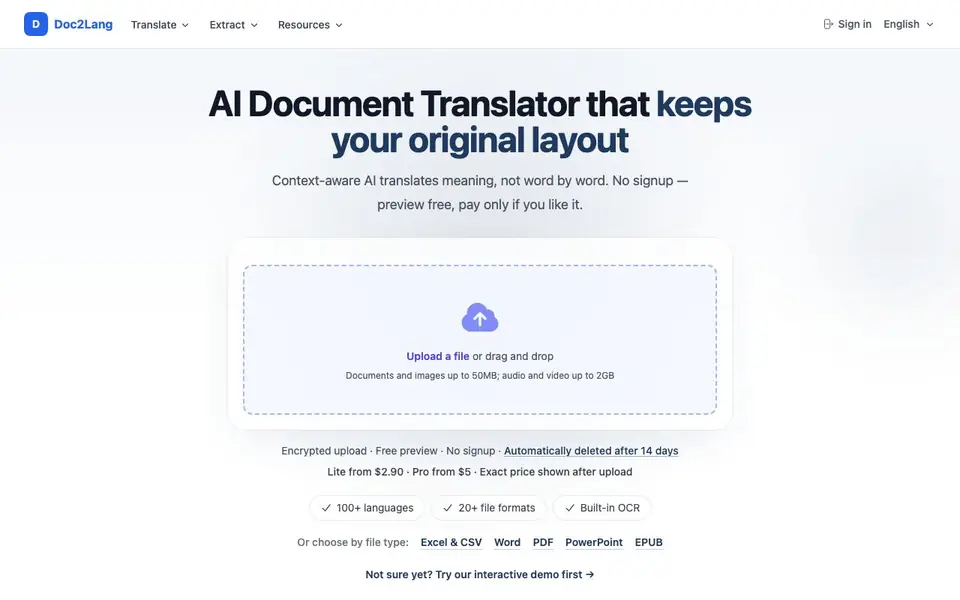
Doc2Lang is an AI document translator that focuses on keeping your original layout. It handles over 20 file formats, including PDF, Word, Excel, PowerPoint, EPUB, subtitles, images, audio, and video. The tool uses context-aware AI to translate meaning rather than word-for-word, and includes built-in OCR for scanned pages.
You start by uploading a file and choosing source and target languages. No account is needed. Doc2Lang then shows you a free preview of the translation quality and the exact price for both Lite and Pro options. You only pay if you like what you see, and you pay per file with no subscription.
Files up to 50MB for documents and images, or 2GB for audio and video, are encrypted and automatically deleted after 14 days. The tool is built for people who need formatted files translated accurately, such as financial reports, résumés, pitch decks, and novels, where every chart, formula, and style must stay in place.
Doc2Lang features
- Layout preservation: Charts, formulas, tables, and styles stay exactly where they were in the original file.
- Built-in OCR: Scanned PDF pages and text inside images are detected and translated.
- Pay per file: No subscription required; you pay only for each file you translate.
- Free preview: Review translation quality and exact prices before you commit to paying.
- 20+ file formats: Supports Office documents, EPUB, subtitles, images, audio, video, and IDML.
What you can do with Doc2Lang
- Translate a Japanese budget workbook into English without breaking formulas or pivot charts.
- Convert a foreign-language novel into your language while keeping chapters working on Kindle.
- Translate a multi-column PDF table of contents with headings and page numbers intact.
- Translate styled subtitle frames while preserving timing, positioning, and inline colors.
How to get started with Doc2Lang
- Upload your file and choose source and target languages; no account is required.
- Review a free preview to check translation quality and compare Lite and Pro prices.
- Pay once for the file, choose a model, and download the complete translation.
Tips for better results with Doc2Lang
- Upload a small sample file first to preview translation quality and exact Lite and Pro prices before paying for the full document.
- Use Doc2Lang for Excel files with formulas and pivot charts, since it preserves them while translating, keeping your workbook functional.
- Check the free preview carefully for layout issues in multi-column PDFs or styled subtitles, as Doc2Lang aims to keep positions intact.
- For scanned PDFs or images with text, rely on Doc2Lang's built-in OCR to detect and translate text without manual extraction.
Doc2Lang pricing
Doc2Lang is a paid product. Check doc2lang.com for current plans and whether a demo or trial is offered.
What to check before you rely on Doc2Lang
- Verify the exact price for your file after upload, since the website only lists starting prices and does not state a full pricing table.
- Confirm your file size is within limits: 50MB for documents and images, 2GB for audio and video, as stated on the site.
- Check that your file format is supported among the 20+ listed, and note that the site does not specify all formats or export options.
Who Doc2Lang is for
Doc2Lang suits business professionals, translators, students and publishers. If that is not you, the AI translation tools below may fit better.
Similar tools compared with Doc2Lang
| Tool | What it is | Pricing |
|---|---|---|
| Doc2Lang | AI document translator preserving original layout | Paid |
| DeepL | AI translation platform for text, voice, and documents | Freemium |
| Wordtune | AI writing and paraphrasing assistant | Freemium |
| AI Manga Translator | AI manga and comic translator | Freemium |
| AI Manga Translator | AI manga and comic image translator | Freemium |
Doc2Lang FAQ
Do I need to create an account to use Doc2Lang?
No. You can upload files and preview translations without signing up. The website states no account is required for upload or preview, and you only pay when you decide to download a full translation.
How does pricing work?
Doc2Lang charges per file, not per subscription. Lite starts from $2.90 and Pro from $5, but the exact price is shown after you upload your file and see the preview. There are no monthly plans mentioned.
What file formats are supported?
The tool supports over 20 formats, including PDF, Word, Excel, PowerPoint, EPUB, subtitles (SRT, VTT, ASS), images, audio, video, IDML, and HTML. It also has built-in OCR for scanned pages and text in images.
Is my file secure after translation?
Uploads are encrypted and automatically deleted after 14 days, according to the website. The free preview lets you check quality before paying, and you only pay if you choose to download the full translation.
What can Doc2Lang export or connect to after translation?
Doc2Lang lets you download the translated file in its original format, so a translated Excel stays Excel, a Word doc stays Word, and an EPUB stays EPUB. The website doesn't mention direct integrations with other apps or cloud services. For specific export options beyond the original format, check the download step after uploading a file.
Does Doc2Lang work on mobile devices or only on desktop?
Doc2Lang is a web-based tool, so you can use it in any modern browser on a phone, tablet, or computer. The website doesn't list dedicated mobile apps, but the upload and preview flow works from a browser. For the best experience with large files, a desktop browser may be more reliable.
What does the free plan include, and can I use Doc2Lang without paying?
Doc2Lang doesn't have a free plan, but you can upload a file and get a free preview of the translation quality and the exact price for Lite and Pro options. You only pay if you decide to download the full translation. No account is needed to try the preview, and you pay per file with no subscription.


