

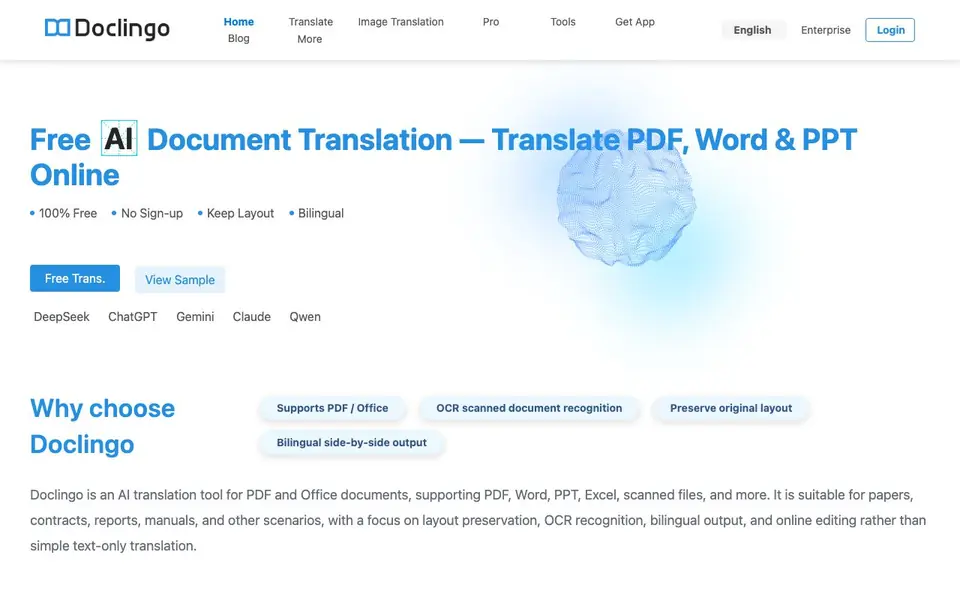
What is Doclingo?
Doclingo is an AI translation tool for documents. It handles PDF, Word, PPT, Excel, and scanned files. The focus is on keeping the original layout, recognizing text in images with OCR, and offering bilingual side-by-side output. It goes beyond simple text translation by including online editing and document conversation features.
You start by uploading a document. Doclingo detects the text, including in scanned images, and translates it. You can choose between different AI engines like DeepSeek, ChatGPT, Gemini, Claude, and Qwen. The layout is restored automatically, and you can edit the translation online. A highlight-to-translate feature lets you select specific text for quick translation.
Doclingo suits students, professionals, and businesses dealing with papers, contracts, reports, and manuals. It offers a free plan with no sign-up, and a Pro version for higher fidelity and more features. The site mentions serving over 500,000 users and 3,000 enterprises, with compliance certifications like ISO 27001 and SOC 2.
Doclingo features
- Multi-format support: Translate PDF, Word, Excel, PPT, and image files in one place.
- OCR recognition: Automatically detects and translates text embedded in scanned images.
- Layout preservation: Restores complex formatting accurately so your document looks original.
- Bilingual output: View original and translated text side by side for easy comparison.
- AI engine switching: Choose between different large language models for optimal translation quality.
What you can do with Doclingo
- Translate academic papers while keeping the original layout intact.
- Convert contracts into another language with high fidelity for business deals.
- Localize user manuals for international customers without reformatting.
- Translate scanned documents with OCR to extract and translate embedded text.
How to get started with Doclingo
- Go to Doclingo's website and upload your PDF, Word, PPT, or scanned file.
- Select your target language from the 90+ supported options.
- Review the translated document online, edit if needed, and download the result.
Tips for better results with Doclingo
- Upload a clean, high-resolution scan to Doclingo so its OCR can accurately detect text in images, which improves translation quality for scanned documents.
- Switch between AI engines like DeepSeek, ChatGPT, or Claude in Doclingo to compare outputs and pick the one that best handles your document's technical terms or tone.
- Use Doclingo's highlight-to-translate feature on specific sentences or paragraphs to quickly refine tricky sections without retranslating the whole document.
- Edit the translated text directly in Doclingo's online editor after translation, then export the final version to keep the original layout intact for your real work.
- checks
Doclingo pricing
Doclingo has a free way to start, with paid plans for heavier use. Check doclingo.ai for current limits and prices.
What to check before you rely on Doclingo
- Check whether Doclingo's free plan includes the AI engines you need, since the website lists them but does not state which are available without a Pro subscription.
- Verify if Doclingo's free plan supports all file formats you use, as the site mentions multi-format support but does not specify limits for the no-sign-up option.
- Confirm Doclingo's export options and whether you can download the edited bilingual output, since the website does not clearly list available export formats or file types.
Who Doclingo is for
Doclingo suits students, professionals, enterprises and translators. If that is not you, the AI translation tools below may fit better.
Similar tools compared with Doclingo
| Tool | What it is | Pricing |
|---|---|---|
| Doclingo | AI document translation with layout preservation | Freemium |
| DeepL | AI translation platform for text, voice, and documents | Freemium |
| Wordtune | AI writing and paraphrasing assistant | Freemium |
| AI Manga Translator | AI manga and comic translator | Freemium |
| AI Manga Translator | AI manga and comic image translator | Freemium |
Doclingo FAQ
Is Doclingo free to use?
Yes, Doclingo offers a free plan that requires no sign-up. It supports 90+ languages and includes basic translation features. There is also a paid Pro version with higher fidelity layout restoration and smart OCR translation.
What file formats does Doclingo support?
Doclingo supports PDF, Word, Excel, PPT, and image files. It also handles scanned documents through OCR, so you can translate text embedded in images or scans.
Will the layout of my translated document be preserved?
Yes, Doclingo focuses on layout preservation. It uses a proprietary layout recovery algorithm to reconstruct complex formatting accurately. The free version offers basic restoration, while Pro provides high-fidelity restoration.
Which AI engines does Doclingo use for translation?
Doclingo integrates multiple AI models, including DeepSeek, ChatGPT, Gemini, Claude, and Qwen. You can switch between engines to get the best translation quality for your specific document.
Does Doclingo require creating an account to use the free plan?
No, Doclingo's free plan does not require you to sign up. You can start translating documents immediately without creating an account. However, if you want to access Pro features or save your work, you may need to check the website for any account requirements.
Can Doclingo export translated documents to formats like DOCX or PDF?
Doclingo supports translating PDF, Word, Excel, PPT, and image files, and it preserves the original layout. The website does not specify which export formats are available after translation. For details on exporting your translated documents, please check the tool's documentation or contact support.
Does Doclingo offer a mobile app or desktop application?
The Doclingo website mentions a 'Get App' link, but it does not specify which platforms (iOS, Android, Windows, Mac) are supported. To find out if Doclingo has a mobile or desktop app, visit the 'Get App' section on the site or check official app stores.


