
What is Transcriptik AI?
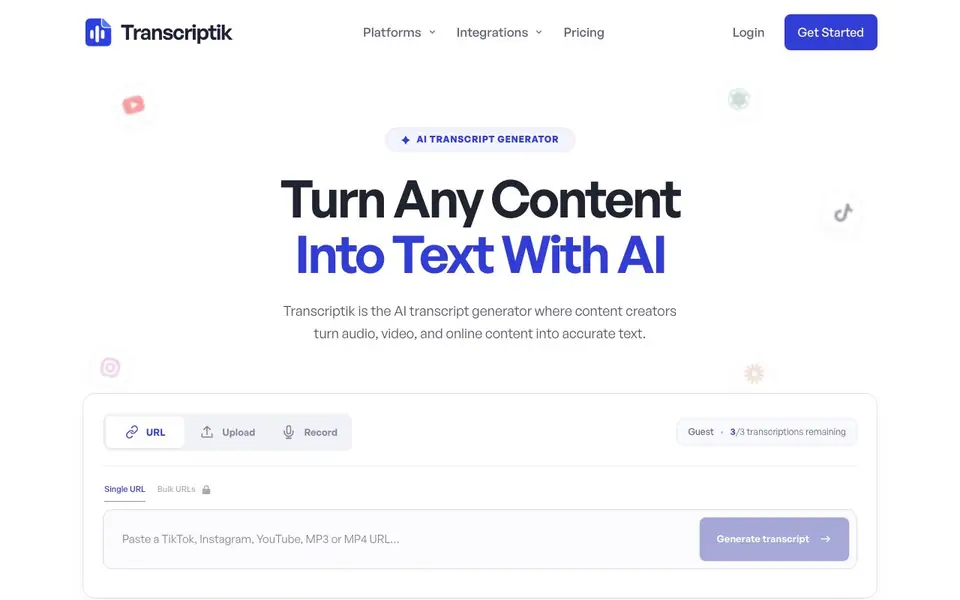
Transcriptik is an AI-powered transcript generator that converts spoken content from audio, video, and online platforms like TikTok, Instagram, and YouTube into accurate text. You can paste a URL, upload a file, or record your voice directly. The tool supports over 99 languages and provides clean transcripts with timestamps and speaker labels when available.
To get started, you add your media by pasting a link or uploading an audio/video file. The AI then transcribes your content, and you can copy the text or, on paid plans, download it in formats like TXT, PDF, DOCX, SRT, or VTT. Paid plans also allow bulk processing of multiple URLs or files at once, plus AI transformations and translation features.
The free plan gives you 3 transcriptions per month, each up to 5 minutes, with uploads up to 10 MB and voice recording up to 30 seconds. Paid plans start at $5.99 per month for more transcriptions, longer durations, larger uploads, and export options. A Chrome extension is available to quickly transcribe videos you're watching on supported sites.
Transcriptik AI features
- Multi-platform support: Transcribe links from TikTok, Instagram, and YouTube in one tool.
- File upload: Upload audio and video files like MP3, MP4, WAV, M4A, MOV, and more.
- Bulk processing: Paid plans can process multiple URLs or files in a single submission.
- Export formats: Download transcripts as TXT, PDF, DOCX, SRT, or VTT on paid plans.
- Chrome extension: Click the icon while watching a video to open and transcribe it automatically.
What you can do with Transcriptik AI
- Create subtitles for your YouTube videos by exporting SRT files.
- Turn a podcast episode into a written article or blog post.
- Extract quotes from an interview for social media posts.
- Transcribe a meeting recording for notes and reference.
How to get started with Transcriptik AI
- Paste a TikTok, Instagram, YouTube, or direct media link, or upload an audio/video file.
- Let the AI generate your transcript with timestamps and speaker labels.
- Copy the text, or on paid plans, download it in your chosen format.
Tips for better results with Transcriptik AI
- Paste a direct URL from TikTok, Instagram, or YouTube into Transcriptik AI rather than uploading a file, since link-based transcription works across these platforms without needing to download media first.
- Use Transcriptik AI's free plan for short clips under 5 minutes to test accuracy on your accent or industry terms before committing to a paid plan, and check timestamps for alignment.
- Export your Transcriptik AI transcript as an SRT file on a paid plan to create subtitles for YouTube, then review the timestamps to ensure they match your video's scene changes.
- For long recordings, split your audio into segments under 30 minutes on Transcriptik AI's Starter plan, as each transcription has a duration limit, and process them in bulk to save time.
- Record your voice directly in Transcriptik AI for quick notes under 30 seconds on the free plan, but verify the speaker labels are accurate if you have multiple people talking.
- Use Transcriptik AI's bulk processing on a paid plan to transcribe multiple interview files at once, then copy each transcript into your own document for editing, since the tool doesn't include editing on free.
- Check the transcript's metadata like title and source info in Transcriptik AI when transcribing a link, as it can help you organize files, but don't rely on it for every platform.
- Test Transcriptik AI with a noisy audio file first to see how it handles background sounds, then adjust your recording setup or use a cleaner source for better accuracy.
Transcriptik AI pricing
Transcriptik AI has a free way to start, with paid plans for heavier use. Check transcriptik.com for current limits and prices.
What to check before you rely on Transcriptik AI
- Before relying on Transcriptik AI for a client project, confirm your plan's transcription limit per month and duration cap, as the free plan allows only 3 transcripts of 5 minutes each.
- Verify that Transcriptik AI's export formats like SRT or DOCX are available on your paid plan, since the free plan doesn't include downloads, and the website doesn't list all format details for every tier.
- Check Transcriptik AI's privacy policy for how your uploaded files or linked videos are stored and used, as the website doesn't clearly state data retention or deletion practices.
- Ensure your audio or video file format is supported by Transcriptik AI, such as MP3 or MP4, and that your upload size stays under the plan's limit, like 10 MB on free, to avoid failures.
- Confirm whether Transcriptik AI's Chrome extension works on your browser and supported sites, as the website mentions it but doesn't specify all compatible platforms or version requirements.
- Test Transcriptik AI's speaker labels with a multi-person recording, as the tool says labels are available when available, but the website doesn't guarantee accuracy for all audio qualities.
Who Transcriptik AI is for
Transcriptik AI suits content creators, podcasters, journalists and students. If that is not you, the AI transcription tools below may fit better.
Similar tools compared with Transcriptik AI
| Tool | What it is | Pricing |
|---|---|---|
| Transcriptik AI | AI transcript generator for audio and video | Freemium |
| Otter.ai | AI meeting notetaker and transcription tool | Freemium |
| Fireflies.ai | AI meeting assistant for transcription and notes | Freemium |
| Fathom | AI notetaker for online meetings | Freemium |
| Turboscribe | Unlimited audio and video transcription | Freemium |
Transcriptik AI FAQ
What can I transcribe with Transcriptik?
You can transcribe audio and video files you upload, as well as links from TikTok, Instagram, YouTube, and other supported platforms. The tool accepts formats like MP3, MP4, WAV, M4A, AAC, MOV, WEBM, OGG, and FLAC.
Is there a free plan?
Yes, there is a free plan that gives you 3 transcriptions per month, each up to 5 minutes long, with uploads up to 10 MB and voice recording up to 30 seconds. It includes timestamps and speaker labels but no downloads or editing.
What do paid plans include?
Paid plans start at $5.99 per month and include more transcriptions, longer durations, larger uploads, bulk processing, editing, and downloads in TXT, PDF, DOCX, SRT, or VTT. Higher tiers add AI transformations and translation.
Can I download transcripts on the free plan?
No, downloads are not included on the free plan. You can only copy the transcript text. To download or export transcripts, you need a paid plan starting at $5.99 per month.
What devices or platforms can I use Transcriptik AI on?
Transcriptik AI runs in your web browser, so you can use it on any device with an internet connection, including Windows, Mac, Linux, and Chromebooks. There is also a Chrome extension available for quickly transcribing videos you watch on supported sites. The website does not mention dedicated mobile apps.
Does Transcriptik AI connect to other apps or services?
Transcriptik AI lets you paste links from TikTok, Instagram, and YouTube, and it can upload files from your device. The website does not mention direct integrations with other apps like Google Drive, Dropbox, or Notion. You can copy your transcript text or download it on paid plans to use elsewhere.
Can I use Transcriptik AI for meeting recordings or interviews?
Yes, Transcriptik AI can transcribe meeting recordings or interviews if you upload the audio or video file, such as MP3, MP4, WAV, or MOV. The free plan allows uploads up to 10 MB and 5 minutes per transcription, while paid plans support longer durations and larger files. The website does not specify real-time live transcription.


