

What is tl;dv?
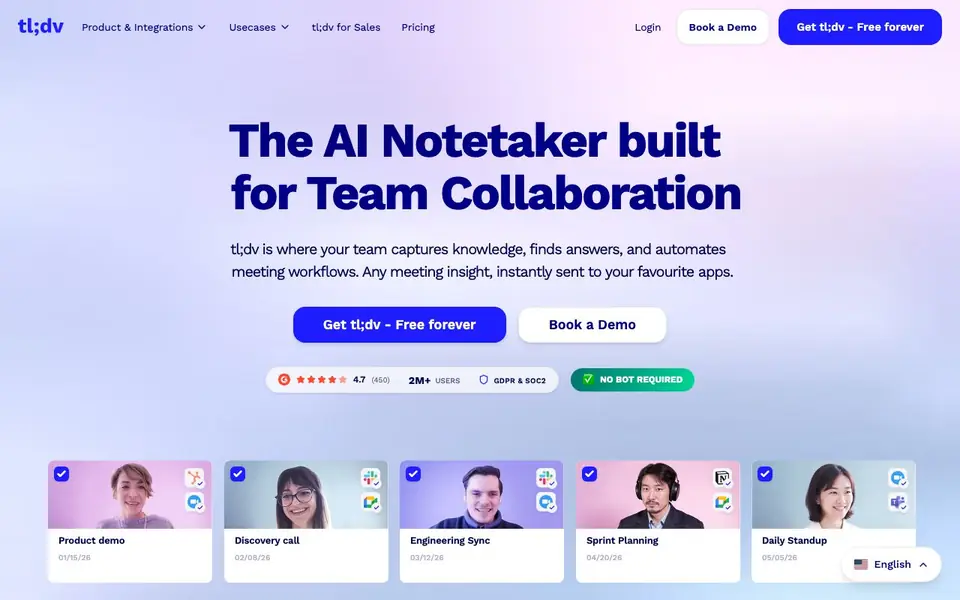
tl;dv is an AI meeting notetaker that captures knowledge from your calls and turns it into actionable insights. It works with Zoom, Google Meet, and Microsoft Teams, so you never have to take notes manually again. The tool is built for team collaboration, letting you share insights and automate workflows.
After each meeting, tl;dv generates crisp AI summaries in your preferred format. You can customize notes, like MEDDIC in Japanese or Smart AI Topics in Spanish. It also handles post-meeting busywork by logging call notes and CRM outcomes, drafting follow-up emails, and creating next-step tasks for you to review and send.
You can ask AI questions about your meetings, like common objections from prospect calls or product feedback from customer success calls. It aggregates insights and trends across conversations, sending reports to your inbox. Security includes end-to-end encryption, GDPR compliance, and SOC 2 certification, with data stored in the EU and never used to train AI.
tl;dv features
- AI summaries: Get instant, crisp meeting summaries after every call in your preferred format.
- CRM automation: Automatically log call notes and outcomes to your CRM after each meeting.
- Follow-up drafts: AI writes follow-up emails and next-step tasks based on the conversation.
- AI reports: Receive aggregated insights and trends from multiple meetings straight to your inbox.
- Sales coaching: Analyze calls to track playbook adherence and uncover coaching opportunities.
What you can do with tl;dv
- Summarize missed meetings to catch up on what you missed last week.
- Track common objections from prospect calls for your sales team.
- Compile product feedback from customer success calls for your product team.
- Highlight customer quotes from calls for marketing use on your website.
How to get started with tl;dv
- Sign up for a free account on tl;dv's website.
- Connect your Zoom, Google Meet, or Microsoft Teams calendar.
- Start a meeting and let tl;dv record, transcribe, and summarize it automatically.
Tips for better results with tl;dv
- Set up custom AI summary formats like MEDDIC in Japanese before your calls so tl;dv generates notes in the exact structure you need, saving you from editing later.
- Use tl;dv's AI prompt feature to ask specific questions about your meetings, such as common objections or product feedback, to surface insights you would otherwise miss.
- Connect tl;dv to your CRM and let it log call notes and outcomes automatically, then review the follow-up email drafts it creates before sending to keep your workflow accurate.
- Schedule tl;dv to send aggregated AI reports to your inbox weekly, so you can spot trends across multiple calls without manually reviewing each recording.
tl;dv pricing
tl;dv has a free way to start, with paid plans for heavier use. Check tldv.io for current limits and prices.
What to check before you rely on tl;dv
- Verify whether the free plan includes unlimited meeting minutes or caps your usage, since the website labels tl;dv as freemium but does not list specific limits.
- Check if tl;dv supports the exact video conferencing platforms you use, as it works with Zoom, Google Meet, and Microsoft Teams, but other platforms are not mentioned.
- Confirm how meeting recordings and transcripts are exported or shared, as the website does not state available export formats or file types for your records.
Who tl;dv is for
tl;dv suits sales teams, product managers, marketing teams and customer success teams. If that is not you, the AI transcription tools below may fit better.
Similar tools compared with tl;dv
| Tool | What it is | Pricing |
|---|---|---|
| tl;dv | AI meeting notetaker for team collaboration | Freemium |
| Otter.ai | AI meeting notetaker and transcription tool | Freemium |
| Fireflies.ai | AI meeting assistant for transcription and notes | Freemium |
| Fathom | AI notetaker for online meetings | Freemium |
| Turboscribe | Unlimited audio and video transcription | Freemium |
tl;dv FAQ
Does tl;dv work with Zoom, Google Meet, and Teams?
Yes, tl;dv is built for Zoom, Google Meet, and Microsoft Teams. It records, transcribes, and summarizes calls from these platforms automatically, so you don't need a bot or extra setup.
Is tl;dv free to use?
tl;dv offers a free forever plan, as stated on their website. They also have paid plans for advanced features like CRM integrations and AI reports, but the free tier lets you start without paying.
How does tl;dv keep my meeting data secure?
tl;dv uses end-to-end encryption, GDPR compliance, and SOC 2 certification. Your data is stored in EU-based, ISO 27001-certified data centers with AES-256 encryption, and they never use your recordings to train AI.
Can I customize the meeting notes format?
Yes, you can customize your AI notes, such as using MEDDIC in Japanese or Smart AI Topics in Spanish. You can also create your own AI summary format to match your team's needs.
What apps and tools can tl;dv export meeting notes and data to?
tl;dv integrates with CRMs and other apps to automatically log call notes, outcomes, deals, leads, and action items after each meeting. The website highlights CRM automation and follow-up email drafting, but it does not list every specific export destination. Check the integrations page on tldv.io for the full list of supported apps.
Does tl;dv work on mobile devices or only on desktop?
The tl;dv website does not specify which devices or platforms the tool runs on. It focuses on features like AI summaries, CRM automation, and AI reports for team collaboration. To find out if there is a mobile app or mobile-friendly version, visit the tldv.io website or contact their support team for details.
What does the free plan of tl;dv include?
tl;dv offers a free forever plan, but the website does not detail exactly which features are included in the free tier versus paid plans. It mentions the tool is freemium and highlights features like AI summaries, CRM automation, and AI reports. For specific limits or feature availability on the free plan, check the pricing page on tldv.io.


