

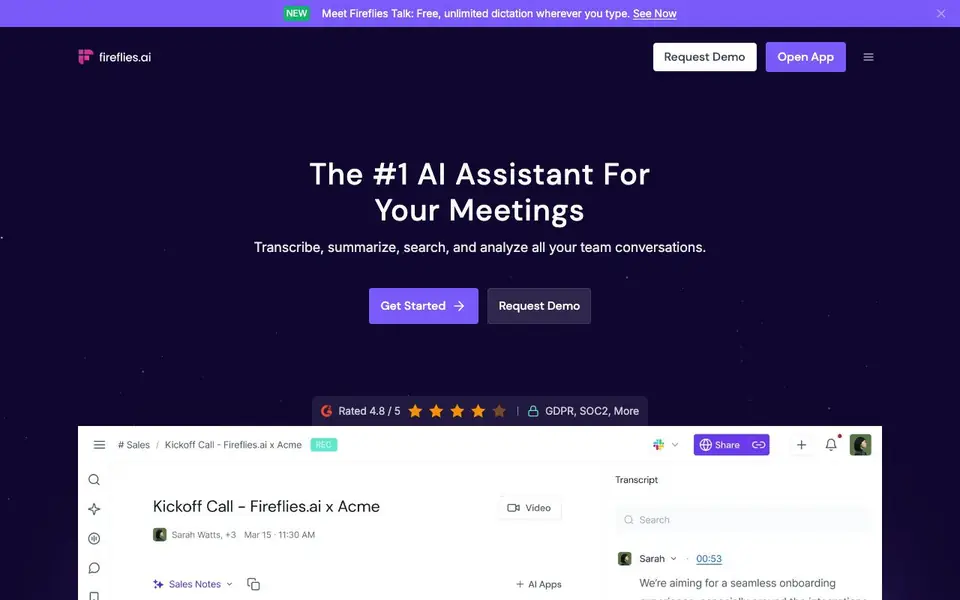
What is Fireflies.ai?
Fireflies.ai is an AI assistant that captures your meetings and turns them into searchable notes. It records live conversations, transcribes them with high accuracy, and generates summaries, action items, and custom notes automatically. You can also upload audio or video files for transcription.
To get started, you invite the AI bot fred@fireflies.ai to a meeting or let it autojoin from your calendar. It works with Google Meet, Zoom, and other platforms through a Chrome extension, mobile app, or desktop app. After the meeting, you get a transcript, summary, and searchable knowledge base. You can ask Fred questions about past conversations or use Live Assist for real-time suggestions during calls.
Fireflies suits sales, recruiting, marketing, engineering, and other teams. It integrates with CRMs, project management tools, Slack, and ATS platforms. The website mentions 95% transcription accuracy, support for 100+ languages, and enterprise-grade security including SOC 2, GDPR, and HIPAA compliance. It also offers 200+ AI skills for extracting insights like follow-up emails or candidate scoring.
Fireflies.ai features
- High accuracy transcription: Converts meetings and audio files into text with 95% accuracy across 100+ languages.
- Speaker recognition: Identifies different speakers in meetings and audio files automatically.
- AI summaries: Generates overviews, bullet points, action items, and custom notes after each meeting.
- AI-powered search: Finds specific sentences and timestamps from past conversations quickly.
- Live Assist: Provides real-time suggestions, coaching, and answers during meetings.
What you can do with Fireflies.ai
- Capture and transcribe your team's virtual meetings automatically.
- Search past conversations for specific details discussed months ago.
- Generate follow-up emails and action items from meeting notes.
- Analyze speaker talk-time and sentiment across your calls.
How to get started with Fireflies.ai
- Sign up for a Fireflies account on their website.
- Invite fred@fireflies.ai to a meeting or connect your calendar for autojoin.
- Review your transcript, summary, and action items after the meeting ends.
Tips for better results with Fireflies.ai
- Invite fred@fireflies.ai to your calendar meetings so it autojoins, saving you from remembering to start recording manually each time.
- Use Fireflies.ai's AskFred feature to query past conversations by specific topics or questions, pulling exact sentences and timestamps for quick recall.
- Upload audio or video files directly to Fireflies.ai for transcription when you have recordings outside live meetings, then generate summaries and action items from them.
- Set up custom AI skills in Fireflies.ai to automatically extract follow-up emails or candidate scores, reducing manual note review after each call.
Fireflies.ai pricing
Fireflies.ai has a free way to start, with paid plans for heavier use. Check fireflies.ai for current limits and prices.
What to check before you rely on Fireflies.ai
- Check the free plan's recording minutes and storage limits on the Fireflies.ai website, since the pricing label says freemium but specific caps aren't listed in the website.
- Verify which meeting platforms Fireflies.ai supports beyond Google Meet and Zoom, as the website says others but doesn't name them all.
- Confirm data retention and deletion policies for transcripts and recordings, since the website says GDPR and SOC2 compliance but doesn't detail user control options.
Who Fireflies.ai is for
Fireflies.ai suits sales teams, recruiters, marketers and project managers. If that is not you, the AI transcription tools below may fit better.
Similar tools compared with Fireflies.ai
| Tool | What it is | Pricing |
|---|---|---|
| Fireflies.ai | AI meeting assistant for transcription and notes | Freemium |
| Otter.ai | AI meeting notetaker and transcription tool | Freemium |
| Fathom | AI notetaker for online meetings | Freemium |
| Turboscribe | Unlimited audio and video transcription | Freemium |
| tl;dv | AI meeting notetaker for team collaboration | Freemium |
Fireflies.ai FAQ
How does Fireflies record meetings?
You invite the bot fred@fireflies.ai to a live meeting, or it autojoins from your calendar. It also works with Google Meet via a Chrome extension, plus mobile and desktop apps for in-person or phone calls.
Is Fireflies free to use?
Fireflies offers a free plan with limited transcription hours, and paid plans for more features like advanced analytics and integrations. The website mentions a free version but does not list exact limits.
What languages does Fireflies support?
Fireflies transcribes meetings in over 100 languages, including English, Spanish, French, and others. It also has auto-language detection that switches languages between meetings automatically.
Can I use Fireflies with my CRM or other tools?
Yes. Fireflies integrates with CRMs, project management tools, Slack, and ATS platforms. It can auto-fill CRM notes, create tasks after meetings, and send notes to Slack channels.
What devices and platforms does Fireflies.ai run on?
Fireflies.ai works through a Chrome extension, a mobile app, and a desktop app. You can also use it with dialers like Aircall and Ringcentral, or via its API. The website does not specify which operating systems the mobile or desktop apps support, so check the app stores or the Fireflies.ai website for details.
Does Fireflies.ai offer a free plan and what does it include?
Fireflies.ai is freemium, meaning there is a free plan. The website does not list the exact features or limits of the free plan. To see what the free plan includes, visit the Fireflies.ai pricing page or sign up to see the available features.
How does Fireflies.ai handle my data and privacy?
Fireflies.ai states it is GDPR, SOC2, and HIPAA compliant, indicating enterprise-grade security. The website does not provide specific details on data storage, retention, or deletion policies. For full information, review the Fireflies.ai privacy policy or contact their support team.


