

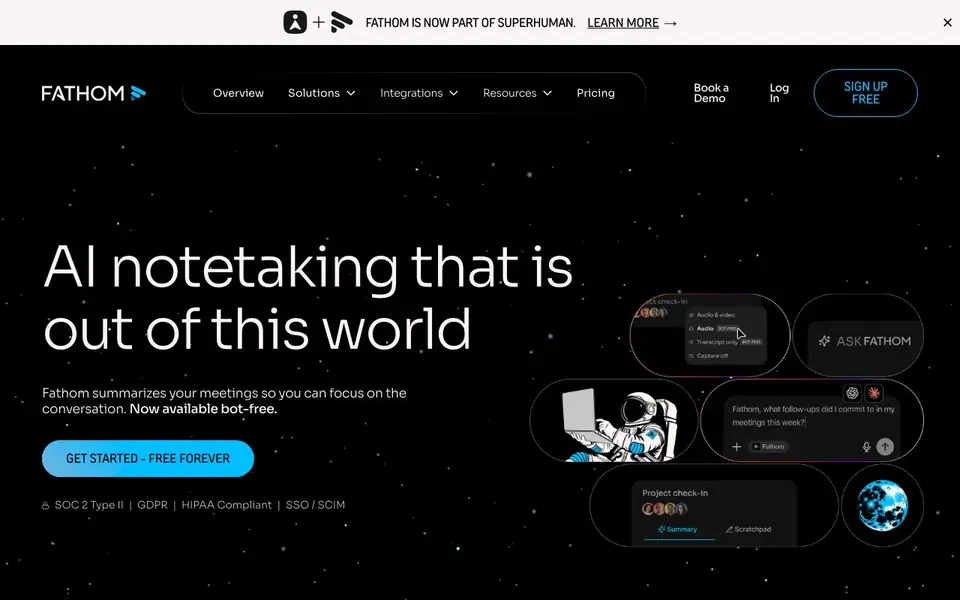
What is Fathom?
Fathom is an AI notetaker that joins your video calls on Zoom, Google Meet, and Microsoft Teams. It captures the conversation, creates a transcript, and writes a summary with action items. You can use it with a bot or without one, so you stay focused on the discussion.
After a call ends, Fathom delivers the notes to your inbox. You can ask Fathom questions about any past meeting to find details fast. It also monitors key topics during the call so you never miss important moments.
Fathom syncs notes and insights to tools like Slack, Salesforce, HubSpot, Notion, and Asana. It is used at over 300,000 companies and is free for individuals. Teams can get CRM updates and AI scorecards for coaching. The website mentions SOC 2 Type II, GDPR, and HIPAA compliance.
Fathom features
- AI summaries: Get a concise summary of every meeting right after the call ends.
- Ask Fathom: Search across all your meetings to find any detail or topic quickly.
- CRM updates: Automatically write notes and updates to Salesforce or HubSpot for your team.
- Bot-free option: Capture meetings without a bot joining, so the call stays clean.
- Topic monitoring: Fathom watches for key topics and flags critical moments during the call.
What you can do with Fathom
- Record and summarize your sales calls to capture customer signals.
- Automate follow-up notes for customer success meetings to reduce admin work.
- Track feature requests and user feedback from product discussions.
- Streamline interviews by evaluating candidates with Ask Fathom.
How to get started with Fathom
- Sign up for a free Fathom account on their website.
- Connect Fathom to your calendar or meeting platform like Zoom or Google Meet.
- Start a meeting and let Fathom record, transcribe, and summarize it for you.
Tips for better results with Fathom
- Turn on topic monitoring before the call starts so Fathom flags critical moments you might otherwise miss during the discussion.
- Use Ask Fathom after the meeting to search across all past calls for specific details, decisions, or action items instead of scrolling through transcripts.
- Connect Fathom to your CRM like Salesforce or HubSpot so it automatically writes notes and updates, saving you from manual data entry after every call.
- Try the bot-free option for sensitive conversations to keep the call clean while still getting Fathom's summary and transcript delivered to your inbox.
Fathom pricing
Fathom has a free way to start, with paid plans for heavier use. Check fathom.ai for current limits and prices.
What to check before you rely on Fathom
- Check whether the free plan includes all features you need, since the website lists pricing as freemium but does not detail what is paid.
- Verify that Fathom supports the video conferencing platform you use daily, as it lists Zoom, Google Meet, and Microsoft Teams but not others.
- Confirm how your meeting data is stored and exported, since the site mentions compliance but does not state file formats or data retention policies.
Who Fathom is for
Fathom suits sales teams, customer success teams, marketers and product managers. If that is not you, the AI transcription tools below may fit better.
Similar tools compared with Fathom
| Tool | What it is | Pricing |
|---|---|---|
| Fathom | AI notetaker for online meetings | Freemium |
| Otter.ai | AI meeting notetaker and transcription tool | Freemium |
| Fireflies.ai | AI meeting assistant for transcription and notes | Freemium |
| Turboscribe | Unlimited audio and video transcription | Freemium |
| tl;dv | AI meeting notetaker for team collaboration | Freemium |
Fathom FAQ
Is Fathom free to use?
Yes, Fathom is free for individuals. The website says 'free forever' for individual use. Teams can pay for additional features like CRM updates and AI scorecards, but the exact pricing is not listed on the homepage.
Which meeting platforms does Fathom work with?
Fathom works with Zoom, Google Meet, and Microsoft Teams. It also integrates with Gmail, Slack, Asana, Salesforce, HubSpot, Notion, and Zapier, so your notes can sync to the tools you already use.
Can I use Fathom without a bot joining my meetings?
Yes, Fathom now offers a bot-free option. You can capture notes without a bot appearing in the call, which keeps the meeting experience clean for you and your participants.
What can I do with my meeting notes after a call?
After a call, Fathom sends you a summary and action items. You can also ask Fathom questions about any past meeting to find specific details, and sync notes to your CRM or project tools automatically.
Does Fathom offer a free plan for teams, or is it only for individuals?
Fathom is free for individuals, and the website also mentions options for teams. The pricing page shows a freemium model, so you can start with the free version and upgrade if you need team features like CRM updates or AI scorecards. Check the pricing page for current team plan details.
Can Fathom export or sync my meeting notes to tools like Slack, Salesforce, or Notion?
Yes, Fathom syncs meeting notes, insights, and action items automatically to tools like Slack, Salesforce, HubSpot, Notion, and Asana. The website lists these integrations and says it works with 'and beyond,' so you can connect Fathom to your existing workflow without manual export.
What devices or platforms does Fathom run on, besides video meeting apps?
Fathom works with Zoom, Google Meet, and Microsoft Teams, and it also appears in Gmail and Slack. The website does not specify which operating systems or browsers are supported, so check the help center or app store listings for device compatibility details.


