

What is Granola?
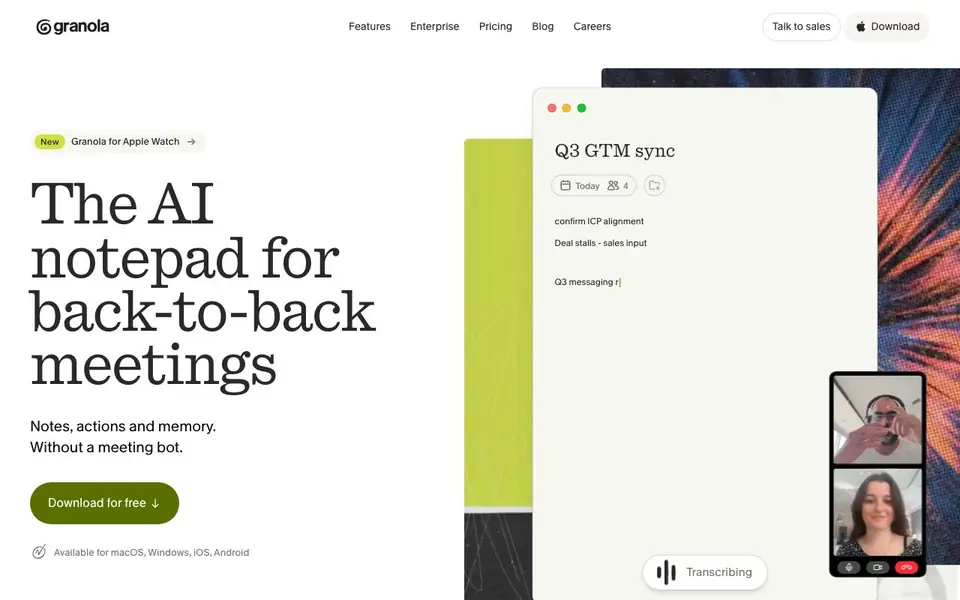
Granola is an AI notepad designed for people who spend their days in back-to-back meetings. It listens to your computer audio and turns the conversation into clean, organized notes. You don't need to invite a meeting bot. It works with Zoom, Google Meet, Teams, and other meeting apps, plus in-person meetings through its mobile app.
Before a meeting, Granola syncs with your calendar and prepares a Brief. You see who is attending, what you discussed last time, and what matters now. During the meeting, you can write as much or as little as you like. Granola uses the meeting context to write clear notes that are personal to you. After the meeting, notes, action items, and follow-ups are ready immediately.
Your notes are private by default. You can search them, polish them, analyze them, and share them if you choose. Granola also includes a chat feature that already knows what you're working on. It is available for macOS, Windows, iOS, and Android, and there is a version for Apple Watch. The website says it is trusted by teams at companies like Linear and Vercel.
Granola features
- Brief before meetings: Granola syncs with your calendar and preps a summary of attendees, past discussions, and current priorities.
- Background transcription: It uses your computer audio, so no bot joins the call and you stay present.
- Instant notes after meetings: Notes, action items, and follow-ups are ready the moment the meeting ends.
- Private by default: Your notes are just for you, with options to search, polish, analyze, and share as you like.
- Works everywhere: Capture conversations on Zoom, Meet, Teams, in-person, or on the go with the mobile app.
What you can do with Granola
- Prepare for external meetings with a pre-built Brief from your calendar.
- Take notes during calls without choosing between listening and typing.
- Get action items and follow-ups ready right after the meeting ends.
- Capture notes from in-person meetings using the iPhone or Android app.
How to get started with Granola
- Download Granola for free for macOS, Windows, iOS, or Android.
- Let it sync with your calendar and start a meeting — it transcribes from your computer audio.
- Review your notes, action items, and follow-ups after the meeting, and use chat to ask questions.
Tips for better results with Granola
- Start Granola before your meeting begins so it captures the full conversation and syncs with your calendar to build an accurate Brief for you.
- Write a few keywords or short notes during the call to give Granola context, then let it expand them into clean, organized notes after the meeting.
- Review and polish your notes immediately after each meeting while the conversation is fresh, so you can correct any details Granola may have missed.
- Use Granola's chat feature to ask questions about your notes or past meetings, since it already knows what you're working on and can pull relevant context quickly.
Granola pricing
Granola has a free way to start, with paid plans for heavier use. Check granola.ai for current limits and prices.
What to check before you rely on Granola
- Check whether the freemium plan includes unlimited transcription minutes or caps your monthly meeting capture, since the website does not state specific limits.
- Verify that Granola supports the exact meeting apps you use, including any desktop or web versions, because the website lists common platforms but not every configuration.
- Confirm how your audio and notes are stored and whether they are encrypted, as the website says private by default but does not detail data retention or security policies.
Who Granola is for
Granola suits busy professionals, sales teams, managers and consultants. If that is not you, the AI transcription tools below may fit better.
Similar tools compared with Granola
| Tool | What it is | Pricing |
|---|---|---|
| Granola | AI notepad for back-to-back meetings | Freemium |
| Otter.ai | AI meeting notetaker and transcription tool | Freemium |
| Fireflies.ai | AI meeting assistant for transcription and notes | Freemium |
| Fathom | AI notetaker for online meetings | Freemium |
| Turboscribe | Unlimited audio and video transcription | Freemium |
Granola FAQ
Does Granola join my meetings as a bot?
No. Granola does not invite a bot to your meeting. It transcribes in the background using your computer audio, so you stay present in the conversation.
Which meeting apps does Granola work with?
Granola works with Zoom, Google Meet, Teams, Huddles, and other meeting apps. It also works for in-person meetings and on-the-go calls through its mobile app.
Is Granola free to use?
The website says you can download Granola for free, and it mentions a pricing page. It does not state whether there is a paid plan, so check the pricing page on Granola's website for details.
Can I use Granola for in-person meetings?
Yes. Granola is made for in-person meetings too, like walking meetings, conferences, or coffee catchups. You can use the iPhone or Android app to take notes anywhere.
Can Granola export my notes to other apps?
The Granola website does not mention exporting notes to other apps. It focuses on capturing, searching, polishing, and sharing notes within Granola. To see if export options have been added, check the app's settings or the official website for updates.
Does Granola work on my phone for calls?
Yes, Granola has a mobile app for iOS and Android, and it is designed to capture notes from in-person meetings and phone calls. You can use it on the go. The website also mentions a version for Apple Watch, so you have options beyond your computer.
What does the Granola free plan include?
The Granola website labels it as freemium but does not detail what the free plan includes. It says you can download it for free and use it on macOS, Windows, iOS, and Android. For specifics on limits or paid features, check the pricing page on granola.ai.


