

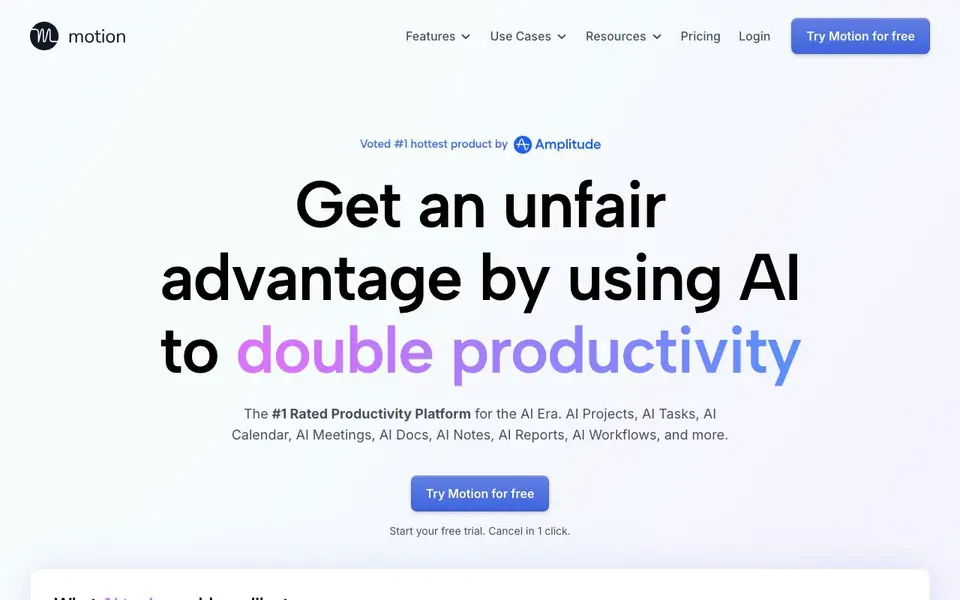
What is Motion?
Motion is an all-in-one productivity platform that uses AI to handle tasks, projects, calendar, meetings, docs, notes, reports, and workflows. It aims to double your productivity by automating planning and repetitive work. The platform is designed for individuals and teams of all sizes, from solo users to large businesses.
You start by choosing which AI tools you need, such as AI Tasks, Projects, or Meeting Notetaker. Motion then takes your tasks and projects, considers priorities, dependencies, and deadlines, and builds an optimized plan that adjusts itself throughout the day. For projects, you describe what you need, and Motion generates tasks with deadlines and assignees, which you can review and polish.
Motion suits busy professionals, managers, and teams who want to reduce manual planning and follow-up work. The website mentions it saves hours per week and helps you avoid missed deadlines. It also integrates with docs, calendar, and task planner, so you can keep everything in one place.
Motion features
- AI Task Planner: Automatically creates and prioritizes tasks based on your deadlines and preferences.
- AI Project Manager: Generates entire projects with tasks, deadlines, and assignees from a description.
- AI Meeting Notetaker: Takes notes, summaries, and action items during meetings, with recordings and transcripts.
- AI Calendar Assistant: Plans your day and schedules meetings automatically to avoid conflicts.
- AI Docs Assistant: Drafts and proofreads documents in seconds, keeping them organized.
What you can do with Motion
- Plan your daily schedule automatically with AI that adjusts to your priorities.
- Create a full project plan by describing it, saving hours of manual task creation.
- Capture meeting notes and follow-up emails without spending extra time afterward.
- Find any document, note, or task instantly using AI search.
- Build workflows from your SOPs to automate repetitive processes.
How to get started with Motion
- Visit Motion's website and click 'Try Motion for free' to start your free trial.
- Choose which AI tools you want to use, like Tasks, Projects, or Meeting Notetaker.
- Add your tasks or describe a project, and let Motion build and optimize your plan.
Tips for better results with Motion
- Start with one AI tool, like AI Tasks, and let Motion plan your day for a week before adding projects or meetings, so you can see how it prioritizes your work.
- Describe your project in detail, including deadlines and dependencies, and Motion will generate tasks and assignees you can review and adjust before committing to the plan.
- Use Motion's AI Meeting Notetaker during calls, then check the action items it creates to ensure follow-ups are captured without you manually typing notes afterward.
- Review Motion's auto-generated schedule each morning and tweak priorities if needed, since the AI adjusts throughout the day but your input keeps it aligned with your real goals.
Motion pricing
Motion offers a free trial before you pay. Check usemotion.com for current plans.
What to check before you rely on Motion
- Confirm whether the free trial includes all AI tools or only some, since the website lists options but does not state what the trial covers.
- Check if Motion exports your tasks, projects, and notes to common formats like CSV or PDF, as the website does not mention export options.
- Verify what happens to your data after the trial ends, because the site says you can cancel in one click but does not explain data retention or deletion policies.
Who Motion is for
Motion suits individuals, teams, business managers and marketers. If that is not you, the AI productivity tools below may fit better.
Similar tools compared with Motion
| Tool | What it is | Pricing |
|---|---|---|
| Motion | AI-powered productivity and project platform | Free trial |
| Mem | AI chief of staff and workspace | See website |
| Reclaim | AI calendar for work and life | Freemium |
| Otter.ai | AI meeting notetaker and transcription tool | Freemium |
| Superhuman | AI productivity suite for mail, docs, and more | See website |
Motion FAQ
What does Motion do?
Motion is an AI productivity platform that handles tasks, projects, calendar, meetings, docs, and workflows. It automatically plans your day, creates project plans, takes meeting notes, and schedules meetings so you can focus on actual work.
Is Motion free?
Motion offers a free trial. The website says 'Start your free trial. Cancel in 1 click.' It does not state whether there is a permanent free plan or only paid plans after the trial.
Who is Motion for?
Motion is built for individuals and teams of all sizes, from solo users to 20-person teams and 1000-person businesses. It suits busy professionals, managers, and anyone who wants to reduce manual planning and follow-up work.
Can Motion integrate with other apps?
Motion can gather tasks from other apps into one global list, and its notetaker integrates with Docs, Calendar, Task Planner, and Project Manager. The website does not list specific third-party integrations beyond that.
Does Motion offer a free plan or only a trial?
Motion starts with a free trial that you can cancel in one click. The website does not mention a permanent free plan. To see current pricing and what the trial includes, check the Pricing page on usemotion.com.
What devices and platforms does Motion run on?
Motion is a web-based platform, so you can access it through a browser on most devices. The website does not specify dedicated mobile apps or offline support. For the latest information on supported platforms, visit usemotion.com.
Can Motion export data or connect to other apps?
Motion can gather tasks from other apps into one global list, and it integrates with docs, calendar, and task planners. The website does not list specific export formats or a full integration directory. Check the Pricing or Features pages for more details.


