

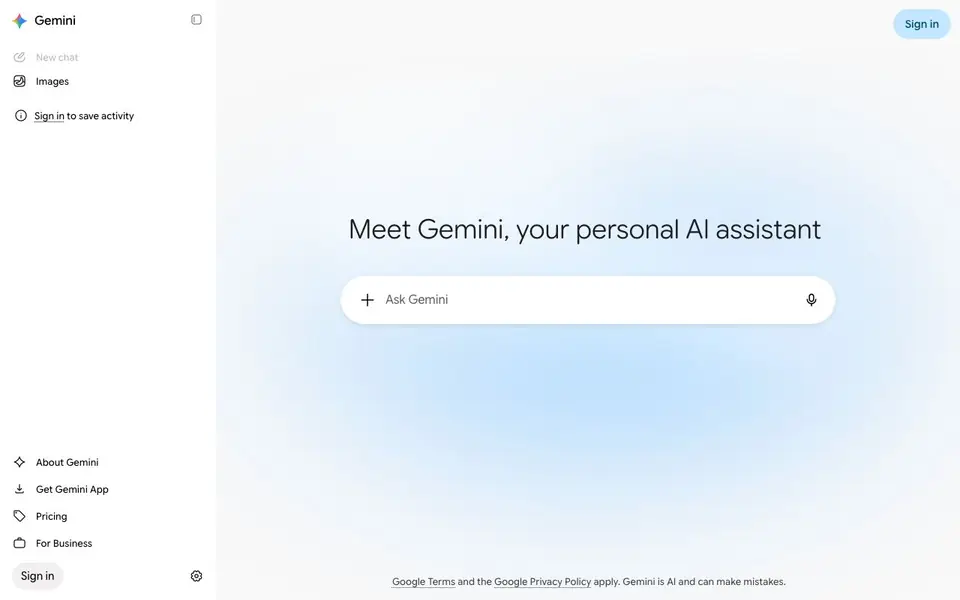
What is Gemini?
Gemini is Google's AI assistant, available on the web and as mobile apps for Android and iOS. You can use it for everyday help: asking questions, drafting or editing text, planning, summarizing, and getting code assistance. It also works with Google apps like Gmail, Docs, Drive, Maps, and YouTube when you connect them, making it a handy companion for your digital tasks.
To get started, you simply open a chat and type or speak your request. You can upload files or images for context, and Gemini will respond conversationally. For deeper research, Deep Research pulls from web sources to build longer reports. Gemini Live lets you have spoken conversations, and you can also generate images and videos directly in the chat.
A free version is available, and Google AI Pro and Ultra subscriptions offer higher limits and access to the most capable models. Gemini is designed for anyone who wants a versatile AI helper—whether for work, study, or personal projects. Remember, Gemini is AI and can make mistakes, so it's good to double-check important information.
Gemini features
- Multi-platform access: Use Gemini on the web, Android, or iOS apps for help anywhere.
- Google app integration: Connect Gmail, Docs, Drive, Maps, and YouTube for context-aware assistance.
- Deep Research: Generates detailed reports from web sources for in-depth questions.
- Gemini Live: Engage in spoken conversations with the assistant for hands-free help.
- File and image upload: Share files or images to get tailored responses and analysis.
- Image and video generation: Create visual content directly within your chat sessions.
What you can do with Gemini
- Draft emails or documents with quick writing assistance.
- Summarize long articles or meeting notes in seconds.
- Brainstorm ideas for projects or creative tasks.
- Get coding help for debugging or writing snippets.
How to get started with Gemini
- Go to gemini.google.com or download the Gemini app on your device.
- Sign in with your Google account to start a new chat.
- Type or speak your question, or upload files, and get instant responses.
Tips for better results with Gemini
- Connect your Google apps like Gmail and Docs before asking Gemini for help, so it can pull relevant context and give you more tailored answers.
- Upload a file or image when you need analysis, and Gemini can extract details from it instead of relying only on your description.
- Use Deep Research for complex questions that need cited sources, and review the report for accuracy before trusting its conclusions.
- Try Gemini Live for hands-free spoken conversations when you are multitasking, and speak clearly to improve its understanding.
Gemini pricing
Gemini has a free way to start, with paid plans for heavier use. Check gemini.google.com for current limits and prices.
What to check before you rely on Gemini
- Check the free version's limits on message volume and feature access, since the website does not list specific caps for free users.
- Verify whether your data from connected Google apps is used for training, as the privacy policy details are not shown on the main page.
- Confirm export options for your chat history or generated files, because the site does not state whether you can download them.
Who Gemini is for
Gemini suits students, professionals, creators and everyday users. If that is not you, the AI chatbots below may fit better.
Similar tools compared with Gemini
| Tool | What it is | Pricing |
|---|---|---|
| Gemini | AI assistant for chat and tasks | Freemium |
| SiChatApp | Free browser chat with multiple AI models | Freemium |
| ChatGPT | AI chatbot for chat, work, and creation | Freemium |
| Kimi | AI assistant for coding and knowledge work | See website |
| Claude | AI assistant for writing, coding, and analysis | Freemium |
Gemini FAQ
Is Gemini free to use?
Yes, there is a free version of Gemini. For higher limits and access to the most capable models, you can subscribe to Google AI Pro or Ultra plans.
What can I do with Gemini?
You can ask questions, write and edit text, plan, summarize, get coding help, and even generate images and videos. It also integrates with Google apps like Gmail and Docs.
Can I use Gemini on my phone?
Yes, Gemini is available as apps for both Android and iOS, so you can chat on the go.
Does Gemini work with other Google apps?
Yes, when you connect them, Gemini can work with Gmail, Docs, Drive, Maps, and YouTube to help with tasks across those services.
Can Gemini export or connect to apps outside of Google's ecosystem?
The Gemini website mentions integration with Google apps like Gmail, Docs, Drive, Maps, and YouTube when you connect them. It does not mention exporting data or connecting to third-party apps beyond these. For specific export options or external integrations, check the Gemini app's settings or help pages.
What devices and platforms does Gemini run on?
Gemini runs on the web at gemini.google.com and as mobile apps for Android and iOS. You can use it on any device with a web browser, including desktops, laptops, and tablets. The website does not mention a dedicated desktop app, so you would use the web version on those devices.
Does Gemini require an account to use it?
Gemini requires you to sign in to use it, as the website shows a sign-in prompt and mentions signing in to save activity. You can start a new chat without signing in, but your activity won't be saved. For full features and saved history, you need a Google account.


