

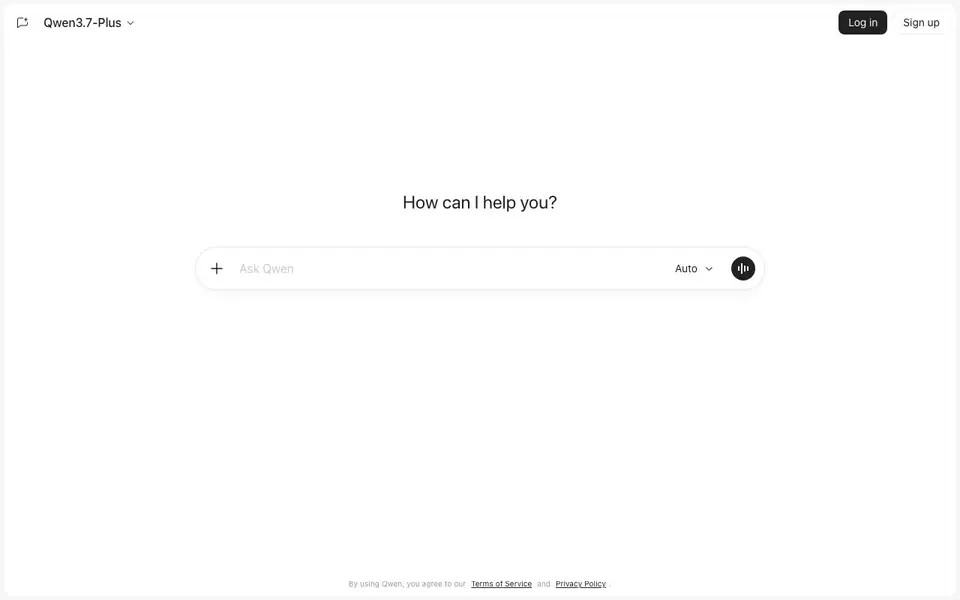
What is Qwen Chat?
Qwen Chat is the official AI assistant from Alibaba's Qwen team, available at chat.qwen.ai. It runs on the Qwen family of models, which includes both open-source and proprietary options. You can use it for everyday conversations, writing, and getting answers to questions.
To get started, you simply sign up and start typing in the chat box. You can upload documents and images for analysis, ask for help with code, or search the web for current information. You can also switch between different Qwen models to suit your task, and use it to generate or edit images and short videos from prompts.
Qwen Chat is free to use, making it accessible for anyone. Developers will also appreciate that many Qwen models are released with open weights, allowing for deeper integration. The platform supports voice and video chat, plus artifacts, though the website doesn't detail these features extensively.
Qwen Chat features
- Multi-model selection: Choose which Qwen model to use for each conversation, tailoring responses to your needs.
- Document and image analysis: Upload files and images to get insights, summaries, or answers based on their content.
- Image generation and editing: Create new images or edit existing ones directly from text prompts.
- Short video creation: Generate short videos from your prompts, expanding your creative options.
- Web search integration: Search the web for up-to-date information without leaving the chat interface.
What you can do with Qwen Chat
- Draft emails, reports, or creative writing pieces with AI assistance.
- Analyze uploaded documents or images to extract key information quickly.
- Generate images or short videos for social media or personal projects.
- Get coding help, from debugging snippets to explaining complex logic.
How to get started with Qwen Chat
- Go to chat.qwen.ai and sign up for a free account.
- Type your question or prompt in the chat box, or upload a file to analyze.
- Choose a Qwen model if you want, then review and refine the response as needed.
Tips for better results with Qwen Chat
- Switch between Qwen models in the chat settings to match the task, like using a faster model for simple questions and a stronger one for complex writing or code.
- Upload your document or image directly into Qwen Chat, then ask specific questions about its content to get focused summaries or extracted details instead of generic answers.
- Use Qwen Chat's web search feature for current information, but phrase your prompt with a date or context so the tool knows you want up-to-date results, not just its training data.
- When generating or editing images or videos in Qwen Chat, describe the scene, style, and any changes clearly in your prompt, and iterate by refining your text based on the first output.
Qwen Chat pricing
Qwen Chat is free to use according to its website.
What to check before you rely on Qwen Chat
- Check whether the free plan has any usage limits on messages, uploads, or generation requests, since the website does not state specific caps or quotas.
- Confirm which Qwen models are available to you in the chat interface, as the website lists the family but does not detail every model option or its exact capabilities.
- Review the Terms of Service and Privacy Policy before uploading sensitive documents or images, since the site does not clearly explain how your data is stored or used.
Who Qwen Chat is for
Qwen Chat suits everyday users, students, developers and content creators. If that is not you, the AI chatbots below may fit better.
Similar tools compared with Qwen Chat
| Tool | What it is | Pricing |
|---|---|---|
| Qwen Chat | AI assistant for chat and creation | Free |
| SiChatApp | Free browser chat with multiple AI models | Freemium |
| ChatGPT | AI chatbot for chat, work, and creation | Freemium |
| Gemini | AI assistant for chat and tasks | Freemium |
| Kimi | AI assistant for coding and knowledge work | See website |
Qwen Chat FAQ
Is Qwen Chat free to use?
Yes, Qwen Chat is free to use. The website states this clearly, and you can sign up without any payment information. Many of the underlying Qwen models are also open-source, which supports free access.
What can I do with Qwen Chat?
You can chat, write, analyze uploaded documents and images, get coding help, search the web, and create or edit images and short videos. It's a versatile assistant for both everyday tasks and creative projects.
Can I choose which AI model to use?
Yes, you can pick which Qwen model to use for a conversation. This lets you tailor the assistant's behavior to your specific needs, whether you prefer a faster response or a more capable model.
Who is Qwen Chat for?
It's for everyday users who want a free AI assistant, as well as developers who can access open-weight models. Students, writers, and creators will also find it useful for tasks like research, content generation, and media creation.
Does Qwen Chat require an account to use?
Yes, you need to sign up and log in to use Qwen Chat at chat.qwen.ai. The website shows a Log in and Sign up option, so creating an account is required to start chatting. The free plan does not require payment, but an account is necessary.
Can Qwen Chat export or save my conversations or files?
The Qwen Chat website does not mention any export or save features for conversations or files. You can upload documents and images for analysis, but there is no stated option to download or export your chat history or processed files. Check the interface for any share or download icons, as the site does not detail this.
What devices or platforms can I use Qwen Chat on?
Qwen Chat is accessible through a web browser at chat.qwen.ai, so it works on any device with internet, like computers, tablets, or phones. The website does not mention dedicated mobile apps or desktop software. You can use it directly in your browser without installing anything.


