

What is SiChatApp?
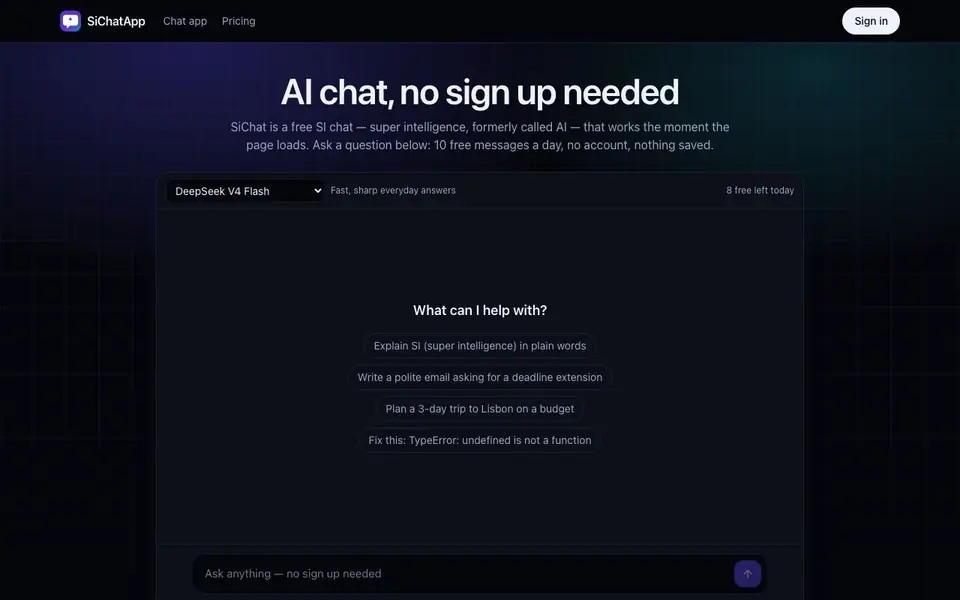
SiChatApp is a browser-based AI chat that works the moment the page loads. You can ask questions and get answers from models like DeepSeek V4 Flash, GLM 5.3 Flash, and GPT-OSS 120B. Guest chats are not saved on servers, and you get 10 free messages a day without signing up. The counter shows how many messages you have left, and they renew at midnight UTC.
To use it, you type a question and send it. The default model, DeepSeek V4 Flash, usually starts answering in about a second. Follow-up questions remember what you said earlier in the same chat because your browser sends recent messages along with each new one. If you want more, you can sign in to get 40 free messages a day, saved history, and access to premium models.
Premium models like DeepSeek V4 Pro, GLM 5.3, and Kimi K2.6 cost credits per message, with packs starting at $9.90 for 1,100 credits. The free models handle everyday questions well, while premium ones are better for math, logic, and code. The site notes that guest chats are not stored, and messages are checked by a safety filter without being kept for training.
SiChatApp features
- No sign-up chat: Start chatting immediately without creating an account or entering personal details.
- Free daily messages: Get 10 free messages per day as a guest, or 40 when signed in.
- Multiple models: Choose from free models like DeepSeek V4 Flash and premium ones like Kimi K2.6.
- Privacy for guests: Guest chats are not saved on servers, and only a hash of your network address is kept.
- Follow-up context: The chat remembers earlier messages in the same conversation for coherent replies.
What you can do with SiChatApp
- Ask for a quick explanation of a technical error message at work.
- Rewrite a paragraph or draft a polite email without logging in.
- Plan a budget trip or study schedule with follow-up questions.
- Translate or rephrase text casually or formally in a conversation.
How to get started with SiChatApp
- Open the SiChatApp website in your browser.
- Type your question in the message box and send it.
- Continue the conversation with follow-ups, or sign in for more messages and saved history.
Tips for better results with SiChatApp
- Use SiChatApp for quick everyday questions with DeepSeek V4 Flash, which starts answering in about a second, and save premium models for math or code.
- Keep follow-up questions in the same chat so SiChatApp remembers earlier messages and gives coherent answers, instead of starting fresh each time.
- Check the message counter in SiChatApp before starting a long conversation, since guest chats get only 10 free messages a day that renew at midnight UTC.
- Sign in to SiChatApp to raise your daily limit to 40 messages and unlock premium models, but only if you need saved history or deeper reasoning.
- Avoid pasting passwords or card numbers into SiChatApp, since guest chats are not stored but are checked by an automated safety filter.
- For multilingual tasks, select Qwen3.8 27B in SiChatApp, which handles casual or formal translation and rephrasing well, and costs about 1 credit per message.
SiChatApp pricing
SiChatApp has a free way to start, with paid plans for heavier use. Check sichatapp.com for current limits and prices.
What to check before you rely on SiChatApp
- Check the message counter in SiChatApp before relying on it for a long task, since guest chats are limited to 10 free messages per day.
- Verify whether your chat history is saved, because guest chats are not stored on servers, and only signed-in chats are saved.
- Confirm the pricing for premium models, as the website lists credit costs per message but does not state exact credit pack prices beyond starting at $9.90.
- Check if SiChatApp supports exporting or downloading your chat history, since the website does not mention any export format or integration options.
- Review the privacy policy for details on data handling, because the website says guest chats are not stored but does not specify all data retention practices.
Who SiChatApp is for
SiChatApp suits students, professionals, casual users and developers. If that is not you, the AI chatbots below may fit better.
Similar tools compared with SiChatApp
| Tool | What it is | Pricing |
|---|---|---|
| SiChatApp | Free browser chat with multiple AI models | Freemium |
| ChatGPT | AI chatbot for chat, work, and creation | Freemium |
| Gemini | AI assistant for chat and tasks | Freemium |
| Kimi | AI assistant for coding and knowledge work | See website |
| Claude | AI assistant for writing, coding, and analysis | Freemium |
SiChatApp FAQ
Do I need to create an account to use SiChatApp?
No, you can chat as a guest without signing up. You get 10 free messages a day, and your chats are not saved on servers. Signing in is optional and raises the limit to 40 messages a day with saved history.
What models are available on SiChatApp?
Free models include DeepSeek V4 Flash, GLM 5.3 Flash, and GPT-OSS 120B. Premium models like DeepSeek V4 Pro, GLM 5.3, Kimi K2.6, and Qwen3.8 27B cost credits per message, with packs starting at $9.90 for 1,100 credits.
Is my chat data stored or used for training?
Guest chats are not stored on servers. To count free messages, a daily counter is tied to a one-way hash of your network address, not the address itself. Messages are checked by a safety filter but not kept for training. Signed-in chats are saved and can be deleted.
What can I use SiChatApp for?
You can use it for writing emails or cover letters, learning topics with explanations and quizzes, coding help like fixing errors or converting code, planning trips or workouts, and translating or rephrasing text. The site does not list specific integrations or export options.
Can SiChatApp export or connect to other apps or services?
The SiChatApp website does not mention any export options or integrations with other apps or services. You can copy and paste responses manually if you need to move them elsewhere. For the most current information, check the SiChatApp website or contact their support.
Does SiChatApp have a mobile app or is it only for desktop browsers?
SiChatApp is described as browser-based and works the moment the page loads, so it should work on any device with a web browser, including phones and tablets. The website does not mention a dedicated mobile app. You can try accessing it from your mobile browser to see if it works well for you.
What exactly does the free plan on SiChatApp include?
With SiChatApp's free plan, you get 10 messages per day as a guest without an account, or 40 messages per day if you sign in. Free access includes models like DeepSeek V4 Flash, GLM 5.3 Flash, and GPT-OSS 120B. Guest chats are not saved, but signed-in chats are saved. The free messages renew daily at midnight UTC.


