

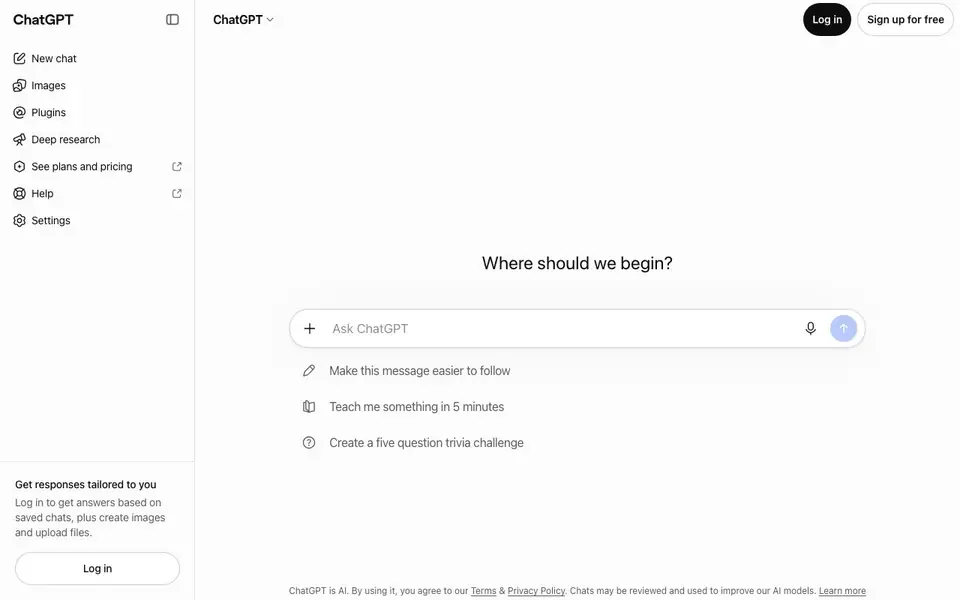
What is ChatGPT?
ChatGPT is a versatile AI assistant you can talk with to get answers, write content, generate images, complete work tasks, and write code. It works across many everyday needs, from explaining ideas to creating visuals, all through a simple chat interface.
To get started, you open a new chat and type your request. You can ask it to simplify a message, teach you something in five minutes, or create a trivia challenge. Logging in lets you save chats, upload files, and create images, so your responses can be tailored to your history.
ChatGPT suits anyone who wants a single tool for questions, writing, and creative tasks. You can use it for free or explore paid plans for more features. Note that chats may be reviewed to improve the AI models, so avoid sharing sensitive information.
ChatGPT features
- Chat interface: Talk with AI naturally to get answers, explanations, or creative help.
- Image creation: Generate images from your prompts once you log in.
- File upload: Upload files to get tailored responses based on your documents.
- Saved chats: Log in to keep chat history and get answers personalized to past conversations.
- Deep research: Use a dedicated mode for more thorough, in-depth investigations.
What you can do with ChatGPT
- Simplify a complex message to make it easier to follow.
- Teach yourself a new topic in just five minutes.
- Create a five-question trivia challenge for fun or study.
- Generate images and upload files for work or personal projects.
How to get started with ChatGPT
- Go to the ChatGPT website and click 'Sign up for free' or log in.
- Start a new chat and type your question or request.
- Review the response and refine your prompt if needed.
Tips for better results with ChatGPT
- Start each request with clear context and a specific goal, like simplifying a paragraph or teaching a topic, so ChatGPT focuses its response on exactly what you need.
- Log in before using ChatGPT to save your chats and enable file uploads, letting you reference past conversations and documents for more tailored answers.
- Break complex tasks into smaller steps, asking ChatGPT to draft, then refine each part, rather than expecting a perfect final output in one go.
- Use ChatGPT's deep research mode for thorough investigations, but keep your prompt detailed and structured to guide the tool toward relevant, in-depth findings.
ChatGPT pricing
ChatGPT has a free way to start, with paid plans for heavier use. Check chatgpt.com for current limits and prices.
What to check before you rely on ChatGPT
- Check whether the free plan covers your needed features, since the website lists paid plans but does not specify what each tier includes or costs.
- Review the privacy policy before sharing sensitive data, as the site states chats may be reviewed to improve AI models.
- Confirm that ChatGPT supports the file types you plan to upload, since the interface mentions uploads but does not list accepted formats.
Who ChatGPT is for
ChatGPT suits students, professionals, creators and developers. If that is not you, the AI chatbots below may fit better.
Similar tools compared with ChatGPT
| Tool | What it is | Pricing |
|---|---|---|
| ChatGPT | AI chatbot for chat, work, and creation | Freemium |
| SiChatApp | Free browser chat with multiple AI models | Freemium |
| Gemini | AI assistant for chat and tasks | Freemium |
| Kimi | AI assistant for coding and knowledge work | See website |
| Claude | AI assistant for writing, coding, and analysis | Freemium |
ChatGPT FAQ
Is ChatGPT free to use?
Yes, you can sign up for free and start chatting right away. There are also paid plans for extra features, which you can see under 'See plans and pricing' on the site.
Can ChatGPT create images?
Yes, once you log in, you can create images through the chat. The free version may have limits, but the capability is available to logged-in users.
Who is ChatGPT for?
ChatGPT is for anyone who needs help with questions, writing, coding, or creative tasks. It's useful for students, professionals, and casual users alike.
Can I upload files to ChatGPT?
Yes, logging in allows you to upload files. This helps ChatGPT give responses tailored to your specific documents or data.
Can ChatGPT be used on mobile devices?
ChatGPT is available through a web browser, so you can access it on smartphones and tablets by visiting chatgpt.com. The website does not mention dedicated mobile apps, but you can use it on any device with a browser and internet connection.
Does ChatGPT have a free plan and what does it include?
Yes, ChatGPT has a free plan. You can use it without logging in, but logging in lets you save chats, upload files, and create images. The free plan includes basic chat features, but some advanced features like deep research may require a paid plan, as the website mentions 'See plans and pricing'.
Can ChatGPT export or integrate with other tools?
The website mentions 'Plugins' in the interface, but it does not specify which integrations or export options are available. You can check the 'See plans and pricing' section or the help center for details on what plugins and integrations are supported.


