

What is Microsoft Copilot?
Microsoft Copilot is Microsoft's AI assistant for everyday tasks. You can chat with it to get answers that include links to web sources, ask it to write or rewrite text, summarize web pages, and even create images. It works on the web, in Windows, in the Edge browser, and as mobile apps.
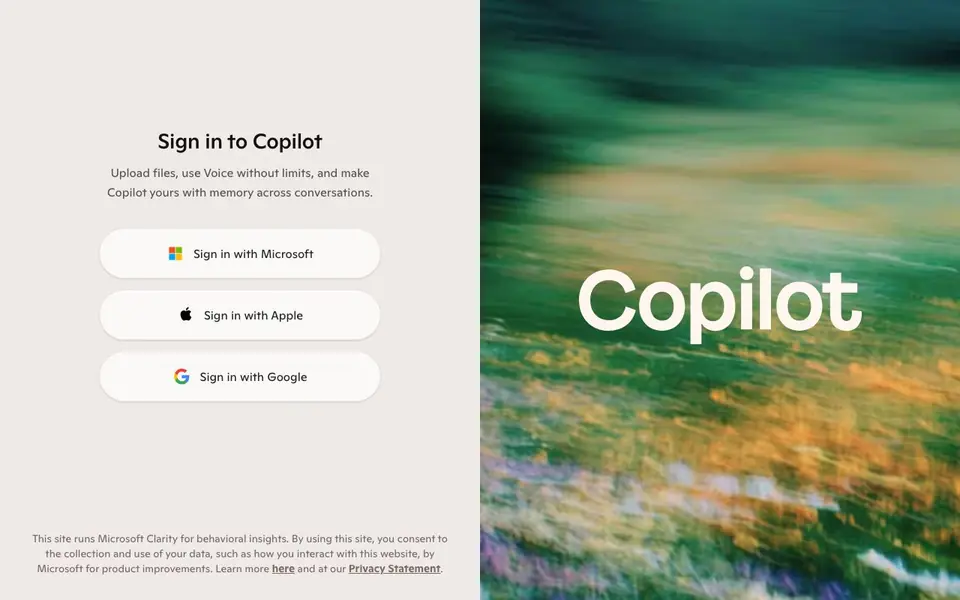
To start, you sign in with a Microsoft, Apple, or Google account. Once signed in, you can upload files, use voice without limits, and Copilot remembers context across conversations to personalize your experience. The free version is available with a Microsoft account, and Microsoft 365 subscriptions add Copilot features inside Word, Excel, PowerPoint, and Outlook.
Copilot suits anyone who wants a versatile assistant for research, writing, brainstorming, or quick image generation. The website highlights that it's built to help you get things done across your day, but it doesn't specify any limits on the free tier beyond signing in.
Microsoft Copilot features
- Web-connected answers: Get responses with links to sources you can verify.
- Text writing and rewriting: Ask Copilot to draft, polish, or rephrase your writing.
- Page summarization: Paste a URL or page and get a quick summary.
- Image creation: Generate pictures from your text descriptions.
- Voice chat: Talk to Copilot hands-free without usage limits.
What you can do with Microsoft Copilot
- Research a topic and get cited sources.
- Draft an email or essay and refine it.
- Summarize a long article or webpage.
- Create an illustration for a project or post.
How to get started with Microsoft Copilot
- Go to copilot.microsoft.com and sign in with your Microsoft, Apple, or Google account.
- Type or speak your question or request in the chat box.
- Review the answer, use the image or text tools, and continue the conversation.
Tips for better results with Microsoft Copilot
- Sign in with a Microsoft, Apple, or Google account before using Copilot to unlock file uploads, unlimited voice, and memory across conversations.
- Ask Copilot to include source links in its answers, then open those links yourself to verify facts before you trust the response.
- Paste a full URL into Copilot and ask for a summary to save time on long articles, but check the summary against the original text.
- Use Copilot to draft or rewrite text, then edit the output in your own words to match your tone and avoid generic phrasing.
Microsoft Copilot pricing
Microsoft Copilot has a free way to start, with paid plans for heavier use. Check copilot.microsoft.com for current limits and prices.
What to check before you rely on Microsoft Copilot
- Check whether the free tier has daily message or image generation limits, since the website does not state any specific caps.
- Confirm that your data and chat history are handled per Microsoft's privacy policy, as the site mentions behavioral tracking via Clarity.
- Verify that Copilot's image creation and voice features work on your platform and browser, as the website lists availability but not system requirements.
Who Microsoft Copilot is for
Microsoft Copilot suits students, professionals, casual users and content creators. If that is not you, the AI chatbots below may fit better.
Similar tools compared with Microsoft Copilot
| Tool | What it is | Pricing |
|---|---|---|
| Microsoft Copilot | AI assistant for chat and creation | Freemium |
| SiChatApp | Free browser chat with multiple AI models | Freemium |
| ChatGPT | AI chatbot for chat, work, and creation | Freemium |
| Gemini | AI assistant for chat and tasks | Freemium |
| Kimi | AI assistant for coding and knowledge work | See website |
Microsoft Copilot FAQ
Is Microsoft Copilot free?
Yes, Copilot is free to use with a Microsoft account. Microsoft 365 subscriptions add extra Copilot features inside Office apps like Word and Excel, but the basic chat assistant doesn't require a paid plan.
What can I do with Microsoft Copilot?
You can chat to get answers with web links, write and rewrite text, summarize pages, create images, and talk by voice. It's designed to help with brainstorming, learning, and solving problems across your day.
Do I need a Microsoft account to use it?
Yes, signing in is required. You can sign in with a Microsoft account, or use your Apple or Google account to get started.
Can Copilot remember my conversations?
The website says Copilot can make itself yours with memory across conversations once you sign in. This lets it personalize responses, though the exact memory controls aren't detailed on the page.
Which devices and platforms can I use Microsoft Copilot on?
Microsoft Copilot is available on the web at copilot.microsoft.com, in Windows, in the Edge browser, and as mobile apps. You can access it from your computer, phone, or tablet through these channels. The website does not list specific operating system versions, so check the app stores for your device to confirm availability.
What does the free plan of Microsoft Copilot include?
The free plan of Microsoft Copilot lets you chat with web-connected answers, write and rewrite text, summarize pages, create images, and use voice chat without limits once you sign in with a Microsoft account. The website does not specify any other limits on the free tier beyond signing in. Microsoft 365 subscriptions add Copilot features inside Office apps.
Can Microsoft Copilot connect to other apps or export content?
Microsoft Copilot can summarize web pages and create images, but the website does not mention exporting content to other apps or connecting to third-party services. It works within its own interface on web, Windows, Edge, and mobile. For details on integrations, check the official help pages or app documentation.


