

What is Grammarly?
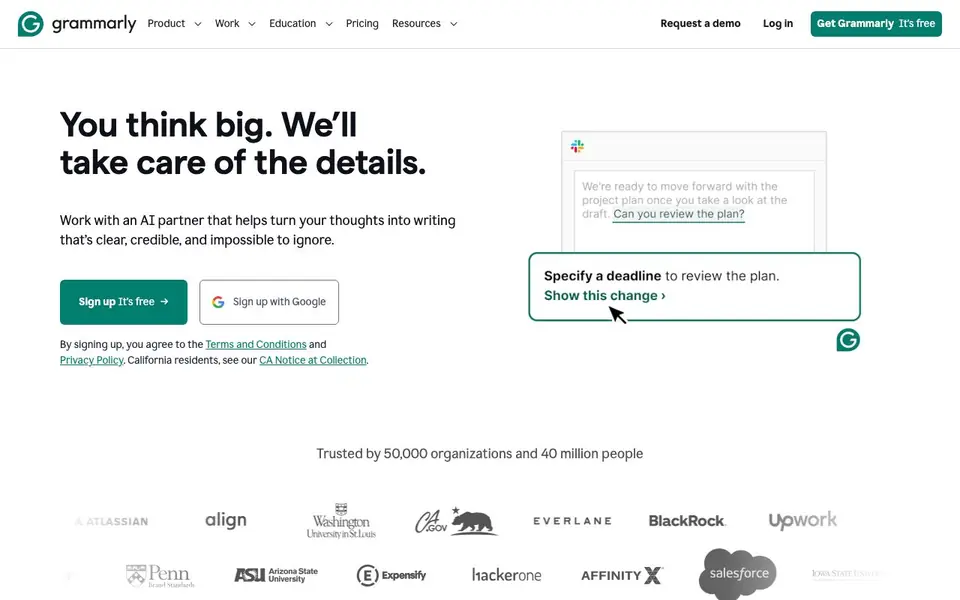
Grammarly is an AI writing assistant that helps you turn your thoughts into clear, credible writing. It works across apps and websites, offering real-time suggestions for grammar, spelling, punctuation, and style. You can also generate text with AI prompts, adjust tone, and get feedback on how readers might react to your writing.
You can start by signing up for free and adding the Grammarly browser extension or desktop app. As you type, Grammarly underlines issues and offers suggestions. You can click to accept changes, rephrase sentences, or use the tone detector to adjust your message. The Pro plan adds full-sentence rewrites, brand-style guidance, and more AI prompts.
Grammarly is used by individuals, teams, and large organizations. It suits anyone who writes emails, documents, or messages regularly. The free plan covers basic writing corrections, tone detection, and 100 AI prompts. Paid plans add advanced features like rewriting, brand voice, and team management. Grammarly states it does not sell or monetize user content.
Grammarly features
- Grammar and spelling check: Catches typos and errors as you write in any app or website.
- Tone detection: Shows the tone of your writing and suggests adjustments to match your intent.
- Full-sentence rewrites: Rephrase entire sentences for clarity and impact (Pro plan).
- Brand style guide: Keep your writing on-brand with custom style and tone rules (Pro plan).
- AI text generation: Generate text using up to 2,000 AI prompts per month (Pro plan).
What you can do with Grammarly
- Write a clear and professional email to a client or colleague.
- Compose a project proposal with confident, concise language.
- Adjust a Slack message to sound more polite or direct.
- Review a document for tone before sending it to your manager.
How to get started with Grammarly
- Sign up for a free Grammarly account on their website.
- Install the browser extension or desktop app for your preferred platform.
- Start writing in any app—Grammarly will show suggestions as you type.
Tips for better results with Grammarly
- Start with the free plan to get familiar with Grammarly's core grammar and tone features before deciding if you need Pro for full-sentence rewrites.
- Use Grammarly's tone detector on emails or messages you are unsure about, then adjust your wording based on the feedback it gives you.
- For longer documents, run Grammarly's suggestions in batches rather than accepting all at once, so you can review each change in context.
- When using Grammarly's AI prompts, be specific about your audience and desired tone to get more useful text generation results.
Grammarly pricing
Grammarly has a free way to start, with paid plans for heavier use. Check grammarly.com for current limits and prices.
What to check before you rely on Grammarly
- Check whether the free plan's 100 AI prompts per month are enough for your writing volume, as Pro offers 2,000 but costs $12 per month.
- Verify that Grammarly works on the specific apps and websites you use daily, since its real-time suggestions depend on browser or desktop integration.
- Review Grammarly's privacy policy yourself, as the website states it does not sell user content but does not detail all data handling practices.
Who Grammarly is for
Grammarly suits professionals, students, writers and teams. If that is not you, the AI writing tools below may fit better.
Similar tools compared with Grammarly
| Tool | What it is | Pricing |
|---|---|---|
| Grammarly | AI writing assistant for clear communication | Freemium |
| FreeSiTools | Free AI image prompt generator | Free |
| Jenni AI | AI academic writing and research assistant | Freemium |
| Wordtune | AI writing and paraphrasing assistant | Freemium |
| QuillBot | AI writing and creation suite | Freemium |
Grammarly FAQ
Is Grammarly free?
Yes, Grammarly has a free plan that includes writing corrections, tone detection, and 100 AI prompts per month. Paid Pro and Enterprise plans add more features like full-sentence rewrites and brand style guides.
What does the Pro plan cost?
The Pro plan costs $12 per member per month when billed annually, or $30 when billed monthly. It includes everything in Free plus unlimited AI prompts, full-sentence rewrites, and brand voice controls.
Where does Grammarly work?
Grammarly works across many platforms, including browsers like Chrome and Safari, desktop apps for Windows and Mac, Microsoft Office, Google Docs, and mobile devices. You can use it in most apps where you type text.
Who is Grammarly for?
Grammarly is for anyone who writes—professionals, students, and teams. It helps with emails, reports, messages, and more. The website mentions it is trusted by 50,000 organizations and 40 million people.
Can Grammarly export or integrate with other tools like Slack or Zendesk?
Grammarly works across apps and websites you use, including Slack and Zendesk, as shown in its product examples. The website does not list a full export feature or a complete integration directory. To see if your specific tool is supported, check Grammarly's help center or app listings.
Does Grammarly run on mobile devices or only on desktop?
Grammarly offers a browser extension and a desktop app, as stated on its site. The website does not mention a dedicated mobile app for iOS or Android. For the latest platform availability, check the Grammarly download page or app stores directly.
What does the Grammarly free plan include exactly?
The Grammarly free plan includes writing corrections for mistakes, tone detection, and 100 AI prompts per month. It does not include full-sentence rewrites or brand style guidance, which are part of the Pro plan. You can use these free features across apps and websites where Grammarly works.


