

What is Mem?
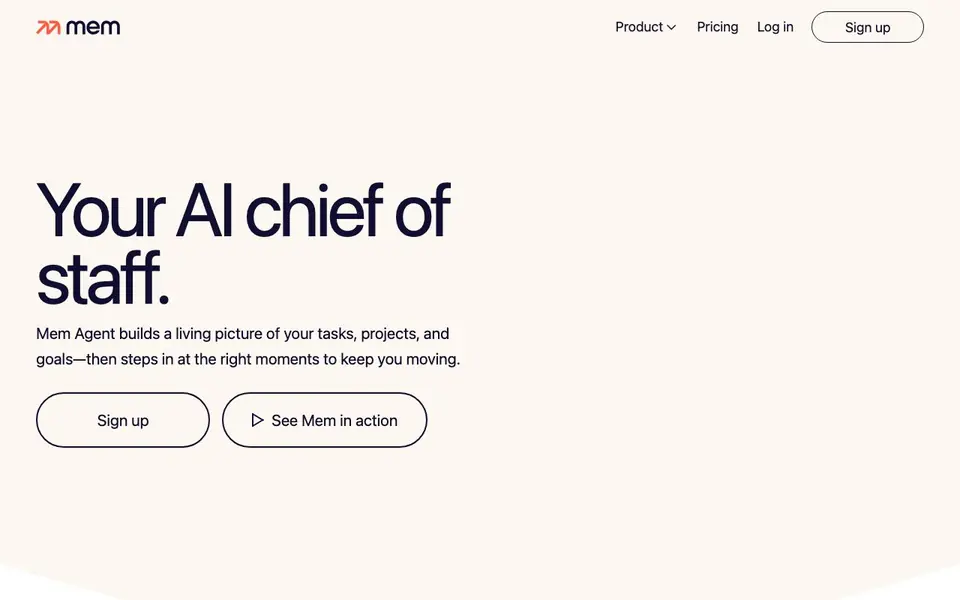
Mem combines a note-taking workspace with an AI agent that acts like a chief of staff. It keeps your notes, meetings, ideas, and research organized and connected. The agent builds a living picture of your tasks, projects, and goals, updating its understanding as you add new information.
You can capture information in several ways. Hold a shortcut and speak your thoughts with Push-to-Remember, record a meeting without a bot, or clip research from the web in one click. Mem turns every capture into context it can use later. It connects people, projects, decisions, and priorities automatically.
Mem Agent reviews your context in the background and checks in when something needs you. It can draft messages, summarize, plan, and follow up with relevant context already in place. You can see and shape your memory in familiar notes, not a hidden file. Mem suits founders, consultants, executives, and content creators who want less upkeep and more progress.
Mem features
- Push-to-Remember: Hold a shortcut and speak your thoughts; Mem figures out where they fit and when to bring them back.
- Voice Mode: Record meetings without a bot; Mem writes notes and tracks decisions and follow-ups.
- Web Clipper: Save research from the web in one click; your agent can use it long after you close the tab.
- Proactive Agent: Mem decides when a nudge helps and reaches out with relevant context and a clear next step.
- Visible Memory: Important context lives in familiar notes you can see and shape, not a hidden chat history.
What you can do with Mem
- Capture meeting notes and decisions without stopping to organize.
- Clip research from the web and let your agent use it later.
- Ask about a detail you can't quite remember; Mem searches by meaning.
- Draft, summarize, plan, and follow up with context already in place.
How to get started with Mem
- Sign up on Mem's website and download the app for Mac or Windows.
- Start capturing notes, meetings, or web clips using voice, shortcut, or clipper.
- Let Mem Agent build your context, then ask questions or receive proactive nudges.
Tips for better results with Mem
- Use Push-to-Remember to capture thoughts as they happen, and Mem will file them where they fit. Speak naturally, then let the agent decide what changes.
- Record meetings with Voice Mode instead of typing notes. Mem writes the notes and tracks decisions, so you can focus on the conversation itself.
- Clip research from the web with the one-click clipper. Mem keeps that context available for later questions, so you do not need to re-find sources.
- Ask Mem about details you cannot recall by describing them in your own words. It searches by meaning across notes, meetings, and saved pages.
Mem pricing
Mem’s homepage does not list prices. Check get.mem.ai for current plans.
What to check before you rely on Mem
- Check whether your plan includes the Proactive Agent and Voice Mode features, since the website does not list pricing or plan limits.
- Confirm what happens to your data if you stop paying, because the website does not state export formats or data retention policies.
- Verify that Mem supports the platforms you use daily, as the site only mentions Mac and Windows for the desktop app.
Who Mem is for
Mem suits founders, solopreneurs, consultants, executives and content creators. If that is not you, the AI productivity tools below may fit better.
Similar tools compared with Mem
| Tool | What it is | Pricing |
|---|---|---|
| Mem | AI chief of staff and workspace | See website |
| Reclaim | AI calendar for work and life | Freemium |
| Otter.ai | AI meeting notetaker and transcription tool | Freemium |
| Motion | AI-powered productivity and project platform | Free trial |
| Superhuman | AI productivity suite for mail, docs, and more | See website |
Mem FAQ
What does Mem do?
Mem is an AI workspace that keeps your notes, meetings, and ideas organized. Its agent learns from what you save and checks in when something needs you, acting like a chief of staff.
Is Mem free?
Mem's website does not state pricing details. You can sign up and log in, but you'll need to check the pricing page or contact them for plan costs.
Who is Mem for?
Mem is designed for founders, solopreneurs, consultants, executives, and content creators who want to reduce note upkeep and stay on top of tasks and projects.
How do I capture information in Mem?
You can use Push-to-Remember with a shortcut, record meetings with voice mode, clip web pages, or type notes. Mem turns each capture into context for your agent.
Can Mem export my notes or connect to other apps?
The Mem website does not list export options or specific app integrations. It mentions that connected apps update your agent’s understanding, but it does not name which ones. To find out what Mem can export or connect to, check the app’s settings or contact support.
Does Mem work on mobile devices or only on Mac and Windows?
The Mem website says the app is available on Mac and Windows. It does not mention mobile apps. If you need to use Mem on a phone or tablet, check the official app stores or the Mem website for the latest platform availability.
What does the free plan of Mem include?
The Mem website does not specify what the free plan includes. It only says you can sign up, but pricing details are not listed. To learn about free plan limits, visit the Mem pricing page or contact their sales team for accurate information.


