

What is Notion AI?
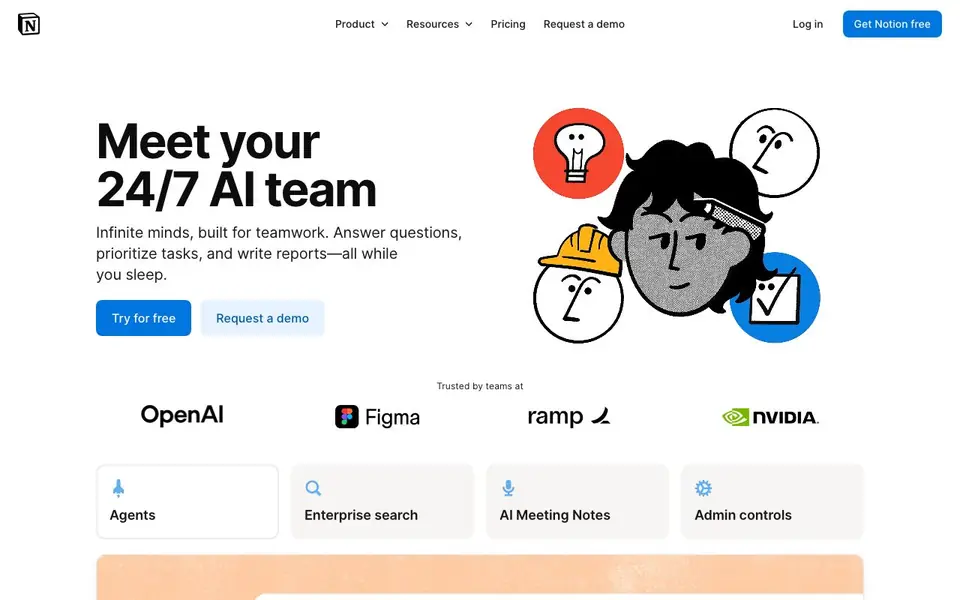
Notion AI is the artificial intelligence built into Notion, the all-in-one workspace for notes, documents, wikis, and projects. It works where your team already works, so you can ask questions, generate content, and analyze information without switching apps.
You can ask questions and get answers drawn from your workspace and connected apps like Slack, Google Drive, and GitHub. It drafts and edits text in any page, summarizes long documents, transcribes and summarizes meetings with AI Meeting Notes, and fills database properties automatically. Custom Agents can build, edit, and take action on repetitive tasks, like onboarding new hires or triaging feedback.
Notion AI suits teams that want to streamline workflows and keep context across tools. The free plan includes a trial of Notion AI. Full features are in Business and Enterprise plans, which add Custom Agents, Enterprise Search, and AI Meeting Notes. The site notes no training on your data and encryption in transit.
Notion AI features
- Enterprise Search: Finds answers across Slack, Google Drive, GitHub, and more in seconds.
- Custom Agents: Set up once to automate repetitive work like reporting or support tickets.
- AI Meeting Notes: Captures every detail and gives actionable summaries where you work.
- Draft and edit: Writes and refines text directly in any Notion page.
- Database automation: Fills properties automatically to keep your data organized.
What you can do with Notion AI
- Onboard a new hire with automated checklists and resources.
- Turn a brainstorm into a project roadmap with generated steps.
- Automate weekly reporting for your team or clients.
- Resolve support tickets directly from Slack using agents.
How to get started with Notion AI
- Sign up for a free Notion account and start a trial of Notion AI.
- Connect your workspace and apps like Slack or Google Drive.
- Ask questions, draft pages, or set up a Custom Agent for repetitive tasks.
Tips for better results with Notion AI
- Ask Notion AI questions that reference specific pages or databases in your workspace, and it will pull answers from your connected apps like Slack and Google Drive.
- Use Notion AI to draft and edit text directly in any page, then refine the output with follow-up prompts to match your tone and style.
- Set up Custom Agents in Notion AI for repetitive tasks like onboarding or reporting, and they will automate the work once you define the steps.
- Try Notion AI's database automation to fill properties automatically, saving time on data entry and keeping your workspace organized.
Notion AI pricing
Notion AI has a free way to start, with paid plans for heavier use. Check notion.com for current limits and prices.
What to check before you rely on Notion AI
- Check whether your Notion plan includes Notion AI, since the free plan only offers a trial and full features require Business or Enterprise.
- Verify if the features you need, like Custom Agents or AI Meeting Notes, are available on your plan, as they are not in the free tier.
- Review Notion's data handling policies, as the site states no training on your data but does not specify retention for all plans.
- Confirm that Notion AI supports the platforms you use, since the site lists integrations like Slack and Google Drive but not all apps.
- Check if you can export AI-generated content in formats you need, as the website does not list export options for AI outputs.
Who Notion AI is for
Notion AI suits teams, operations leads, project managers and knowledge workers. If that is not you, the AI productivity tools below may fit better.
Similar tools compared with Notion AI
| Tool | What it is | Pricing |
|---|---|---|
| Notion AI | AI assistant inside your workspace | Freemium |
| Mem | AI chief of staff and workspace | See website |
| Reclaim | AI calendar for work and life | Freemium |
| Otter.ai | AI meeting notetaker and transcription tool | Freemium |
| Motion | AI-powered productivity and project platform | Free trial |
Notion AI FAQ
What can Notion AI help me do?
It answers questions from your workspace, drafts and edits text, summarizes documents, transcribes meetings, and fills database properties. You can also build Custom Agents to automate repetitive workflows like reporting or onboarding.
What are Custom Agents?
Custom Agents are AI workflows you set up once to automate repeated tasks. They can build, edit, and take action in Notion, like triaging feedback or resolving support tickets, and the whole team benefits from them.
How does Notion AI use my data?
Notion has contracts with AI subprocessors that prohibit using your data to train their models. Data is encrypted in transit, and Enterprise plans have zero retention with LLM providers. Non-Enterprise has 30-day retention.
How much does Notion AI cost?
The free plan includes a trial of Notion AI. Full features are in the Business plan at ¥3,150 per member per month, which adds Custom Agents, AI Meeting Notes, and Enterprise Search. Enterprise has more controls and HIPAA compliance.
Does Notion AI work on mobile devices?
Notion AI is built into Notion, which offers mobile apps for iOS and Android. The website does not specifically list which Notion AI features are available on mobile, so check the app store listing or Notion's help center for details on mobile functionality.
Can Notion AI export or integrate with other tools beyond Slack, Google Drive, and GitHub?
Notion AI can pull answers from connected apps like Slack, Google Drive, and GitHub. The website does not mention other specific integrations for Notion AI. For a full list of integrations, check Notion's integration directory or contact their sales team.
What does the free plan include for Notion AI?
The free plan includes a trial of Notion AI, so you can try its features for a limited time. Full Notion AI features, such as Custom Agents, Enterprise Search, and AI Meeting Notes, are only available on the Business and Enterprise plans. Check the pricing page for current trial terms.


