

What is Otter.ai?
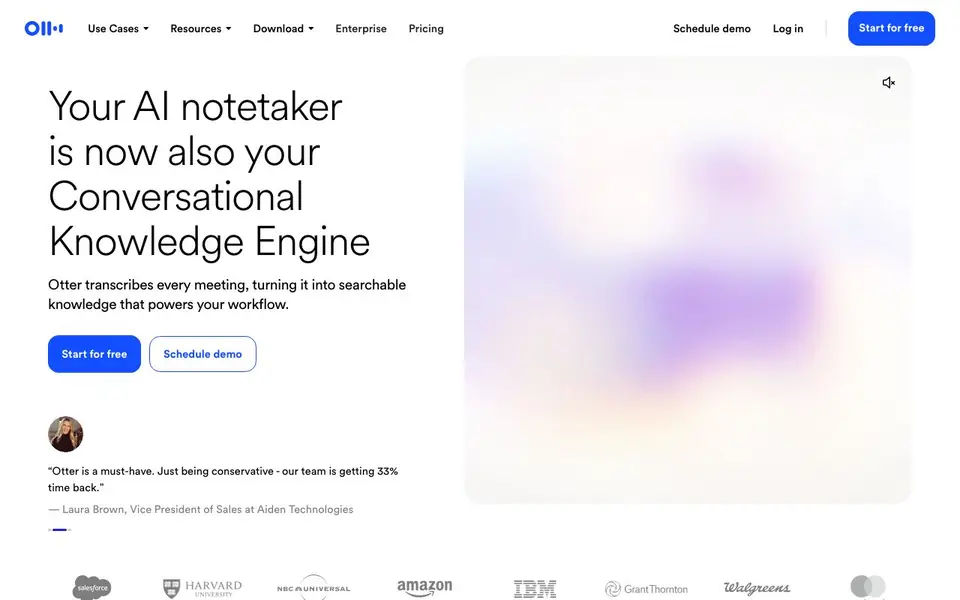
Otter is an AI notetaker that joins your meetings or records them from your device. It captures the full conversation in real time, with live transcription in multiple languages and speaker recognition. After the meeting, it generates a clear summary with decisions, action items, and insights you can trust.
You can send Otter to meetings automatically, record bot-free from your Mac or Windows desktop, or capture on mobile. It also works with Chrome. Otter AI Chat lets you ask questions across your meetings and connected apps, so you can create follow-ups, reports, and content without digging through recordings.
Otter suits sales, education, media, recruiting, and other teams. It syncs key deal details and next steps to your CRM, organizes conversations into Channels by team or project, and offers enterprise-grade security and governance. Integrations include Slack, Zoom, Salesforce, Claude, and Google Drive. You can start for free.
Otter.ai features
- Live transcription: See words as they are spoken, with multi-language support and speaker recognition.
- Automated summaries: Every meeting becomes a clear summary with decisions, action items, and insights.
- Action item capture: Next steps are automatically detected and assigned from each meeting.
- AI Chat: Ask questions across your meetings and connected apps to get instant answers and create follow-ups.
- CRM sync: Key deal details, notes, and next steps are extracted and synced to your CRM automatically.
What you can do with Otter.ai
- Capture sales call notes and get live coaching tips during conversations.
- Turn lectures and study sessions into searchable notes and summaries for students.
- Convert interviews and production meetings into transcripts, key quotes, and draft-ready notes.
- Get real-time help during interviews and turn conversations into structured candidate insights.
How to get started with Otter.ai
- Sign up for a free account on Otter's website.
- Invite Otter to your meeting or record from your desktop or mobile device.
- Review the summary, action items, and ask Otter AI Chat questions about the conversation.
Tips for better results with Otter.ai
- Use Otter's AI Chat after each meeting to ask for a list of decisions and action items, then copy those into your task tracker to avoid missing follow-ups.
- Connect Otter to your CRM so deal details and next steps sync automatically, then review the extracted notes before closing any sales call to catch errors.
- Organize recordings into Channels by project or team in Otter, then search within a channel to quickly find past decisions without scrolling through unrelated meetings.
- Record directly from your Mac or Windows desktop with Otter instead of inviting a bot, so you capture the conversation cleanly and avoid bot-related interruptions.
Otter.ai pricing
Otter.ai has a free way to start, with paid plans for heavier use. Check otter.ai for current limits and prices.
What to check before you rely on Otter.ai
- Check the free plan's recording minutes and number of meetings allowed, since Otter labels itself freemium but the website does not list specific limits.
- Verify whether your meeting platform is supported for live transcription, as Otter mentions multiple languages but does not state all compatible apps.
- Confirm how Otter handles data retention and deletion for your recordings, because the website mentions enterprise security but does not detail privacy policies.
Who Otter.ai is for
Otter.ai suits sales teams, educators, media professionals and recruiters. If that is not you, the AI transcription tools below may fit better.
Similar tools compared with Otter.ai
| Tool | What it is | Pricing |
|---|---|---|
| Otter.ai | AI meeting notetaker and transcription tool | Freemium |
| Fireflies.ai | AI meeting assistant for transcription and notes | Freemium |
| Fathom | AI notetaker for online meetings | Freemium |
| Turboscribe | Unlimited audio and video transcription | Freemium |
| tl;dv | AI meeting notetaker for team collaboration | Freemium |
Otter.ai FAQ
What does Otter do?
Otter is an AI notetaker that transcribes meetings in real time, generates summaries with action items, and lets you search across conversations. It works for live meetings, recordings, and even lectures or interviews.
Is Otter free?
Otter offers a free plan to start, and you can schedule a demo for enterprise options. The website does not list specific pricing details for paid plans, so check the Pricing page for current options.
Who is Otter for?
Otter is built for sales teams, educators, media professionals, recruiters, and anyone who wants to save time on meeting notes. It also works for general business teams looking to automate follow-ups and keep knowledge searchable.
How do I record meetings with Otter?
You can send Otter to meetings automatically, record bot-free from your Mac or Windows desktop, or use the Chrome extension and mobile app. It also integrates with Zoom and other apps for automatic transcription.
Does Otter.ai work on mobile devices?
Yes, Otter.ai can capture meetings on mobile. The website says you can record on mobile, along with desktop apps for Mac and Windows and a Chrome extension. This gives you flexibility to capture conversations wherever you are, whether in person or on the go.
What does the free plan of Otter.ai include?
Otter.ai offers a free plan, but the website does not list the specific limits of that plan. To see what features, recording minutes, or integrations are included in the free version, check the pricing page on otter.ai for the most accurate details.
Can Otter.ai export meeting notes or transcripts?
The Otter.ai website does not mention export options for notes or transcripts. It does list integrations with Slack, Zoom, Salesforce, Claude, and Google Drive, which may allow sharing or syncing. For specific export features, check the app’s settings or help center.


