

What is Descript?
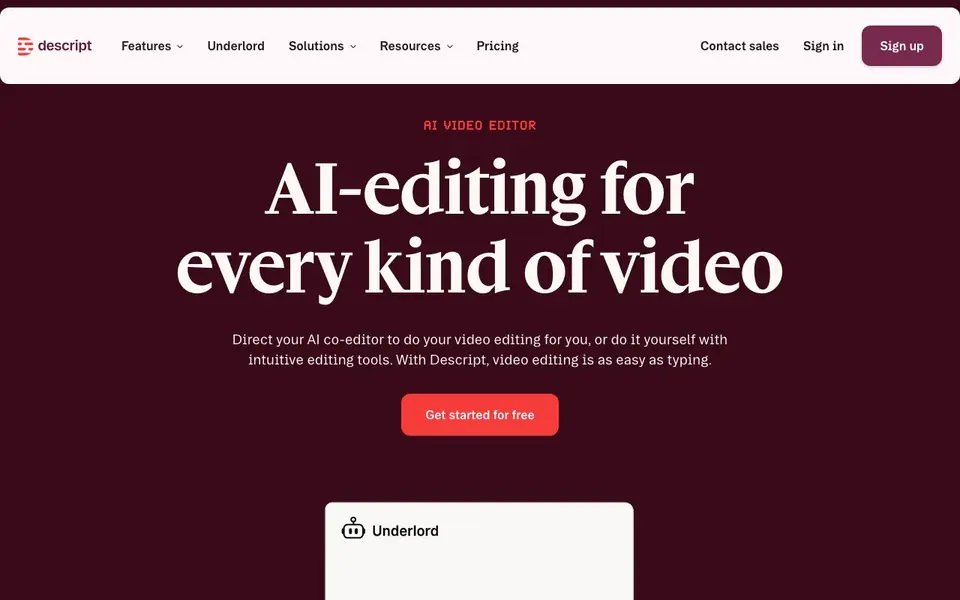
Descript is a video and audio editor built around a simple idea: you edit your media by editing the text transcript. Drop in footage, a script, or a Zoom call, and Descript transcribes it in seconds. Then you can copy-paste, drag-and-drop, or delete words to cut your video, just like editing a document. The timeline is still there if you prefer a traditional approach.
Beyond basic editing, Descript includes one-click refinements. You can remove filler words and retakes, clean up background noise with Studio Sound, fix eye contact and lighting, and smooth jump cuts. Underlord, your AI co-editor, can turn a raw recording into a tight cut in minutes. You can also generate B-roll, voice audio, music, and images to fill gaps in your footage.
Descript suits podcasters, marketers, sales teams, and anyone producing video regularly. It covers the whole workflow: record, edit, refine, share, and multiply. You can add captions, generate YouTube thumbnails and descriptions, translate to dozens of languages, and reformat clips for platforms like TikTok and LinkedIn. Enterprise features include SOC 2 Type II certification, SAML SSO, and GDPR compliance.
Descript features
- Text-based editing: Edit your video by editing the transcript, with copy-paste and drag-and-drop.
- Studio Sound: Remove background noise and enhance voice with one click for crisp audio.
- Underlord AI editor: Direct your AI co-editor to turn raw recordings into tight cuts in minutes.
- Filler word removal: Cut filler words and retakes in a single click to clean up your speech.
- Video translation: Translate your video into dozens of languages for global audiences.
What you can do with Descript
- Edit a podcast episode by deleting filler words from the transcript.
- Turn a long webinar into short clips for YouTube, TikTok, and LinkedIn.
- Clean up audio from a remote Zoom call with one-click noise removal.
- Generate B-roll video and images to fill gaps in your footage.
How to get started with Descript
- Sign up for free on Descript's website and start a new project.
- Import your footage, script, or recording, and wait for the transcript to generate.
- Edit the text to cut your video, then refine with AI tools and export or share.
Tips for better results with Descript
- Start with a clean recording in Descript, then use the transcript to delete filler words and retakes by selecting and removing them from the text.
- Use Underlord in Descript to turn a raw recording into a tight cut by giving it a clear instruction, like 'remove pauses and stumbles'.
- After editing, apply Studio Sound in Descript to remove background noise and enhance voice quality with one click before exporting.
- For social clips, use Descript's reformatting tools to adapt your video to different aspect ratios for platforms like TikTok and LinkedIn.
Descript pricing
Descript has a free way to start, with paid plans for heavier use. Check descript.com for current limits and prices.
What to check before you rely on Descript
- Check Descript's pricing page for current plan limits on transcription minutes, exports, and features like Underlord, as these may vary by tier.
- Verify whether Descript's free plan includes all features you need, since the website does not list specific free-tier limits or watermarks.
- Confirm your data privacy needs against Descript's enterprise compliance claims, as the site mentions SOC 2 and GDPR but does not detail personal plan data handling.
Who Descript is for
Descript suits podcasters, marketers, video creators and sales teams. If that is not you, the AI video editors below may fit better.
Similar tools compared with Descript
| Tool | What it is | Pricing |
|---|---|---|
| Descript | AI video and audio text-based editor | Freemium |
| SiVideoGen | AI video generator with multiple models | Freemium |
| InVideo | Agentic AI video editor and maker | Freemium |
| VEED | AI video creation and editing platform | See website |
| CapCut | AI-powered photo and video editor | Freemium |
Descript FAQ
How does text-based editing work in Descript?
Descript transcribes your audio or video into text. You edit the words by deleting, copying, or pasting, and the video updates to match. The timeline is also available if you want a more traditional editing approach.
Is Descript free to use?
Descript offers a free plan to get started, and paid plans for more features and usage. The website lists pricing options, so you can check there for the latest details on what each plan includes.
Who is Descript for?
Descript is built for podcasters, marketers, sales engineers, support reps, and anyone making video. It covers recording, editing, clipping, and publishing, so it suits both solo creators and larger teams.
What can I create with Descript?
You can create video podcasts, screen recordings, social clips, and translated videos. Descript also lets you generate B-roll, voice audio, music, and images to fill gaps in your footage.
Does Descript offer a free plan, and what does it include?
Descript has a freemium model, so you can start for free. The free plan includes basic transcription and editing features, but the website doesn't detail exact limits. For specifics on what's included, check the pricing page on descript.com.
Can Descript export videos in different formats or to platforms like YouTube?
Descript lets you export your projects, and it can generate YouTube thumbnails and descriptions. The website mentions exporting but doesn't list all formats or direct platform integrations. For a full list of export options, visit the help center or contact sales.
Does Descript work on both Mac and Windows, and is there a mobile app?
Descript is a web-based tool, so it runs in your browser on any device. The website doesn't mention a dedicated mobile app. For the latest on supported platforms, check the system requirements on descript.com.


