

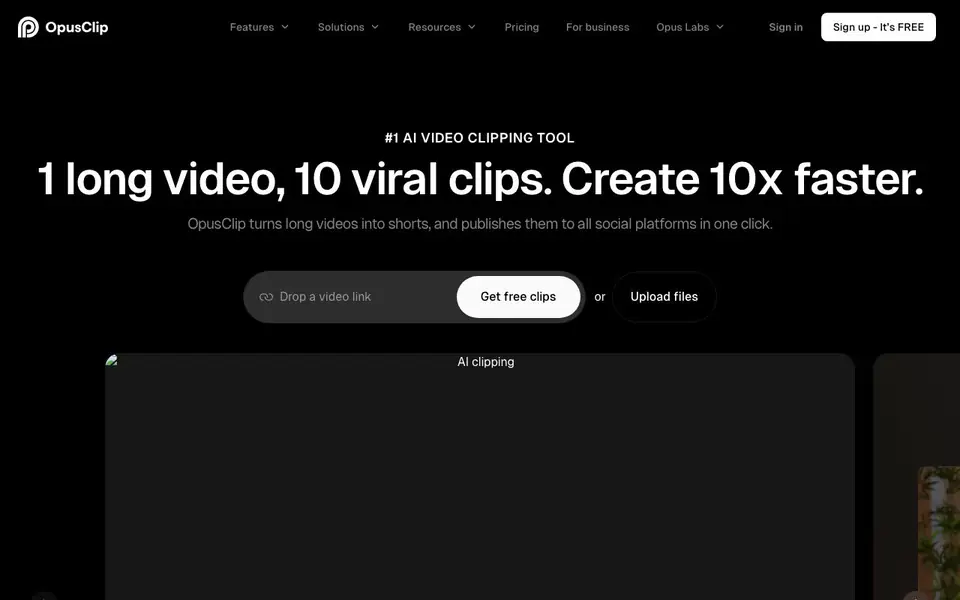
What is OpusClip?
OpusClip is an AI video clipping tool that converts long videos into short, shareable clips. It supports videos from YouTube, Google Drive, Vimeo, Zoom, and many other sources. You can drop a video link or upload files directly. The tool works with over 20 languages, including English, German, Spanish, French, and Portuguese.
You start by providing a video link or uploading a file. OpusClip's AI analyzes the content and identifies the most engaging moments. It then generates multiple clips with captions, reframing, B-roll, and audio enhancements. You can review and edit the clips in the AI editor, or let the AI handle everything. Finally, you can publish the clips to all social platforms in one click.
OpusClip is used by over 20 million creators and businesses, including well-known YouTubers and brands. It offers features like ClipAnything for any video genre and ReframeAnything for resizing with object tracking. The tool also provides brand templates, team workspaces, and API integration for workflow automation. A free plan is available, with paid plans for more advanced needs.
OpusClip features
- AI clipping: Automatically finds the most engaging moments in your long videos and turns them into short clips.
- AI captioning: Adds accurate captions to your clips to make them accessible and engaging for viewers.
- AI reframe: Resizes any video for any platform while keeping moving subjects centered with object tracking.
- AI B-Roll: Enhances your clips with relevant B-roll footage to make them more visually interesting.
- AI voice-over: Adds voice-over narration to your clips to improve storytelling and viewer retention.
What you can do with OpusClip
- Turn podcast episodes into multiple short clips for social media.
- Convert webinar recordings into promotional videos for your brand.
- Create vertical shorts from gaming streams for TikTok and YouTube Shorts.
- Automate publishing clips to all your social platforms in one click.
How to get started with OpusClip
- Sign up for a free account on OpusClip's website.
- Drop a video link or upload a file from your computer.
- Let the AI generate clips, then review and edit them or publish directly.
Tips for better results with OpusClip
- Start with a clean, well-lit video link or upload to OpusClip, as the AI identifies engaging moments based on the original footage quality and clarity.
- Use OpusClip's ClipAnything feature for non-podcast genres like vlogs or gaming, since it is designed to handle any video type, not just interviews.
- Review and edit the AI-generated clips in the editor before publishing, even if you let OpusClip auto-create them, to ensure captions and reframing match your intent.
- Leverage OpusClip's one-click publishing to social platforms after you refine your clips, saving time when you need to distribute multiple shorts consistently.
OpusClip pricing
OpusClip has a free way to start, with paid plans for heavier use. Check opus.pro for current limits and prices.
What to check before you rely on OpusClip
- Check the free plan's clip count and export limits on OpusClip's pricing page, since the website labels it freemium but does not list specific free tier details.
- Verify that your video source is supported, as OpusClip lists YouTube, Google Drive, Vimeo, Zoom, and others, but the site does not guarantee every platform.
- Confirm the language of your video is among the 20+ supported, including English, German, Spanish, French, and Portuguese, before relying on accurate AI captions.
Who OpusClip is for
OpusClip suits content creators, marketers, businesses and social media managers. If that is not you, the AI video editors below may fit better.
Similar tools compared with OpusClip
| Tool | What it is | Pricing |
|---|---|---|
| OpusClip | AI video clipping and publishing tool | Freemium |
| SiVideoGen | AI video generator with multiple models | Freemium |
| Descript | AI video and audio text-based editor | Freemium |
| InVideo | Agentic AI video editor and maker | Freemium |
| VEED | AI video creation and editing platform | See website |
OpusClip FAQ
What does OpusClip do?
OpusClip turns long videos into short, viral-ready clips. It uses AI to find the best moments, adds captions and reframing, and lets you publish the clips to social platforms in one click.
Is OpusClip free to use?
Yes, OpusClip offers a free plan. You can sign up for free and start creating clips. There are also paid plans for more advanced features and higher usage limits, as mentioned on the website.
What video sources does OpusClip support?
OpusClip supports videos from YouTube, Google Drive, Vimeo, Zoom, Rumble, Twitch, Facebook, LinkedIn, Twitter, Loom, Riverside, and StreamYard. You can also upload files directly.
Who is OpusClip for?
OpusClip is for creators, businesses, and marketers who want to repurpose long videos into short clips. It's used by over 20 million creators and brands, including well-known YouTubers and companies.
Can OpusClip export clips directly to social media platforms?
Yes, OpusClip can publish your clips to all social platforms in one click. The website mentions this feature, but it does not list the specific platforms supported for direct publishing. Check the app's publish options after creating a clip to see the available destinations.
Does OpusClip offer a free plan and what does it include?
OpusClip has a free plan, as indicated by the 'Sign up - It’s FREE' button on the website. The free plan lets you get free clips, but the website does not specify the exact limits on number of clips, video length, or features. For detailed free plan limits, visit the pricing page.
Can I use OpusClip on my mobile device or desktop?
OpusClip is a web-based tool, so you can access it through a browser on any device with an internet connection. The website does not mention dedicated mobile apps or a desktop application. You can use it on your computer, tablet, or phone by visiting the OpusClip website.


