

What is CapCut?
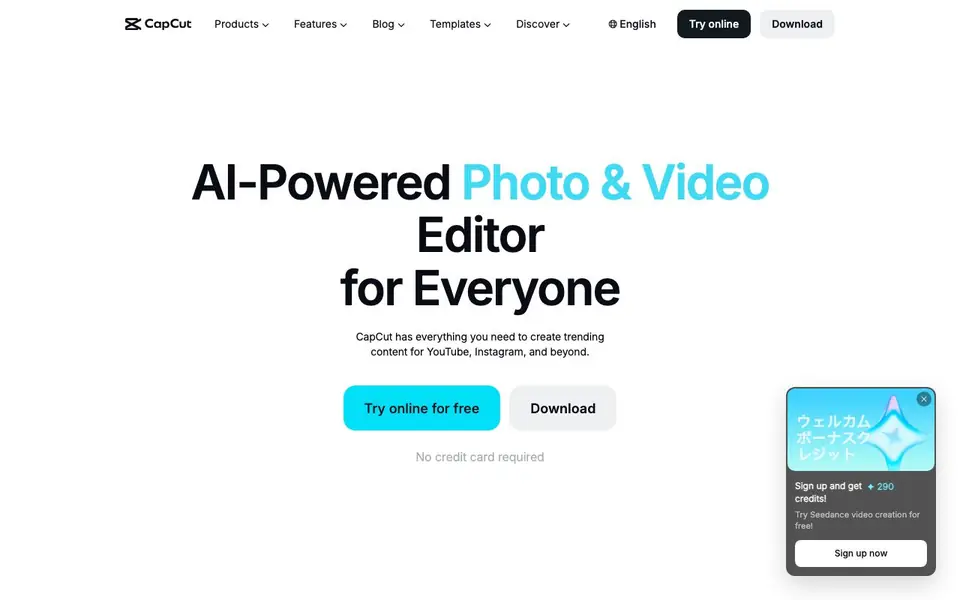
CapCut is an AI-powered photo and video editor designed for creating content for platforms like YouTube, Instagram, and TikTok. It combines editing tools with AI features for generating, enhancing, and converting media. You can use it online, on desktop, or on mobile devices.
You start by uploading your footage or images, or by chatting with the AI to build a video from scratch. The editor lets you trim clips, add transitions, and generate subtitles automatically. You can also remove backgrounds, enhance image quality, resize media, and convert text to speech with natural-sounding voices.
CapCut suits content creators, marketers, and anyone making videos or images for social media. The website highlights that many tools are free to use online without a credit card, and exports can be done without watermarks. It also offers templates for various occasions and industries to speed up your workflow.
CapCut features
- Auto captions: Automatically generate accurate subtitles for your videos in multiple languages.
- Background remover: Remove image or video backgrounds in one click without leaving a watermark.
- Text to speech: Convert your text into natural-sounding AI voices for narration or voiceovers.
- Image enhancer: Improve photo quality and resolution to make visuals sharper and more professional.
- Video converter: Convert videos to formats like MP4, MOV, and AVI without losing quality.
What you can do with CapCut
- Create trending videos for YouTube, Instagram, and TikTok with AI assistance.
- Remove backgrounds from product photos for e-commerce listings.
- Add accurate subtitles to videos for better accessibility and reach.
- Enhance old or low-quality images before sharing them online.
- Generate voiceovers for podcasts or professional narration.
How to get started with CapCut
- Go to the CapCut website and choose to try online or download the app.
- Upload your video or image, or chat with the AI to start a new project.
- Use the editing tools to trim, add effects, or generate captions and voiceovers, then export your final file.
Tips for better results with CapCut
- Start with a clear script or shot list before opening CapCut, so the AI tools like auto captions and text to speech have clean material to work from.
- Use CapCut's background remover on product photos first, then enhance the result with the image enhancer to get sharper, more professional visuals for listings.
- Test CapCut's text to speech with different voices and pacing on a short clip to find the narration style that fits your video before committing to a full edit.
- Export a short test video from CapCut in your target format, like MP4, to confirm the quality and check that no watermark appears before you finish your full project.
CapCut pricing
CapCut has a free way to start, with paid plans for heavier use. Check capcut.com for current limits and prices.
What to check before you rely on CapCut
- Check whether the free plan covers the specific CapCut features you need, since the website lists many tools but does not state which ones require payment.
- Review CapCut's data and privacy policies before uploading sensitive footage, as the site does not clearly explain how your media is stored or used.
- Verify that CapCut's export options include the exact formats and resolutions you need for your platform, since the site does not list all output settings.
Who CapCut is for
CapCut suits content creators, social media marketers, video editors and small business owners. If that is not you, the AI video editors below may fit better.
Similar tools compared with CapCut
| Tool | What it is | Pricing |
|---|---|---|
| CapCut | AI-powered photo and video editor | Freemium |
| SiVideoGen | AI video generator with multiple models | Freemium |
| Descript | AI video and audio text-based editor | Freemium |
| InVideo | Agentic AI video editor and maker | Freemium |
| VEED | AI video creation and editing platform | See website |
CapCut FAQ
Is CapCut free to use?
CapCut offers many tools free to use online, and the website states no credit card is required to start. Some advanced features may be part of paid plans, so check the pricing page for details.
Can I remove watermarks from my exports?
Yes, the website highlights that several tools, including background removal and video conversion, allow you to export without watermarks. This applies to the free online tools mentioned.
What platforms can I use CapCut on?
You can use CapCut on desktop, mobile, and online through your browser. There is also a version for tablets called CapCut Pad for editing anywhere.
Does CapCut generate subtitles automatically?
Yes, CapCut has an AI auto subtitle generator that adds accurate captions to videos in multiple languages. This feature is available online and is free to use.
What file formats can CapCut export videos in?
CapCut can convert videos to formats like MP4, MOV, and AVI without losing quality, as mentioned on its website. You can use this feature in the online editor or desktop app. For a full list of export options, check the Help Center or the export settings within the tool.
Does CapCut require you to create an account to use it?
The CapCut website says you can try it online for free without a credit card, but it doesn't specify whether an account is required. To start editing, you may need to sign in, but the site doesn't clearly state this. Check the sign-up or login prompt when you open the tool for the exact requirement.
Can CapCut be used on a tablet like an iPad?
CapCut offers a version called CapCut Pad, which is designed for editing on tablets. The website lists it as a separate product, so you can likely use it on compatible tablets. For specific device compatibility, check the app store listing or the CapCut Help Center for details.


