

What is InVideo?
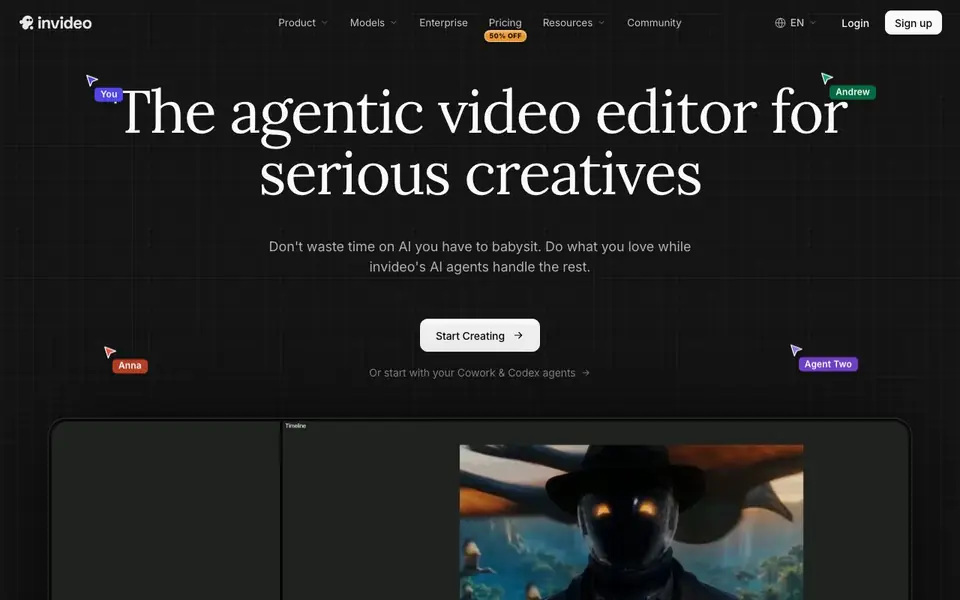
InVideo is an AI-powered video editor designed for serious creatives who want to spend less time on repetitive tasks. It uses AI agents that watch your footage, log it in memory, and apply edits across multiple shots at once. You can describe an edit in plain words, and the agent executes it on a multitrack timeline you can take over at any frame.
To start, you upload your footage, describe the edit you want, review the cut, and export. The editor includes features like multiplayer mode with live cursors for real-time collaboration, storyboarding to turn scripts into shot-by-shot plans, and script writing with an AI co-writer. You can also build custom agents for roles like cinematographer or music designer, or connect external agents like Claude Cowork or ChatGPT Codex to work on your timeline.
InVideo suits solo creators, teams, and enterprises. It offers professional tools for color, audio, and 3D, and supports various use cases like filmmaking, advertising, microdrama, and social media. The website mentions SOC 2 and GDPR compliance, and notes that it is backed by investors behind companies like Stripe and Spotify.
InVideo features
- Agentic editing: AI agents watch footage and apply edits across multiple shots from one direction.
- Multiplayer mode: Collaborate in real time with live cursors showing what everyone is working on.
- Storyboarding: Turn any script or idea into a shot-by-shot plan you can tweak before generating.
- Script writing: Write scripts inside InVideo and get help from an AI co-writer.
- Custom agents: Build agents for roles like cinematographer, music designer, or colorist.
What you can do with InVideo
- Edit hours of footage by describing the moment you need instead of scrubbing through clips.
- Apply the same change to forty clips at once, like cutting pauses or matching the look.
- Collaborate with your team in real time on a video project with live cursors.
- Spin one idea into dozens of vertical cuts for social media channels.
How to get started with InVideo
- Upload your footage to a new project in the editor.
- Describe the edit you want in plain words or use an agent.
- Review the cut on the timeline and export your video.
Tips for better results with InVideo
- Upload raw footage first and describe the exact moment you need, letting InVideo's agent log clips in memory so you can find shots by description instead of scrubbing.
- Give InVideo one clear direction, like cutting pauses or matching the look, and it applies the change across all selected clips on the timeline at once.
- Use InVideo's storyboarding to turn a script into a shot-by-shot plan, then tweak the plan before generating to avoid redoing edits later.
- Build a custom agent in InVideo for a specific role like colorist or music designer, and delegate repetitive tasks while you keep control of the final cut.
InVideo pricing
InVideo has a free way to start, with paid plans for heavier use. Check invideo.io for current limits and prices.
What to check before you rely on InVideo
- Check the freemium plan's export limits and watermarks before delivering client work, since the website does not list specific free tier restrictions.
- Verify that InVideo's collaboration features work on your team's devices and browsers, as the site does not state supported platforms or system requirements.
- Confirm how your footage is stored and whether you can delete it after export, since the site mentions SOC 2 and GDPR but does not detail data retention policies.
Who InVideo is for
InVideo suits solo creatives, video editors, marketing teams and content agencies. If that is not you, the AI video editors below may fit better.
Similar tools compared with InVideo
| Tool | What it is | Pricing |
|---|---|---|
| InVideo | Agentic AI video editor and maker | Freemium |
| SiVideoGen | AI video generator with multiple models | Freemium |
| Descript | AI video and audio text-based editor | Freemium |
| VEED | AI video creation and editing platform | See website |
| CapCut | AI-powered photo and video editor | Freemium |
InVideo FAQ
What does InVideo's AI agent do?
InVideo's editing agent watches your footage, logs it in memory, and applies edits you describe in plain words. It can handle tasks like cutting pauses or matching the look across multiple shots on a real multitrack timeline.
Can I collaborate with others on a video project?
Yes, InVideo offers a multiplayer mode with live cursors so you can see what everyone is working on in real time. This is useful for teams who need to give feedback or make changes together.
What are the pricing plans?
InVideo has a Starter plan at $20 per seat per month billed annually, which includes 400 credits per month. A Plus plan offers 2,000 credits per month at $36 per seat per month billed annually. The website does not state whether a free plan is available.
Can I connect other AI agents to InVideo?
Yes, you can bring your own agents like Claude Cowork, ChatGPT Codex, Grok, or Gemini. They can trim, grade, mix, or write captions on your timeline while you watch every change land.
Does InVideo have a free plan, and what does it include?
InVideo is labeled as freemium, which means there is a free tier available. The website does not specify the exact limits of the free plan, such as export length, watermarks, or storage. To see current free plan details, check the pricing page on invideo.io.
What file formats can InVideo export videos to?
InVideo's website does not list the specific export formats it supports. It only mentions that you can export your project after reviewing the cut. For a complete list of export options, check the InVideo help center or contact their support team.
Can I use InVideo on a mobile device or tablet?
InVideo's website does not mention whether it offers a mobile app or if the editor works on tablets. It appears to be a web-based tool, but the site does not specify device compatibility. To confirm, visit invideo.io or check the app stores for an InVideo app.


