
What is TalkToText?
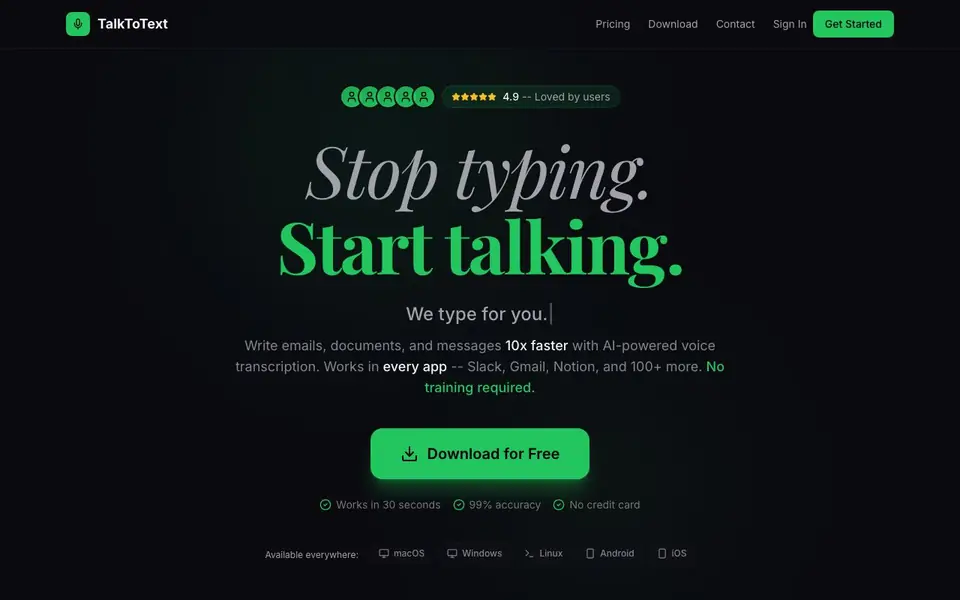
TalkToText is a voice-to-text AI that turns your speech into accurate text across apps like Slack, Gmail, Notion, and over 100 others. It offers two modes: pure dictation that captures your words exactly, and an AI-powered mode that rewrites your ideas into polished, professional text. The tool works system-wide, so you can use it in any text field without switching apps.
To get started, you download the app for macOS, Windows, Linux, Android, or iOS. No training is required—just press a hotkey and speak. The AI handles punctuation, formatting, and paragraphs automatically. For the AI writing mode, you speak your intent, and it generates a complete response, adjusting tone and grammar as needed.
TalkToText is designed for anyone who types a lot—professionals, students, and creators. It supports 100+ languages and claims 99% accuracy. Your voice data stays on your device for privacy. A free download is available, with a 3-day free trial for premium features, and you can cancel anytime.
TalkToText features
- Dictation mode: Transcribes your speech with 99% accuracy and auto punctuation.
- Write for Me mode: AI rewrites your spoken ideas into polished, professional text.
- System-wide hotkey: Use TalkToText in any app with a text input field.
- Multi-platform support: Works on macOS, Windows, Linux, Android, and iOS.
- Privacy-first: Your voice data stays on your device, not in the cloud.
What you can do with TalkToText
- Dictate emails in Gmail without typing.
- Generate professional responses in Slack from spoken instructions.
- Create documents in Notion by speaking your ideas.
- Enhance grammar and tone in any text field with AI.
How to get started with TalkToText
- Download and install TalkToText on your device.
- Open any app with a text field and press the hotkey.
- Speak naturally, then review and edit the transcribed or AI-written text.
Tips for better results with TalkToText
- Use dictation mode for exact wording like emails or code, and switch to Write for Me when you need polished, professional responses from rough spoken ideas.
- Press the TalkToText hotkey in any app you already use, like Slack or Gmail, and speak naturally without memorizing commands to get instant transcription.
- Speak in full sentences with pauses between ideas so TalkToText can apply punctuation and paragraph breaks correctly, reducing manual edits after transcription.
- Try TalkToText's Write for Me mode for routine replies by stating your intent, like apologizing or rescheduling, and let the AI draft the complete message for you.
TalkToText pricing
TalkToText has a free way to start, with paid plans for heavier use. Check talktotext.ai for current limits and prices.
What to check before you rely on TalkToText
- Check the free plan's limits before relying on TalkToText for daily work, since the website shows freemium pricing but does not list specific free-tier restrictions.
- Verify that your device meets the 50MB lightweight install requirement and supports your operating system, as TalkToText lists five platforms but not version details.
- Confirm how the 3-day free trial works and what happens after it ends, since the website mentions cancel anytime but does not state post-trial pricing or features.
Who TalkToText is for
TalkToText suits professionals, students, writers and remote workers. If that is not you, the AI transcription tools below may fit better.
Similar tools compared with TalkToText
| Tool | What it is | Pricing |
|---|---|---|
| TalkToText | AI voice-to-text for every app | Freemium |
| Otter.ai | AI meeting notetaker and transcription tool | Freemium |
| Fireflies.ai | AI meeting assistant for transcription and notes | Freemium |
| Fathom | AI notetaker for online meetings | Freemium |
| Turboscribe | Unlimited audio and video transcription | Freemium |
TalkToText FAQ
What is TalkToText?
TalkToText is a voice-to-text AI that transcribes your speech into text in any app. It offers both pure dictation and AI-powered writing enhancement, supporting over 100 apps.
Is TalkToText free?
You can download TalkToText for free, and it offers a 3-day free trial for premium features. No credit card is required to start, and you can cancel anytime.
Which apps does TalkToText work with?
It works with Slack, Gmail, Notion, VS Code, Discord, Figma, ChatGPT, and many more. The website says it works with any app that has a text input field, so the list is extensive.
How accurate is TalkToText?
The website claims 99% accuracy for transcription. It also supports 100+ languages, and your voice data stays on your device for privacy.
Does TalkToText require an account to download or use?
The TalkToText website does not mention whether an account is required for download or use. To find out, check the download page or contact support at support@talktotext.ai. The site emphasizes a free download and a 3-day trial without a credit card.
What does the free plan of TalkToText include?
TalkToText offers a free download, but the website does not specify what features the free plan includes beyond the 3-day free trial for premium features. For exact details on free vs. paid limits, visit the pricing page or contact support at support@talktotext.ai.
Can TalkToText export or save transcriptions to files?
The TalkToText website does not mention any export or file-saving features. It focuses on real-time transcription into any text field via a hotkey. If you need to save output, you can paste the text manually. For more details, check the dashboard or contact support.


