

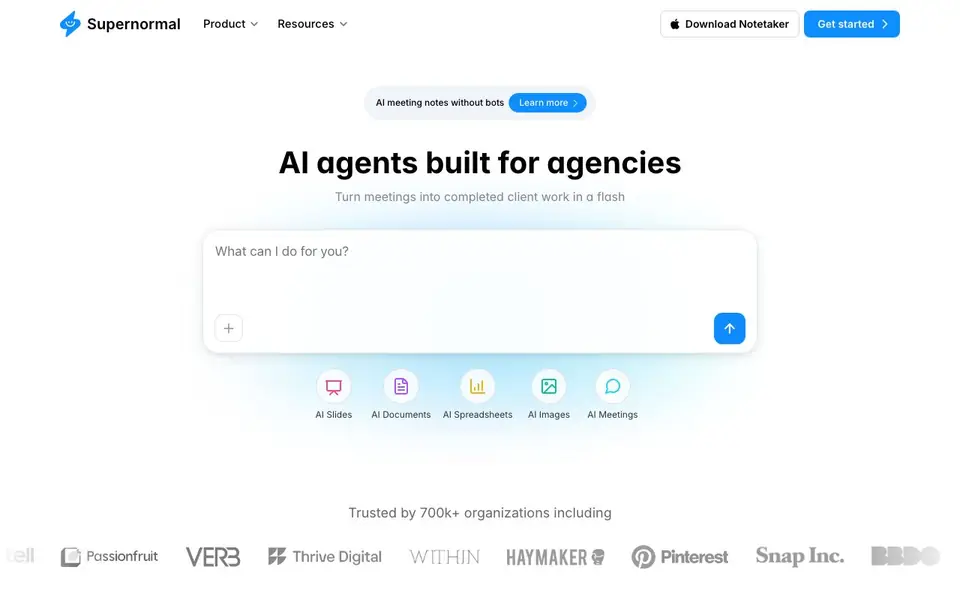
What is Supernormal?
Supernormal is an AI agent built for agencies. It turns your meetings into completed client work. You connect your meetings, docs, and email context. Then Supernormal uses that context to create deliverables.
You start by recording or importing a meeting. Supernormal takes notes without needing a bot. Then you choose a template, like pitch decks, creative briefs, one-pagers, presentations, Instagram visuals, or proposals. The AI pulls in extra context from documents or emails when needed. In a flash, you get ready-to-share outputs.
It suits agencies and teams that want to speed up client work. You can sign in to attach files, apply themes, and connect integrations. The website mentions a free start and a downloadable notetaker for Apple Silicon Macs. It is trusted by 700k+ organizations.
Supernormal features
- AI meeting notes: Captures meeting notes without needing a bot in the call.
- AI Slides: Turns brainstorms into pitch decks with story, structure, and visuals.
- AI Documents: Converts kickoffs into creative briefs and calls into one-pagers.
- AI Spreadsheets: Generates spreadsheet outputs from meeting context.
- AI Images: Creates Instagram visuals like stories, reels, and carousels from campaign briefs.
What you can do with Supernormal
- Turn a brainstorm into a pitch deck ready to present.
- Convert a kickoff call into a creative brief for your team.
- Transform a discovery call into a client proposal.
- Generate Instagram visuals from a campaign brief.
How to get started with Supernormal
- Sign in to Supernormal and connect your meetings, docs, and email.
- Record or import a meeting to generate notes.
- Pick a template and let the AI create your deliverable from the notes.
Tips for better results with Supernormal
- Record or import a full meeting first, then pick a template like pitch decks or proposals so Supernormal has enough context to generate a complete deliverable.
- Attach relevant files and images before generating, and apply themes to align outputs with your client brand for more polished, ready-to-share results.
- Pull in documents or emails when you need extra context, as Supernormal uses those to fill gaps in the meeting notes and improve the final output.
- Review the generated deliverable against your meeting notes and edit any sections that miss nuance, since Supernormal drafts quickly but may need your adjustments.
Supernormal pricing
Supernormal has a free way to start, with paid plans for heavier use. Check supernormal.com for current limits and prices.
What to check before you rely on Supernormal
- Check the free plan limits before relying on Supernormal for client work, since the website labels it freemium but does not state specific caps.
- Confirm whether your meetings can be imported or recorded in formats you use, as the website highlights a notetaker for Apple Silicon Macs only.
- Review the privacy and security terms for client data, since the website does not detail how meeting recordings or uploaded files are handled.
Who Supernormal is for
Supernormal suits agencies, marketing teams, consultants and client-facing teams. If that is not you, the AI transcription tools below may fit better.
Similar tools compared with Supernormal
| Tool | What it is | Pricing |
|---|---|---|
| Supernormal | AI meeting notes and client work generator | Freemium |
| Otter.ai | AI meeting notetaker and transcription tool | Freemium |
| Fireflies.ai | AI meeting assistant for transcription and notes | Freemium |
| Fathom | AI notetaker for online meetings | Freemium |
| Turboscribe | Unlimited audio and video transcription | Freemium |
Supernormal FAQ
How does Supernormal work?
Supernormal uses AI to turn your meeting notes into client deliverables. You connect your meetings, docs, and email context. Then it generates slides, documents, spreadsheets, or images based on that context.
Does Supernormal join client calls?
Supernormal offers a downloadable notetaker that works on Apple Silicon Macs. It captures meeting notes without needing a bot to join the call. The website does not detail all call platforms.
What can Supernormal create from meetings?
You can create pitch decks, creative briefs, one-pagers, presentations, Instagram visuals, and proposals. Each template runs on your meeting notes and can pull in extra context from documents or emails.
How long does it take to create deliverables?
The website says deliverables are made 'in a flash' but does not give specific times. It emphasizes speed, turning meetings into ready-to-use outputs quickly.
Does Supernormal have a free plan and what does it include?
Supernormal is freemium, meaning you can start for free. The website mentions a free start and a downloadable notetaker for Apple Silicon Macs. It does not list the exact limits of the free plan on the main page. Check the pricing page for specific details on what the free tier includes.
Can Supernormal export deliverables to other tools like Google Slides or Notion?
Supernormal can create pitch decks, documents, spreadsheets, and images. The website mentions you can connect integrations by signing in, but it does not specify which export formats or integrations are available. For a list of supported exports and integrations, check the Integrations page on the Supernormal website.
Does Supernormal work on Windows or only on Apple Silicon Macs?
Supernormal offers a downloadable notetaker that requires an Apple Silicon processor and macOS 14.4.1 or later. The website does not mention a Windows version or a mobile app. For the latest platform availability, check the Supernormal website or contact their support.


