

What is Sunoh.ai?
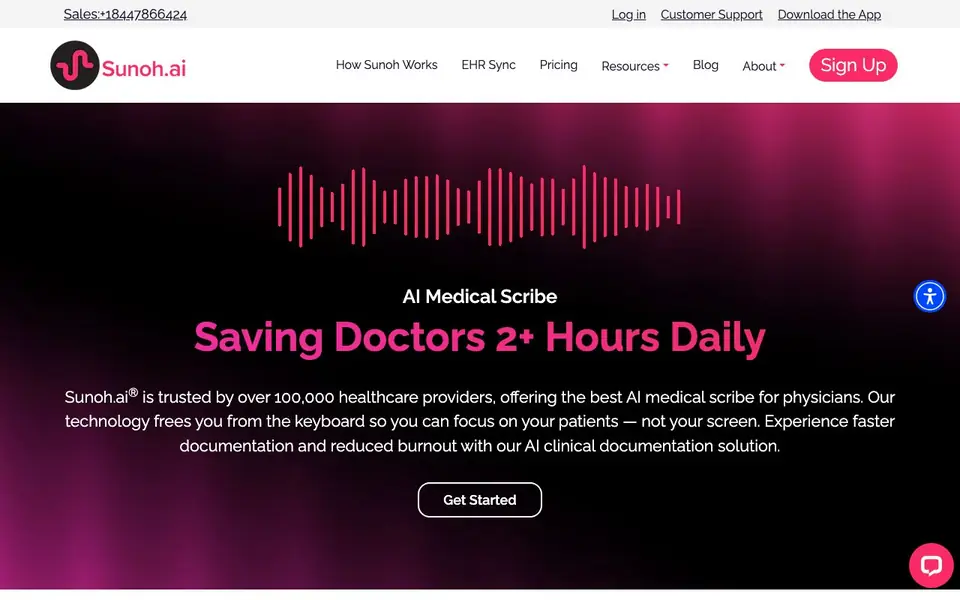
Sunoh.ai is an AI medical scribe designed for healthcare providers. It listens during patient-provider conversations and converts real dialogue into clinical notes in seconds. The tool aims to reduce the time doctors spend on documentation, helping them focus on patients instead of screens.
You start by using Sunoh.ai during a patient visit. It captures the conversation, generates a dialogue flow, and creates a draft clinical document categorized into Progress Note sections. You can review and modify the notes easily. It also assists with order entry, capturing labs, imaging, procedures, medications, and follow-up details.
The tool supports multiple specialties, including cardiology, dental, dermatology, family practice, internal medicine, behavioral health, orthopedics, pediatrics, surgery center, urgent care, and vision. It integrates with leading Electronic Health Records (EHR) and offers multilingual support. Sunoh.ai is trusted by over 100,000 healthcare providers and follows industry-standard encryption and security protocols.
Sunoh.ai features
- Listens to conversations: Captures every detail of patient visits accurately during live interactions.
- Generates dialogue flow: Creates a transcript of the conversation using advanced AI and voice recognition.
- Creates clinical document draft: Organizes content into Progress Note sections for easy review and import.
- Assists with order entry: Captures labs, imaging, procedures, medication orders, and follow-up details.
- Provides summary for review: Streamlines documentation with easy review and modification options.
What you can do with Sunoh.ai
- Document patient visits in real-time during consultations to avoid late-night charting.
- Generate clinical notes for multiple specialties like cardiology, pediatrics, or urgent care.
- Capture medication orders and follow-up details during appointments for accurate records.
- Integrate AI-generated notes into your existing EHR system for seamless workflow.
How to get started with Sunoh.ai
- Sign up for Sunoh.ai and download the app or access it on your desktop.
- Use Sunoh.ai during patient visits to listen to conversations and capture details.
- Review the generated clinical note draft, modify as needed, and import it into your EHR.
Tips for better results with Sunoh.ai
- Start Sunoh.ai during the patient visit and speak naturally, as the tool captures real dialogue to generate accurate clinical notes in seconds.
- Review the draft Progress Note sections immediately after each visit, editing any details Sunoh.ai captured before importing into your EHR.
- Use Sunoh.ai to verbally capture labs, imaging, procedures, medications, and follow-up details during the appointment to streamline order entry.
- Test Sunoh.ai across your specific specialty, such as cardiology or pediatrics, to confirm it handles your terminology and workflow effectively.
Sunoh.ai pricing
Sunoh.ai’s homepage does not list prices. Check sunoh.ai for current plans.
What to check before you rely on Sunoh.ai
- Check whether your existing EHR system is listed as compatible with Sunoh.ai, since the website mentions integration but does not specify all supported systems.
- Confirm the pricing plan and any per-provider or per-visit costs, as the website does not state pricing details.
- Verify your practice's data privacy and security requirements against Sunoh.ai's encryption protocols, and review how patient data is stored or shared.
Who Sunoh.ai is for
Sunoh.ai suits physicians, healthcare providers, medical practices and clinicians. If that is not you, the AI transcription tools below may fit better.
Similar tools compared with Sunoh.ai
| Tool | What it is | Pricing |
|---|---|---|
| Sunoh.ai | AI medical scribe for clinical documentation | See website |
| Otter.ai | AI meeting notetaker and transcription tool | Freemium |
| Fireflies.ai | AI meeting assistant for transcription and notes | Freemium |
| Fathom | AI notetaker for online meetings | Freemium |
| Turboscribe | Unlimited audio and video transcription | Freemium |
Sunoh.ai FAQ
What does Sunoh.ai do?
Sunoh.ai is an AI medical scribe that listens to patient-provider conversations and turns them into accurate clinical notes. It helps doctors save time on documentation and reduce burnout.
How does Sunoh.ai integrate with EHR systems?
Sunoh.ai integrates with leading Electronic Health Records (EHR). It allows you to import the generated clinical notes directly into your EHR, streamlining your documentation workflow.
Which medical specialties does Sunoh.ai support?
Sunoh.ai supports multiple specialties including cardiology, dental, dermatology, family practice, internal medicine, behavioral health, orthopedics, pediatrics, surgery center, urgent care, and vision.
Is Sunoh.ai free to use?
The website does not state pricing details. You can check the pricing page or contact their sales team for specific plan information.
Can Sunoh.ai export notes to my EHR system or other platforms?
Sunoh.ai integrates with leading Electronic Health Records (EHR) systems, as mentioned on its website. The site does not specify other export formats or connections beyond EHR integration. For details on specific EHR compatibility or additional export options, check the EHR Sync section on the Sunoh.ai website.
On which devices or platforms does Sunoh.ai run?
Sunoh.ai works on mobile devices and desktops, according to the website. It also offers a downloadable app, as indicated by the 'Download the App' link. For specific operating system requirements or browser compatibility, the site does not provide details, so check the app store or contact Sunoh.ai support.
Does Sunoh.ai require an account to use, and what does the free plan include?
Sunoh.ai has a sign-up option, so an account is likely needed to use the service. The website does not mention a free plan or its features. To learn about pricing and any free trial or plan, visit the Pricing page on the Sunoh.ai website or contact their sales team.


