

What is Steve AI?
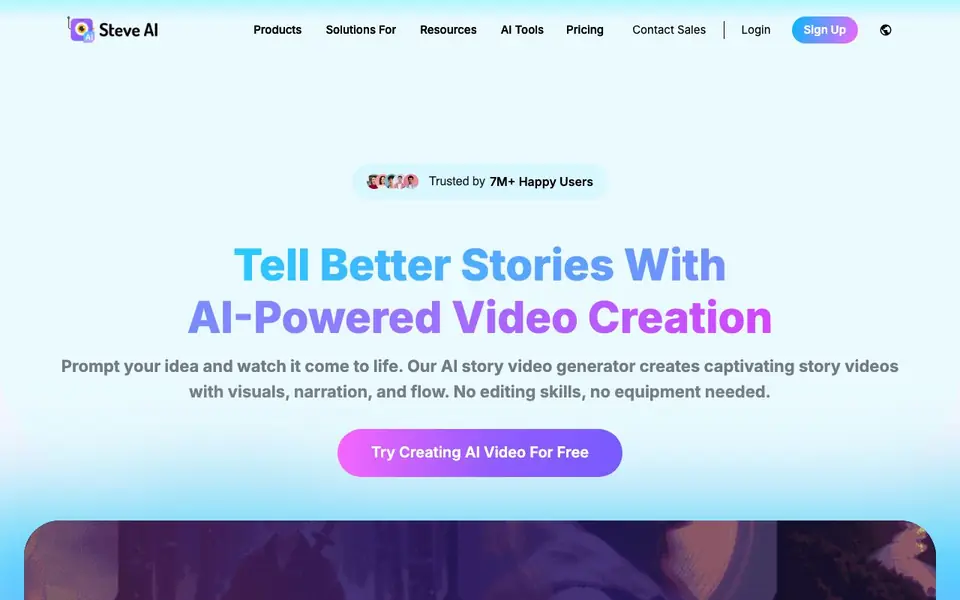
Steve AI is an all-in-one AI video creation platform that turns your ideas into finished videos. You can start from a simple prompt, a blog post, a script, or even audio. The tool builds a script and then generates visuals, narration, and flow automatically, so you do not need editing skills or equipment.
You describe your idea in plain language, and the AI handles the heavy lifting. It offers multiple output styles, including animations, generative AI videos, and live-action looks. You can also add motion effects, use multiple human-like AI voices for natural conversations, and translate your videos into 10+ languages.
The platform is designed for creators, marketers, educators, and businesses. It includes a ClipMaker for turning tweets, images, or blogs into short clips. Plans start at $19 per month, with a free option to try creating videos. The website mentions 7M+ happy users and that it comes from the makers of Animaker Inc.
Steve AI features
- Prompt to video: Describe your idea and the AI builds a script and turns it into a finished video.
- Multiple video styles: Choose from animations, generative AI, or live-action looks for your content.
- Multi-voice narration: Use several human-like AI voices to create natural conversations in your videos.
- AI motion effects: Add zooms, camera movement, kinetic text, and motion trails to make static visuals dynamic.
- ClipMaker: Turn a tweet, image, or blog into an animated short clip in minutes.
What you can do with Steve AI
- Create promotional ads for your products or services quickly.
- Turn blog posts into engaging videos for social media.
- Make training and onboarding videos for your team.
- Produce kids' storybooks or educational content from a single script.
How to get started with Steve AI
- Sign up for a free account on the Steve AI website.
- Type your idea, paste a blog, or upload audio as your starting point.
- Choose a video style and let the AI generate your script and visuals, then export your video.
Tips for better results with Steve AI
- Start with a detailed prompt that includes the video's purpose, audience, and desired tone, so Steve AI can generate a more accurate script and visuals.
- Use the multi-voice narration feature to create natural dialogues for training or ad videos, and specify speaker roles in your script for better voice assignment.
- Experiment with different video styles, such as animation or live-action, to see which best fits your content, and apply AI motion effects to make static scenes more engaging.
- For short clips, use ClipMaker by feeding it a tweet, image, or blog post, and review the output to refine the script before exporting.
Steve AI pricing
Steve AI has a free way to start, with paid plans for heavier use. Check steve.ai for current limits and prices.
What to check before you rely on Steve AI
- Check the free plan's video length, watermark, and export resolution, as the website does not list these details.
- Verify whether the $19 per month plan includes all features like ClipMaker and multi-voice, or if they are paid add-ons.
- Review the data privacy policy to confirm how your uploaded content and scripts are stored or used, as this is not stated on the site.
Who Steve AI is for
Steve AI suits marketers, content creators, educators and business owners. If that is not you, the AI video generators below may fit better.
Similar tools compared with Steve AI
| Tool | What it is | Pricing |
|---|---|---|
| Steve AI | AI video maker for animated and live videos | Freemium |
| SiVideoGen | AI video generator with multiple models | Freemium |
| FreeSiTools | Free AI image prompt generator | Free |
| SiVideoAPI | Unified API for top AI video models | Freemium |
| Runway | AI video, image, and audio creation suite | Freemium |
Steve AI FAQ
What can I use Steve AI for?
You can create videos for ads, YouTube channels, training content, product promotion, social media, education, and kids' storybooks. It works from text, audio, images, or just an idea.
Is there a free plan?
Yes, the website says you can try creating AI videos for free. Paid plans start at $19 per month for the Starter tier, with annual billing offering 30% off.
What video styles can I generate?
You can generate 7+ output styles, including animations, generative AI videos, and live-action videos. You can also add motion effects and use talking head 2D avatars.
Can I translate my videos into other languages?
Yes, Steve AI includes an AI video translator for 10+ languages. This lets you adapt your content for different audiences without recreating it from scratch.
Can I use Steve AI on my mobile device or does it require a desktop computer?
The Steve AI website does not mention specific device requirements or a mobile app. It is a web-based platform, so you likely access it through a browser on your computer. For the most accurate information about mobile compatibility, check the Steve AI website or contact their support team.
What video formats or resolutions can I export from Steve AI?
The Steve AI website does not specify the export formats or resolutions available. It focuses on the creation process and styles. To find out what export options are offered, you can check the Steve AI website's documentation or try the free version to see what outputs are available.
Does Steve AI require me to create an account before I can try it?
The Steve AI website mentions a free option to try creating videos, but it does not explicitly state whether an account is required. Typically, such platforms require sign-up to save and export projects. You can check the Steve AI website's sign-up or free trial section for details on account requirements.


