

What is Sonix?
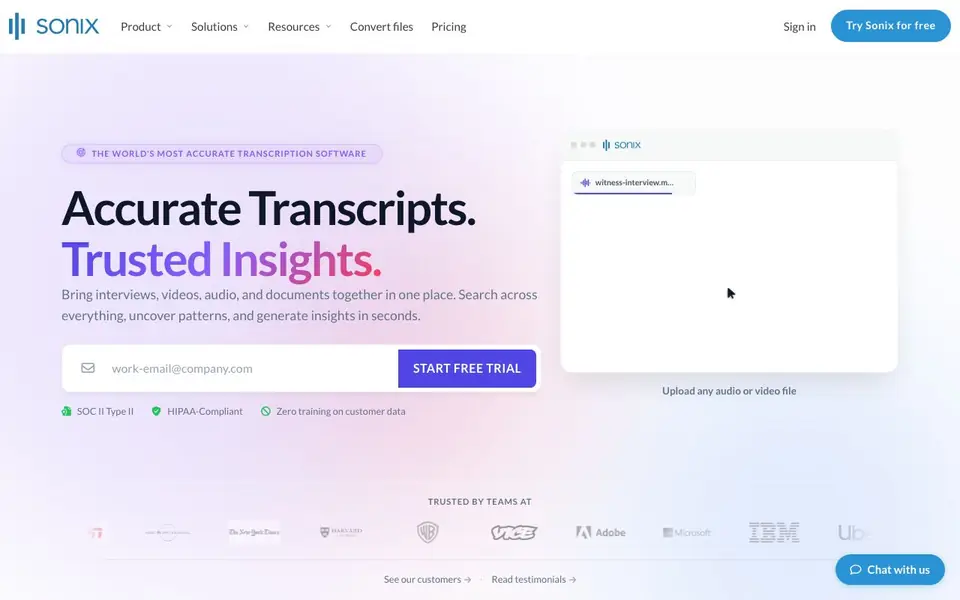
Sonix turns audio and video files into accurate, timestamped transcripts in minutes. It supports over 54 languages and identifies speakers automatically, so you know who said what. You can also upload documents to the same workspace and search or ask questions across all your files.
To get started, you upload any audio or video file. Sonix processes it and gives you a transcript you can edit. Then you can add documents, generate summaries, detect sentiment, and ask questions across folders of transcripts to uncover insights.
It suits media companies, researchers, legal teams, and healthcare organizations that need reliable speech-to-text at scale. The platform is SOC 2 Type II and HIPAA-compliant, with AES-256 encryption and a zero-training policy on your data. Sonix also integrates with tools like Zoom, Teams, Zapier, and Adobe Premiere.
Sonix features
- AI-powered transcription: Converts speech to text with 99% accuracy across 54+ languages.
- Speaker diarization: Automatically identifies and labels who said what in your recordings.
- AI insights: Generates summaries, chapters, and sentiment analysis from your transcripts.
- Multi-transcript analysis: Ask questions across entire folders to surface patterns and insights.
- Enterprise security: Uses AES-256 encryption and a zero-training policy on your data.
What you can do with Sonix
- Transcribe interviews and meetings into searchable text for quick reference.
- Convert depositions or bodycam footage into timestamped legal transcripts.
- Turn clinical notes and patient consultations into HIPAA-compliant records.
- Analyze customer feedback or media content for sentiment and key themes.
How to get started with Sonix
- Upload an audio or video file to the Sonix workspace.
- Wait for the transcript to be generated with timestamps and speaker labels.
- Add documents, ask questions, and generate summaries or insights from your files.
Tips for better results with Sonix
- Upload clear, high-quality audio files with minimal background noise to maximize Sonix's 99% transcription accuracy across its 54+ languages.
- Use Sonix's speaker diarization feature on multi-person recordings, then verify each speaker label manually to ensure correct attribution before finalizing transcripts.
- After transcription, add relevant documents to your Sonix workspace and use the ask-anything feature to cross-reference insights across all your files.
- For legal or medical work, rely on Sonix's HIPAA compliance and zero-training policy, but always review sensitive transcripts for context-specific errors.
Sonix pricing
Sonix offers a free trial before you pay. Check sonix.ai for current plans.
What to check before you rely on Sonix
- Check the pricing page directly for current plan costs and limits, since the website does not list specific prices or usage caps on the main page.
- Verify that Sonix supports the file formats and integrations you need, such as Zoom or Adobe Premiere, before committing to a workflow.
- Confirm your data privacy requirements are met by reviewing Sonix's security details, as the site claims SOC 2 and HIPAA compliance but does not detail all policies.
Who Sonix is for
Sonix suits media companies, researchers, legal teams and healthcare organizations. If that is not you, the AI transcription tools below may fit better.
Similar tools compared with Sonix
| Tool | What it is | Pricing |
|---|---|---|
| Sonix | AI transcription and audio analysis platform | Free trial |
| Otter.ai | AI meeting notetaker and transcription tool | Freemium |
| Fireflies.ai | AI meeting assistant for transcription and notes | Freemium |
| Fathom | AI notetaker for online meetings | Freemium |
| Turboscribe | Unlimited audio and video transcription | Freemium |
Sonix FAQ
How accurate is Sonix transcription?
Sonix claims 99% transcription accuracy across 54+ languages. It also identifies speakers automatically, so you know who said what in your recordings.
Is Sonix free to use?
Sonix offers a free trial with no credit card required. After that, you need to choose a paid plan, but the website doesn't list specific pricing details on the main page.
Who is Sonix for?
Sonix is built for media companies, researchers, legal teams, and healthcare organizations. It's also trusted by 6.2 million users worldwide for accurate speech-to-text at scale.
What can I do with my transcripts in Sonix?
You can search across transcripts, add documents to the same workspace, ask questions across files, generate summaries and chapters, and analyze sentiment. It also integrates with Zoom, Teams, Zapier, and Adobe Premiere.
What file formats can I upload to Sonix for transcription?
Sonix accepts common audio and video file formats for transcription. The website does not list specific extensions, but it says you can upload any audio or video file. For a full list of supported formats, check the Sonix help center or contact support.
Does Sonix offer a free plan or only a trial?
Sonix offers a free trial, not a permanent free plan. The trial lets you test the service, but after it ends, you'll need to choose a paid subscription. For exact trial duration and what's included, visit the Sonix pricing page.


