

What is ShortsNinja?
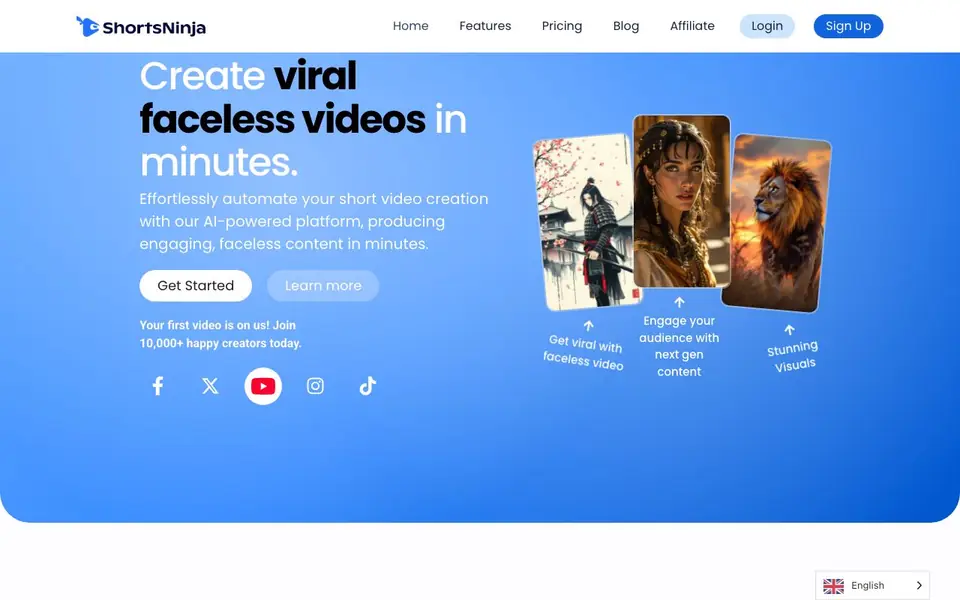
ShortsNinja is an AI-powered platform that helps you create faceless short videos for TikTok, YouTube, and Instagram. It generates visuals, scripts, voiceovers, and music automatically, so you can produce content without showing your face. The tool is designed for creators who want to grow channels quickly and consistently.
You start by picking a voiceover, script, music, and visual style. ShortsNinja's AI then generates a video for you. You can preview and tweak it in the built-in editor, adjusting scripts, voiceovers, music, images, and video clips. Once you are happy, you connect your social accounts and schedule posting, and the platform publishes videos automatically.
The platform supports up to 5-minute videos initially, with options to expand in the editor. It uses AI models like Flux, Kling, MiniMax, Luma Labs, and RunwayML for visuals, and offers 200+ lifelike AI voices from ElevenLabs, Speechify, and OpenAI in 50+ languages. Paid plans start at $19 per month for 12 videos, with no free plan mentioned on the site.
ShortsNinja features
- Smart Video Editor: Edit scripts, voiceovers, music, images, and videos in one place.
- AI image and video generation: Create visuals using models like Flux, Kling, MiniMax, Luma Labs, and RunwayML.
- Realistic AI voiceovers: Choose from 200+ lifelike voices by ElevenLabs, Speechify, and OpenAI.
- Multi-language support: Generate voiceovers and translations in 50+ languages for global reach.
- Social media scheduling: Automate posting to YouTube, TikTok, and Instagram with timezone support.
What you can do with ShortsNinja
- Create faceless videos for TikTok and YouTube channels.
- Automate daily short video posting to multiple platforms.
- Generate videos in different styles like cinematic, Lego, or motivational.
- Produce content in 50+ languages for international audiences.
How to get started with ShortsNinja
- Sign up and choose a plan that fits your video volume needs.
- Select your script, voiceover, music, and visual style, then let the AI generate the video.
- Edit and refine the video in the built-in editor, then connect your social accounts and schedule posting.
Tips for better results with ShortsNinja
- Start with a clear script and pick a specific visual style like Cinematic or Lego, since ShortsNinja generates visuals from your choices and consistent inputs produce better videos.
- Use ShortsNinja's built-in editor to tweak the script, voiceover, and music after generation, because small adjustments there improve pacing and alignment before you schedule posting.
- Choose a voice from the 200+ options that matches your niche, and test a few in different languages, since ShortsNinja supports 50+ languages and voice quality affects viewer retention.
- Plan your video length under 5 minutes initially, then expand in the editor if needed, because ShortsNinja's first pass is limited and longer videos require extra editing work.
ShortsNinja pricing
ShortsNinja is a paid product. Check shortsninja.com for current plans and whether a demo or trial is offered.
What to check before you rely on ShortsNinja
- Check your plan's video count and credit limits before scheduling, since ShortsNinja's Starter plan includes only 12 videos per month and no series support.
- Verify whether the platform supports your target platforms and timezone scheduling, as ShortsNinja lists YouTube, TikTok, and Instagram but does not detail all export formats.
- Review the privacy and data policies for your uploaded scripts and visuals, because the website does not clearly state how your content is stored or used.
Who ShortsNinja is for
ShortsNinja suits content creators, social media marketers, faceless channel owners and small businesses. If that is not you, the AI video generators below may fit better.
Similar tools compared with ShortsNinja
| Tool | What it is | Pricing |
|---|---|---|
| ShortsNinja | AI faceless short video generator | Paid |
| SiVideoGen | AI video generator with multiple models | Freemium |
| FreeSiTools | Free AI image prompt generator | Free |
| SiVideoAPI | Unified API for top AI video models | Freemium |
| Runway | AI video, image, and audio creation suite | Freemium |
ShortsNinja FAQ
What is a credit and how does it work?
Credits are used to create videos. For example, the Starter plan includes 125 credits for 12 videos per month. The site does not specify how many credits each video costs, so check the pricing page for details.
Is there a free trial available?
The site says 'Your first video is on us' and mentions joining 10,000+ creators, but it does not clearly state a free trial. Check the pricing page or sign-up flow to see if a trial is offered.
Can I cancel at anytime?
Yes, the FAQ section includes a question about canceling anytime, indicating you can cancel your subscription. The site also has a refund policy, so you can review that for specifics.
What social media platforms do you support posting to?
ShortsNinja supports auto-publishing to YouTube, TikTok, and Instagram. You connect your accounts once, schedule your posting, and the platform handles the rest automatically.
Can ShortsNinja export videos to my computer or only post directly to social media?
ShortsNinja's website focuses on auto-publishing to YouTube, TikTok, and Instagram. It does not mention exporting video files for download. If you need to save videos locally, check the in-app editor or contact support to see if export is available.
Does ShortsNinja work on mobile devices or only on desktop?
The ShortsNinja website does not specify whether it works on mobile or desktop. It is a web-based platform, so you likely access it through a browser. For the best experience, try it on a desktop computer, and check the site for any mobile app mentions.
What does the free trial include with ShortsNinja?
ShortsNinja's site says 'Your first video is on us,' which suggests a free trial or a free first video. The pricing page does not list a free plan, so the trial likely gives you one video or a limited credit. Check the sign-up page for exact trial details.


