

What is RepoClip?
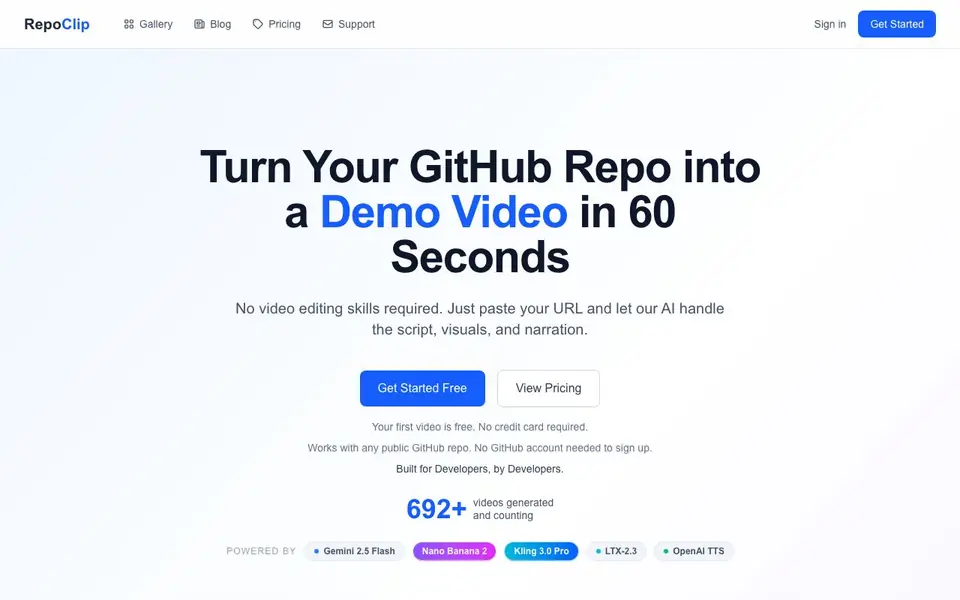
RepoClip is an AI demo video maker built for developers. It turns your GitHub repository into a polished promotional video. You do not need video editing skills. The AI handles the script, visuals, and narration for you.
To use it, you paste a GitHub repository URL. RepoClip's AI analyzes the code structure and features. It then creates a script, generates images and video clips, and adds a natural-sounding voiceover. You download the finished video. The whole process takes about five minutes.
Your first video is free, with no credit card required. It works with any public GitHub repo, and you can connect your GitHub account for private repositories. The site mentions support for various programming languages, but does not list them. It also notes an API and CI/CD integration are available, but details are not provided on the homepage.
RepoClip features
- AI Code Analysis: Uses Gemini 2.5 Flash to understand your code structure and features deeply.
- AI Video Clips: Generates cinematic scenes with dynamic camera movements and animations, powered by Kling 3.0 Pro on Pro plans.
- AI-Generated Images: Creates vivid still images for scene backgrounds using Nano Banana 2.
- Professional Narration: Adds natural-sounding voiceover using OpenAI's standard preset voices, with no voice cloning.
- Private Repo Support: Connect your GitHub account to generate videos from private repositories.
What you can do with RepoClip
- Create a feature announcement video that explains complex changes in seconds.
- Produce a polished product demo for an investor pitch.
- Generate social media content for Twitter, LinkedIn, or YouTube.
- Promote an open source project to attract contributors.
How to get started with RepoClip
- Go to RepoClip's website and sign up for a free account.
- Paste your public or private GitHub repository URL into the tool.
- Let the AI analyze your code, then download your finished video.
Tips for better results with RepoClip
- Paste a clean, well-documented GitHub repository URL to help RepoClip's AI analyze your code structure and features accurately for a better script.
- Use RepoClip for short, focused repos like feature announcements or demos; large or messy codebases may confuse the AI and produce vague visuals.
- Review the generated script before downloading your RepoClip video, since the AI writes it automatically and may miss key details about your project.
- Connect your GitHub account in RepoClip if you need private repo support, but keep public repos simple for the fastest free generation.
RepoClip pricing
RepoClip has a free way to start, with paid plans for heavier use. Check repoclip.io for current limits and prices.
What to check before you rely on RepoClip
- Check the pricing page for plan limits on video length, resolution, or number of generations, since the homepage only says the first video is free.
- Verify which programming languages RepoClip supports, because the website mentions various languages but does not list them explicitly.
- Confirm data and privacy policies for your code, especially for private repos, as the FAQ says your code is safe but does not detail storage or retention.
Who RepoClip is for
RepoClip suits developers, open source maintainers, startup founders and marketers. If that is not you, the AI video generators below may fit better.
Similar tools compared with RepoClip
| Tool | What it is | Pricing |
|---|---|---|
| RepoClip | AI demo video maker for GitHub repos | Freemium |
| SiVideoGen | AI video generator with multiple models | Freemium |
| FreeSiTools | Free AI image prompt generator | Free |
| SiVideoAPI | Unified API for top AI video models | Freemium |
| Runway | AI video, image, and audio creation suite | Freemium |
RepoClip FAQ
Is my code safe?
The homepage does not provide specific details about code safety. It does have a Security page in the footer, so you can check there for more information about how your code is handled.
What types of repos are supported?
RepoClip works with any public GitHub repository. You can also connect your GitHub account to access private repositories. No GitHub account is needed just to sign up.
How long does it take to generate a video?
The average generation time is about five minutes. The AI pipeline is optimized for speed, so you get your video quickly after pasting your repository URL.
Can I customize the video?
The homepage mentions customization options in its blog articles, such as 'Customize Your Video Style'. However, specific customization features are not detailed on the main page.
Does RepoClip require a GitHub account to sign up?
No, RepoClip does not require a GitHub account to sign up. You can paste any public GitHub repository URL and generate your first video for free without a credit card. Connecting your GitHub account is only needed if you want to generate videos from private repositories.
What does the free plan include in RepoClip?
With RepoClip's free plan, you get one free video with no credit card required. This includes AI code analysis, AI-generated images, video clips, and professional narration. For more videos and access to Pro features like Kling 3.0 Pro, you would need to upgrade to a paid plan.
Can RepoClip export videos in different formats or resolutions?
The RepoClip website does not specify the export formats or resolutions available for downloaded videos. It only mentions that you can download the finished video after generation. For detailed information on export options, check the RepoClip pricing page or contact their support team.


