

What is remio?
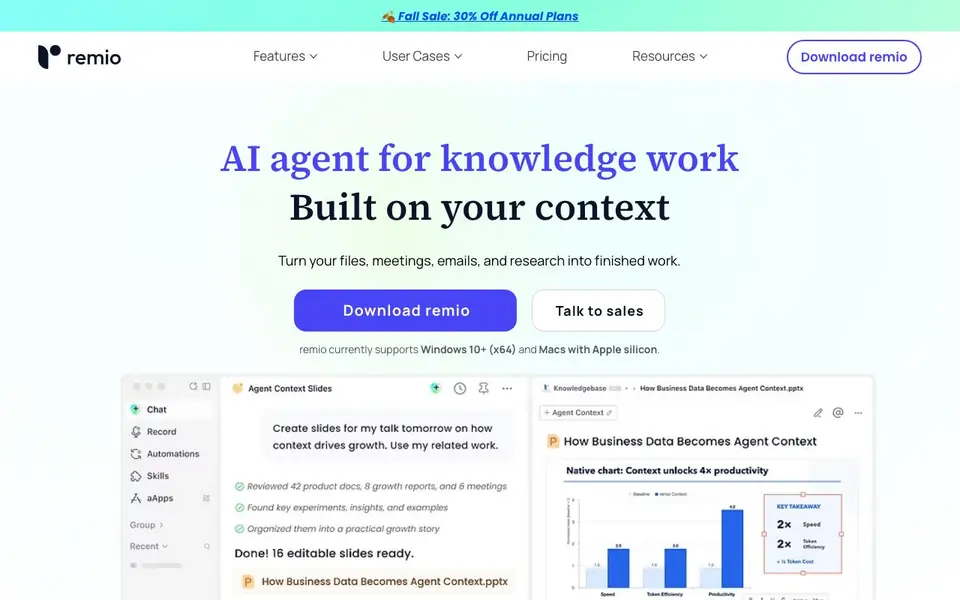
remio is a personal AI assistant that understands your work. It captures web pages, meetings, emails, and files, then turns them into searchable knowledge and context-aware AI answers. You can create native PowerPoint decks, work with Excel, do deep research, and handle over 30 file formats directly in the app.
Getting started is simple. You link your sources like Google Drive, Gmail, or Microsoft 365, and remio continuously collects information without copy-pasting. Then you connect tools like CLI or MCP to expand what it can do. remio builds context automatically, organizing and understanding information as your work changes. Finally, you ask remio AI, and it finds the right context and tools to create the result.
remio suits knowledge workers, educators, consultants, and managers who juggle many sources. It runs locally on Windows 10+ and Macs with Apple silicon, keeping core data on your device. You can use cloud models, bring your own API key, or connect a local model. The website notes it supports 30+ AI models, 40+ connectors, 29+ built-in skills, and 800+ aApps, but does not specify exact pricing details beyond a free trial.
remio features
- AI Presentation: Create or update PowerPoint decks with native charts, SmartArt, shapes, and animations.
- AI Excel: Work with spreadsheets directly in remio, using AI to analyze and edit data.
- Deep Research: Synthesize information from multiple sources like YouTube lectures and academic PDFs.
- Local First: Keep core data, search, indexing, recording, and transcription on your device.
- Grounded Answers: Review original sources behind every answer and deliverable for traceability.
What you can do with remio
- Capture meeting recordings and ask questions across multiple conversations.
- Generate literature reviews from academic PDFs and YouTube lectures.
- Create editable PowerPoint drafts from your existing templates and brand styles.
- Index unlimited files locally and search across all your work sources from one place.
How to get started with remio
- Link your sources like Google Drive, Gmail, or Microsoft 365 to start capturing context.
- Connect tools like CLI, MCP, or other services to expand remio's capabilities.
- Ask remio AI a question, and it finds the right context and tools to create the result.
Tips for better results with remio
- Link your Google Drive, Gmail, or Microsoft 365 accounts first so remio can continuously collect context without manual copying and pasting.
- Use remio's grounded answers to review the original sources behind every deliverable, ensuring your presentations and analyses are traceable and accurate.
- Connect a local model or bring your own API key in remio to keep sensitive data on-device while still using AI for deep research and file editing.
- Start with remio's built-in skills for research or presentations, then customize the output using your own templates and brand styles for a polished result.
remio pricing
remio has a free way to start, with paid plans for heavier use. Check remio.ai for current limits and prices.
What to check before you rely on remio
- Check whether the free trial includes unlimited recording and transcription, since the website lists these features but does not state specific limits.
- Verify that your Windows or Mac meets the stated requirements, as remio only supports Windows 10+ and Macs with Apple silicon.
- Confirm which of the 30+ AI models are available on the free plan, because the website does not specify pricing details beyond the trial.
Who remio is for
remio suits knowledge workers, educators, consultants and managers. If that is not you, the AI productivity tools below may fit better.
Similar tools compared with remio
| Tool | What it is | Pricing |
|---|---|---|
| remio | AI agent for knowledge work | Freemium |
| Mem | AI chief of staff and workspace | See website |
| Reclaim | AI calendar for work and life | Freemium |
| Otter.ai | AI meeting notetaker and transcription tool | Freemium |
| Motion | AI-powered productivity and project platform | Free trial |
remio FAQ
What does remio do?
remio captures your files, meetings, emails, and web pages, then turns them into searchable knowledge. It provides context-aware AI answers and lets you create editable PowerPoint decks, work with Excel, and do deep research.
Is remio free?
The website says you can try remio for free, but it does not state whether there is a paid plan or what the pricing structure is. Check the Pricing section on remio's website for details.
Who is remio for?
remio suits knowledge workers, educators, consultants, and managers who handle many sources. Testimonials mention educators saving prep time, consultants doing intensive research, and managers improving sprint planning.
What platforms does remio support?
remio currently supports Windows 10+ (x64) and Macs with Apple silicon. There is also a mobile app available on the App Store and Google Play for accessing your context on the go.
Can remio export files to formats other than PowerPoint and Excel?
remio lets you work with over 30 file formats and includes 10+ viewers and editors for documents, PDFs, spreadsheets, presentations, images, audio, and video. The website does not list specific export options beyond native PowerPoint and Excel, so check the app’s export menu for the full list.
Does remio require an account to use, and what does the free trial include?
remio is freemium, meaning you can start with a free trial. The website does not specify whether an account is mandatory or what the free plan includes beyond the trial. For exact details, visit remio.ai and look for the pricing or sign-up page.
How does remio handle data privacy if I use cloud AI models?
remio is local-first, keeping core data, search, indexing, recording, and transcription on your device. You can choose cloud models, bring your own API key, or connect a local model. The website does not detail cloud data handling, so review its privacy policy for specifics.


