

What is Regi AI?
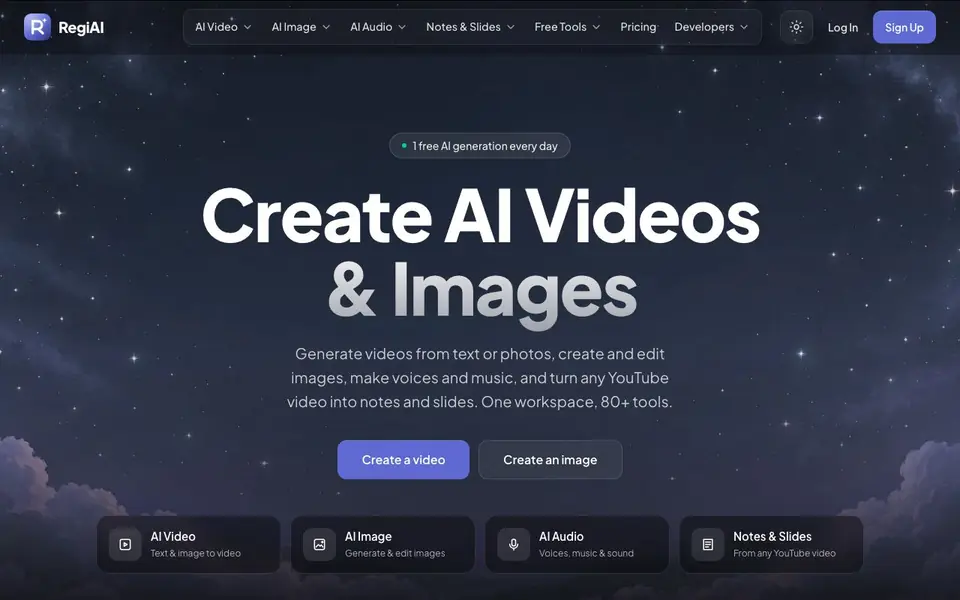
RegiAI is a single workspace where you can generate videos from text or photos, create and edit images, make voices and music, and turn any YouTube video into notes and slides. It bundles over 80 tools, so you can handle many creative tasks without switching between apps.
To get started, you pick a tool like text-to-video or image-to-video, describe what you want, and the AI produces your result. You can also upload a photo to edit or animate it. The site shows many examples made with the tool, such as fashion films, product ads, portraits, and travel reels, so you can see what is possible and create a similar version.
RegiAI suits marketers, content creators, and designers who need quick visuals for ads, social media, or campaigns. The site mentions pay-per-use pricing with no subscription, and you get one free AI generation every day. It does not list specific limits on video length or resolution, so you may want to check those details on the pricing page.
Regi AI features
- Text to video: Turn a written prompt into a cinematic video clip in seconds.
- Image to video: Animate a still photo or product shot into a moving scene.
- AI image generation: Create photos, art, and product visuals from a prompt.
- AI audio tools: Generate voices, music, and sound effects for your projects.
- Notes and slides: Convert any YouTube video into notes and slide decks automatically.
What you can do with Regi AI
- Create product ads with bold typography for social media campaigns.
- Generate editorial fashion clips from a single text prompt.
- Turn a product photo into a cinematic advertisement video.
- Make travel reels or lifestyle videos without filming on location.
How to get started with Regi AI
- Sign up for a free account on the RegiAI website.
- Choose a tool like text-to-video or image generation from the workspace.
- Enter your prompt or upload a photo, then generate and download your result.
Tips for better results with Regi AI
- Start with the example gallery on RegiAI, pick a style you like, and use its prompt as a template to get consistent results faster.
- For video generation, describe motion, camera angle, and lighting in your prompt with RegiAI to get closer to the cinematic look you want.
- Use your daily free generation on RegiAI to test different prompts and styles before committing to paid generations for important projects.
- When animating a photo with RegiAI, upload a high-resolution image with clear subject separation to improve the quality of the moving result.
Regi AI pricing
Regi AI has a free way to start, with paid plans for heavier use. Check regiai.com for current limits and prices.
What to check before you rely on Regi AI
- Check the pricing page on RegiAI for video length and resolution limits, since the website does not list these specifics.
- Verify whether your generated videos and images can be used commercially, as the site does not state usage rights.
- Confirm the export formats and download options for your files, since RegiAI does not list supported formats on its main pages.
Who Regi AI is for
Regi AI suits content creators, marketers, advertisers and designers. If that is not you, the AI video generators below may fit better.
Similar tools compared with Regi AI
| Tool | What it is | Pricing |
|---|---|---|
| Regi AI | AI video, image, and audio workspace | Freemium |
| SiVideoGen | AI video generator with multiple models | Freemium |
| FreeSiTools | Free AI image prompt generator | Free |
| SiVideoAPI | Unified API for top AI video models | Freemium |
| Runway | AI video, image, and audio creation suite | Freemium |
Regi AI FAQ
What can I create with RegiAI?
You can generate videos from text or photos, create and edit images, make voices and music, and turn YouTube videos into notes and slides. The workspace includes over 80 tools for these tasks.
Is RegiAI free to use?
RegiAI offers one free AI generation every day. Beyond that, it uses pay-per-use pricing with no subscription, so you only pay for the generations you actually make.
Who is RegiAI for?
It is built for content creators, marketers, advertisers, and designers who need quick videos, images, and audio for ads, social media, or campaigns without a full production team.
Can I turn a YouTube video into notes?
Yes, RegiAI includes a tool that converts any YouTube video into notes and slides. This is useful for studying, summarizing content, or preparing presentations from existing videos.
Can I use RegiAI on my phone or tablet?
The RegiAI website does not specify whether it works on mobile devices or if there is a dedicated app. You can try accessing regiai.com from your phone or tablet to see if it works in your browser. For the most accurate information, check the site's pricing or FAQ pages.
Does RegiAI let me download or export my videos and images?
RegiAI's website does not mention specific export formats or download options. It focuses on generating content within the workspace. To find out if you can download your creations and in what formats, you should check the pricing page or contact support directly.
What does the free plan on RegiAI include besides one daily generation?
RegiAI offers one free AI generation every day, but the website does not list other details about the free plan, such as resolution limits or access to all tools. For specifics on what the free plan covers, visit the pricing page on regiai.com.


