

What is Recall?
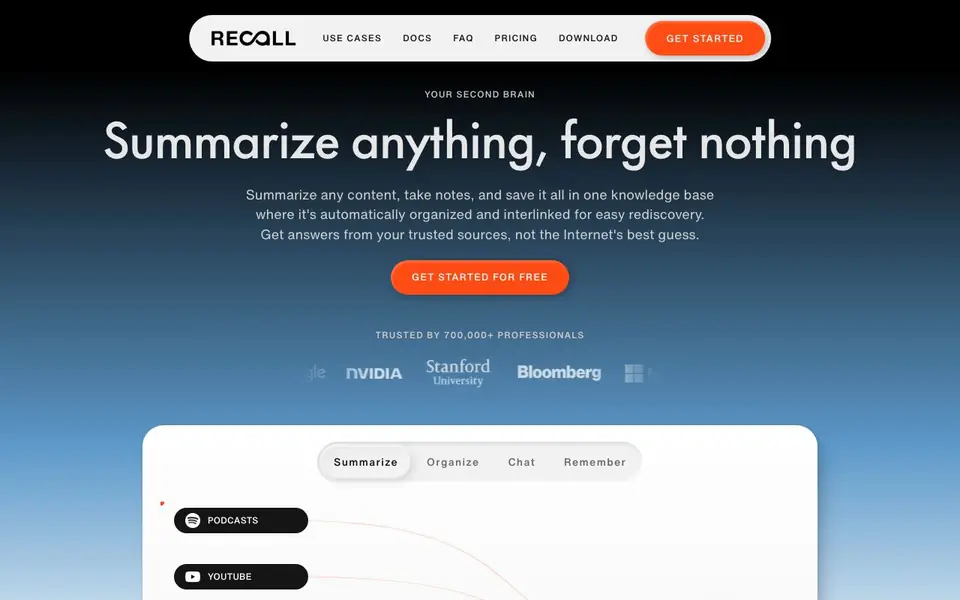
Recall is a personal AI knowledge base designed to help you capture and remember content from across the web. You can save articles, YouTube videos, podcasts, PDFs, social posts, and even recipes. The tool automatically summarizes each item and organizes it into a knowledge graph, so related ideas stay connected and easy to rediscover later.
To get started, you save content from your browser or mobile device. Recall then creates summaries and stores everything in one place. When you have a question, you can chat with your saved knowledge using models like ChatGPT, Claude, or Gemini. Answers come from your own curated sources, not from the open internet, so you get responses based on material you trust.
Recall suits professionals, researchers, students, and anyone who consumes lots of content and wants to retain key insights. The website mentions it is trusted by over 700,000 professionals and has a 4.7 out of 5 rating from 464 reviews. It offers a free plan to start, with paid options for more advanced needs, though specific pricing details are not listed on the homepage.
Recall features
- Summarize anything: Get key points from podcasts, videos, PDFs, articles, and social posts in seconds.
- Knowledge graph organization: Saved content is automatically interlinked, so related topics surface as you browse.
- Chat with your knowledge: Ask questions and get answers drawn only from sources you have saved.
- Multi-model support: Choose to chat with your content using ChatGPT, Claude, Gemini, Grok, or DeepSeek.
- Cross-platform access: Use Recall on desktop and mobile, making it part of your daily workflow anywhere.
What you can do with Recall
- Save and summarize YouTube videos for quick reference during research.
- Build a personal library of trusted articles and podcasts for ongoing learning.
- Ask questions about saved PDFs to extract specific details without rereading.
- Organize recipes and social posts into a searchable collection for everyday use.
How to get started with Recall
- Download Recall on your device or access it through your browser.
- Save content from articles, videos, podcasts, or PDFs into your knowledge base.
- Ask questions in the chat interface and get answers from your saved sources.
Tips for better results with Recall
- Save content consistently from your browser or mobile app so Recall builds a complete knowledge graph over time, making related ideas easier to rediscover later.
- Ask Recall specific questions about your saved PDFs or videos to extract exact details without rereading the full material, saving time during research.
- Choose your preferred chat model, such as ChatGPT or Claude, within Recall to match how you like answers phrased, then test different models for complex queries.
- Use Recall's cross-platform access to save items on mobile and review summaries on desktop, keeping your knowledge base current across your daily workflow.
Recall pricing
Recall has a free way to start, with paid plans for heavier use. Check recall.it for current limits and prices.
What to check before you rely on Recall
- Check the free plan's limits on saved items or summaries before relying on Recall for large projects, since the homepage does not list specific quotas.
- Verify whether Recall exports your saved content and knowledge graph in a portable format, as the website does not mention export options.
- Review Recall's privacy policy to confirm how your saved content and chat data are handled, since the homepage does not state data storage details.
Who Recall is for
Recall suits researchers, students, professionals and content consumers. If that is not you, the AI productivity tools below may fit better.
Similar tools compared with Recall
| Tool | What it is | Pricing |
|---|---|---|
| Recall | Personal AI knowledge base and summarizer | Freemium |
| Mem | AI chief of staff and workspace | See website |
| Reclaim | AI calendar for work and life | Freemium |
| Otter.ai | AI meeting notetaker and transcription tool | Freemium |
| Motion | AI-powered productivity and project platform | Free trial |
Recall FAQ
What types of content can I save in Recall?
You can save podcasts, YouTube videos, PDFs, articles, social posts, and recipes. The tool summarizes each item and stores it in your knowledge base for later retrieval.
Does Recall have a free plan?
Yes, the website says you can get started for free. There are also paid plans mentioned, but specific pricing details are not shown on the homepage, so check the pricing page for current options.
How are answers generated in Recall?
Answers come from your own saved content, not from the open internet. You can choose which AI model to use for chatting, including ChatGPT, Claude, Gemini, Grok, or DeepSeek.
Who is Recall best suited for?
It suits professionals, researchers, students, and anyone who consumes a lot of content and wants to remember key insights. The site highlights users like founders, journalists, and educators who rely on it daily.
What devices and platforms can I use Recall on?
Recall is available on desktop and mobile, so you can access your saved content and chat with your knowledge from your computer or phone. The website does not list specific operating systems like Windows, macOS, iOS, or Android, so check the Download page for exact platform details.
Does Recall let me export or connect to other apps?
The website does not mention any export options or integrations with other tools, such as Notion, Evernote, or Zapier. If you need to move your saved content or connect Recall to other apps, check the Docs or FAQ pages for the latest information on available features.
What does Recall's free plan include, and what are the paid limits?
Recall offers a free plan to start, but the homepage does not list specific limits like the number of saved items, summaries, or chat messages included. For details on what the free plan covers and what the paid options add, visit the Pricing page on the website.


