
What is Recal?
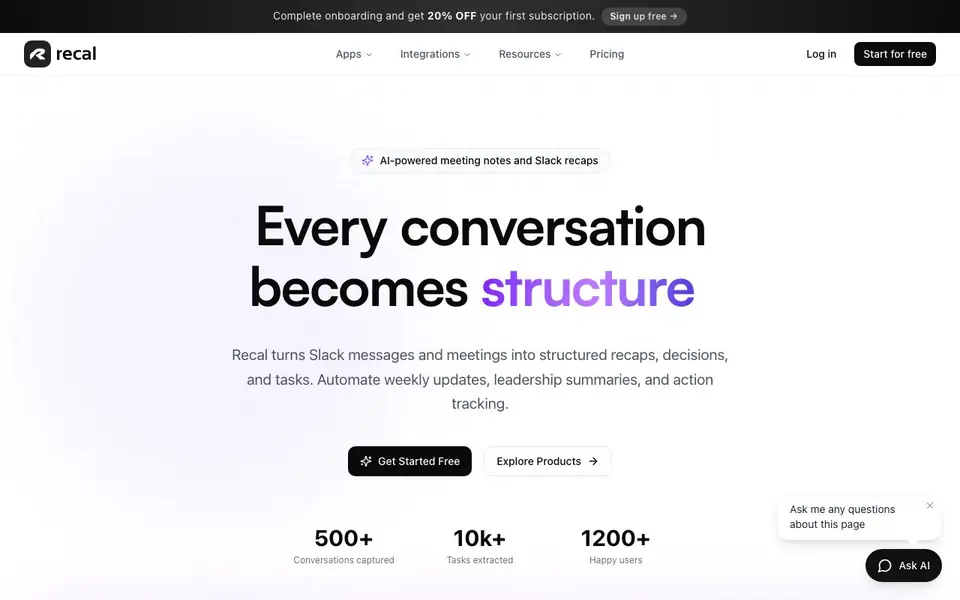
Recal is an AI-powered assistant that captures and organizes conversations from meetings, Slack, and other sources. It turns messy discussions into clear summaries, action items, and decisions. You can paste text, upload audio or video files, or share links to transcribe and analyze content. A browser extension works with Google Meet and Zoom to record and recap video calls.
You start by signing up free and connecting tools like Slack, Linear, Notion, Jira, GitHub, or PostHog. Recal then automatically summarizes threads, extracts tasks, and sends recaps to your team. You can ask questions about your content and get instant answers from your AI memory. The platform also handles voice memos and uploaded files, even capturing visual context from screen shares and presentations.
Recal suits teams and professionals who want to save time on note-taking and stay aligned. It offers a free Starter plan with 30 minutes of async recaps per month, while paid Pro and Premium plans add meeting recaps, more storage, and team workspaces. The website mentions no specific limits on integrations or file types beyond what is listed.
Recal features
- Meeting recaps: Automatically transcribe and summarize your meetings with action items and decisions.
- Slack thread summaries: Get AI-generated summaries of Slack conversations to catch up quickly.
- Action item extraction: Turn messy messages and notes into structured, trackable tasks.
- Browser extension: Capture and recap video calls on Google Meet, Zoom, and other platforms.
- Integrations: Connect Slack, Linear, Notion, Jira, GitHub, and PostHog for seamless workflows.
What you can do with Recal
- Summarize a long Slack thread to extract decisions and next steps.
- Upload a recorded meeting to get a transcript and action items.
- Paste a messy email to turn it into structured tasks.
- Ask questions about past conversations to find specific details.
How to get started with Recal
- Sign up free on Recal's website and complete onboarding to get 20% off your first subscription.
- Connect your tools like Slack, Linear, or Notion, or start by pasting text or uploading a file.
- Let Recal generate recaps and action items, then share them with your team or ask questions.
Tips for better results with Recal
- Paste messy emails or notes into Recal's Paste Text feature to instantly turn them into structured action items with priorities and deadlines.
- Use Recal's browser extension during Google Meet or Zoom calls to capture screen shares and presentations, ensuring visual context is included in your recaps.
- Connect Recal to Slack and ask questions about past threads to quickly retrieve specific decisions or next steps without scrolling through long conversations.
- Upload audio or video files directly to Recal for transcription, then use the chat feature to query the content for specific details or action items.
Recal pricing
Recal has a free way to start, with paid plans for heavier use. Check tryrecal.com for current limits and prices.
What to check before you rely on Recal
- Check your Recal plan's monthly async recap limit, since the free Starter plan includes only 30 minutes and paid plans add more.
- Verify whether Recal's website lists pricing for Pro and Premium plans, as it mentions them but does not show specific costs.
- Confirm that Recal supports the file formats you need, since the site lists MP4, MOV, WAV, and MP3 but does not state others.
Who Recal is for
Recal suits team leads, project managers, remote teams and professionals. If that is not you, the AI productivity tools below may fit better.
Similar tools compared with Recal
| Tool | What it is | Pricing |
|---|---|---|
| Recal | AI meeting notes and Slack recaps | Freemium |
| Mem | AI chief of staff and workspace | See website |
| Reclaim | AI calendar for work and life | Freemium |
| Otter.ai | AI meeting notetaker and transcription tool | Freemium |
| Motion | AI-powered productivity and project platform | Free trial |
Recal FAQ
What does Recal do?
Recal captures conversations from meetings, Slack, and other sources, then turns them into structured recaps, decisions, and tasks. You can also ask questions and get answers from your AI memory.
Is Recal free to use?
Yes, Recal has a free Starter plan with 30 minutes of async recaps per month. Paid Pro and Premium plans add more features like meeting recaps and team workspaces.
Who is Recal for?
Recal is for teams and professionals who want to save time on note-taking and stay aligned. It suits project managers, team leads, and remote workers who deal with many meetings and Slack messages.
What can I connect to Recal?
Recal integrates with Slack, Linear, Notion, Jira, GitHub, and PostHog. You can also use a browser extension for video calls and upload audio or video files directly.
Can Recal export my recaps or summaries to other tools?
The Recal website does not mention exporting recaps or summaries to other apps. It focuses on capturing and organizing content within Recal, with integrations for Slack, Linear, Notion, Jira, GitHub, and PostHog. For export options, check the app’s settings or contact support.
Does Recal work on mobile devices or only on desktop?
The Recal website does not specify mobile apps or device compatibility. It highlights a browser extension for Google Meet and Zoom, which suggests desktop use. For mobile access, check the website’s apps section or contact support for the latest information.
What does the free Recal plan include besides 30 minutes of async recaps?
The free Recal Starter plan includes 30 minutes of async recaps per month, as stated on the website. It does not list other specific features for the free tier. For full details on what’s included, visit the pricing page or sign up to see the plan breakdown.


