

What is Read AI?
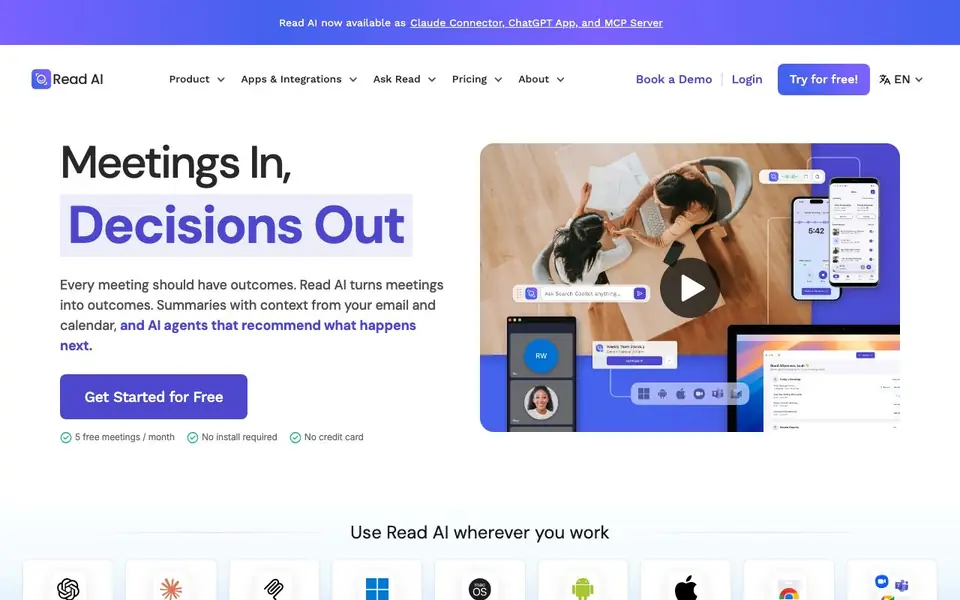
Read AI is an AI meeting assistant that turns conversations into clear outcomes. It works across platforms like Zoom, Google Meet, and Microsoft Teams, plus email and calendar. You get summaries with context from past meetings, and AI agents suggest what to do next.
You start by connecting your calendar and tools. Read AI joins meetings automatically, records what was said, and generates recaps, action items, and highlights tailored to you. After the meeting, action items are routed to tools your team already uses. You can ask questions about decisions and get answers with citations.
It suits teams and individuals who want less busywork. The free plan gives you 5 meetings per month with no credit card. Paid plans add more. It supports 20+ languages and is SOC 2, GDPR, and HIPAA compliant. The website does not list specific paid pricing details.
Read AI features
- Meeting notes: Auto-generated notes, transcript, and video for every meeting.
- AI agent: Summarizes the meeting even if you do not attend.
- Ask Read: Get answers from meetings, emails, and messages with citations.
- Mobile app: Capture in-person meetings using your phone.
- Speaker coach: Get feedback on your speaking patterns and delivery.
What you can do with Read AI
- Catch up on missed meetings with AI-generated summaries.
- Find out what was decided and who owns each action item.
- Search past conversations for specific details or commitments.
- Get tailored briefings before meetings from your email and calendar.
How to get started with Read AI
- Sign up for a free account on Read AI's website.
- Connect your calendar and meeting platforms like Zoom or Teams.
- Let Read AI join your meetings and review your summaries and action items.
Tips for better results with Read AI
- Connect your calendar and email before your first meeting so Read AI can pull in context from past conversations and commitments, making summaries more relevant.
- Use Ask Read after meetings to query decisions and action items with citations, and verify the answers against the original transcript for accuracy.
- Set up Read AI to join recurring meetings automatically, then review the tailored briefings it sends beforehand so you walk in prepared with what was promised last time.
- Try the free 5 meetings per month plan first, and test Read AI on a low-stakes call to see if the summaries and action item routing match your team's workflow.
Read AI pricing
Read AI has a free way to start, with paid plans for heavier use. Check read.ai for current limits and prices.
What to check before you rely on Read AI
- Check your plan's meeting limit: the free plan covers 5 meetings per month, but the website does not list specific paid pricing or overage costs.
- Verify that Read AI's integrations cover the platforms your team uses, since it works with Google Meet, Zoom, and Microsoft Teams but not all tools may be supported.
- Confirm your organization's data privacy requirements against Read AI's SOC 2, GDPR, and HIPAA compliance, but note the website does not detail data retention or deletion policies.
Who Read AI is for
Read AI suits meeting-heavy professionals, team leads, remote workers and enterprises. If that is not you, the AI productivity tools below may fit better.
Similar tools compared with Read AI
| Tool | What it is | Pricing |
|---|---|---|
| Read AI | AI meeting notetaker and assistant | Freemium |
| Mem | AI chief of staff and workspace | See website |
| Reclaim | AI calendar for work and life | Freemium |
| Otter.ai | AI meeting notetaker and transcription tool | Freemium |
| Motion | AI-powered productivity and project platform | Free trial |
Read AI FAQ
What does Read AI do?
It records and transcribes meetings, then generates summaries, action items, and highlights. It also works with your email and calendar to give context, and you can ask questions about past conversations.
Is Read AI free?
Yes, there is a free plan that includes 5 meetings per month. No credit card is required to start. Paid plans exist, but the website does not list specific prices.
Which platforms does Read AI work with?
It works with Zoom, Google Meet, Microsoft Teams, Outlook, Slack, and more. It also has apps for iOS, Android, Windows, macOS, and Chrome, plus integrations with ChatGPT and Claude.
Is my meeting data private?
Read AI says it is built with privacy at its core. It is SOC 2 Type 2 certified, GDPR compliant, and HIPAA compliant. By default, it does not train on your data.
Can Read AI export meeting notes or action items to other tools?
Read AI routes action items to the tools your team already uses, and its integrations connect across platforms like Zoom, Google Meet, and Microsoft Teams. The website does not list specific export formats or destinations beyond these integrations. For details on available export options, check the integrations page on the Read AI website.
Does Read AI have a mobile app for recording in-person meetings?
Yes, Read AI offers a mobile app that lets you capture in-person meetings using your phone. The app is available for download on Android and iPhone, as shown on the Read AI website. This feature is part of the tool's capabilities, alongside its meeting notes and AI agent features.
What does the free plan of Read AI include besides 5 meetings per month?
Read AI's free plan gives you 5 meetings per month with no credit card required. The website mentions that paid plans add more, but it does not list specific features included in the free plan beyond the meeting limit. For a detailed breakdown, check the pricing page on the Read AI website.


